8-6 MD60 AC Drive User Manual
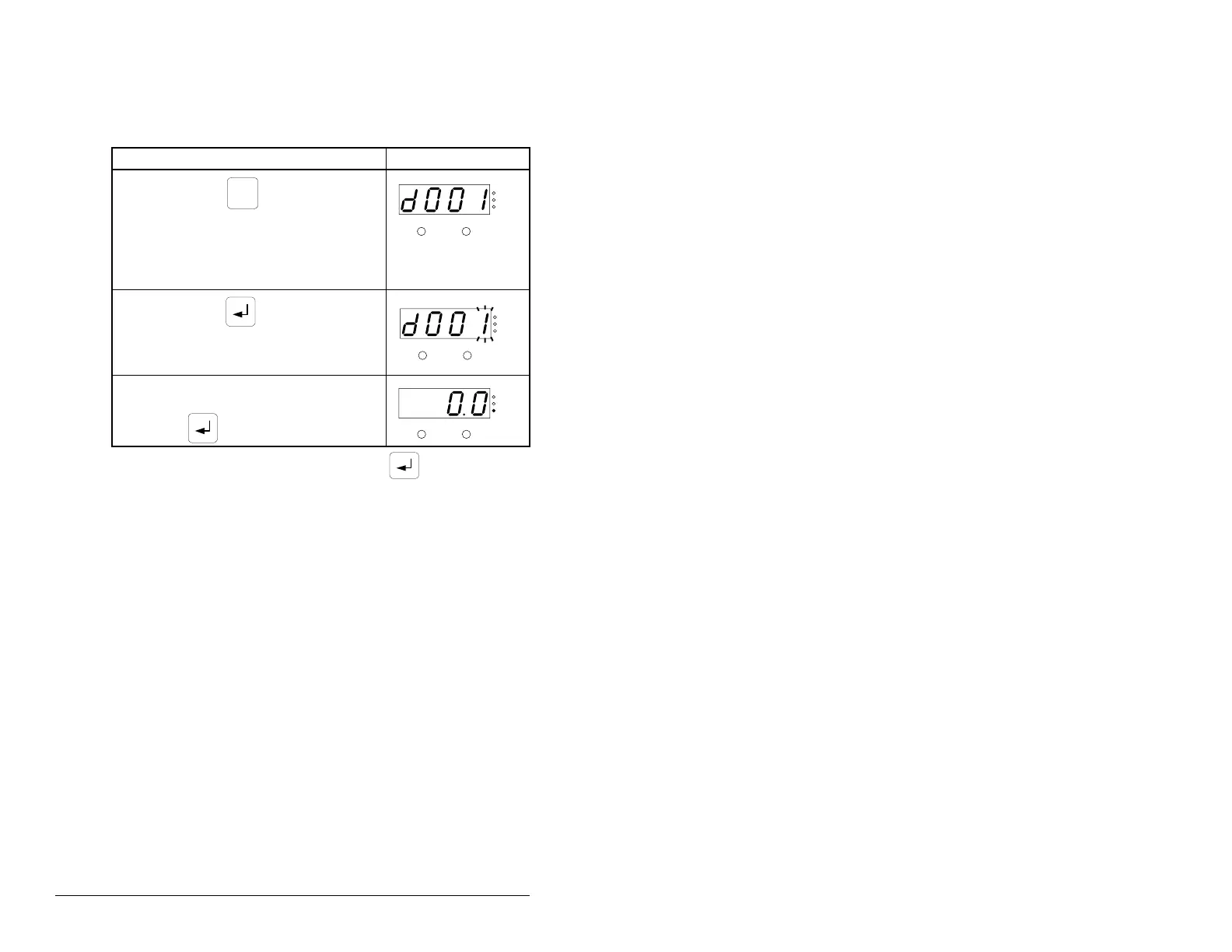
8.5 Viewing the Display (d) Parameters
Use the procedure in table 8.4 to view Display parameters.
To view additional Display parameters, press to return to the
Display Group parameter list and scroll through the parameter list
as described in step 2.
Note that the last user-selected Display parameter is saved when
power is removed and is displayed by default when power is
re-applied.
Table 8.4 – Viewing the Display (d) Parameters
Procedure Sample Display
Step 1. Press to scroll through
the parameter menus until the
Display Group parameters are
displayed. The PROGRAM
LED will be off to indicate the
drive is in display mode.
Step 2. Press to scroll through
the Display Group parameters
until the desired Display
parameter is displayed.
Step 3. The parameter value will be
displayed 3 seconds after
is released.
PROG
VOLTS
AMPS
HERTZ
FAULTPROGRAM
VOLTS
AMPS
HERTZ
FAULTPROGRAM
VOLTS
AMPS
HERTZ
FAULTPROGRAM


 To Next Page
 Loading...