
 Need help?
Do you have a question about the Rockwell Automation MD60 and is the answer not in the manual?
Information on contacting Reliance Electric for technical support and assistance with the MD60 drive.
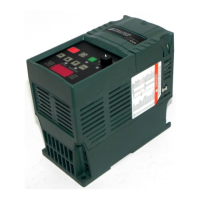
Explains how to identify the MD60 drive using its model number, including typical format and options.
Details MD60 drive ratings, model numbers, and frame sizes, presented in a table for easy selection.
Lists available kits for the MD60 drive, including serial converters, software, and accessories.
Provides recommendations for storing the MD60 drive to prolong its life and performance.
Outlines general requirements for selecting a suitable installation site for the MD60 drive.
Specifies environmental conditions, including temperature and humidity, for optimal MD60 drive operation.
Provides recommended minimum clearances around the MD60 drive for proper ventilation and installation.
Details the physical dimensions and weights of MD60 drive frames A and B for installation planning.
Instructions on how to physically mount the MD60 drive, including DIN rail or screw mounting.
Explains grounding requirements for drives with integral or external RFI filters for proper operation.
Step-by-step instructions on how to open the drive cover to access the power terminal block.
Ensures plant power ratings match drive requirements. Covers ungrounded distribution systems.
Advises on disconnecting MOVs when installing the drive on an ungrounded distribution system.
Lists corrective actions for various input power conditions to prevent damage or reduce product life.
Details recommended copper wire types and ratings for MD60 drive power wiring installations.
Illustrates power terminal block connections for 1-phase and 3-phase inputs, motor outputs, and grounding.
Specifies recommended fuses and circuit breakers for short circuit protection of the MD60 drive.
Guidance on selecting acceptable motor cable types, including unshielded and shielded options.
Discusses the need for external devices like reactors to limit voltage reflections with long motor cables.
Explains how to properly disconnect power to the motor when the drive is providing output power.
Details requirements for operational and emergency stop circuits, emphasizing hardwired electromechanical components.
Provides warnings about using contactors for start/stop and the need for additional hardwired stop circuits.
Offers recommendations for control and signal wiring, including wire type, insulation, and separation.
Details the connections for the control terminal block, including signal assignments and default settings.
Illustrates wiring examples for potentiometers, analog inputs, and various 2-wire and 3-wire control schemes.
Shows typical connection examples for multiple digital inputs and analog connections across drives.
Explains how different sources for start and speed commands are prioritized and can override settings.
Describes how acceleration and deceleration rates can be selected via digital inputs, RS485, or parameters.
Provides a checklist for final installation checks before powering up the MD60 drive.
Instructions for applying AC power and control voltages and initial setup procedures for the MD60 drive.
Identifies and describes the components of the MD60 drive's integral keypad, including LEDs and keys.
Explains the information displayed on the MD60 keypad, such as parameter numbers, values, and fault codes.
Details the function of each LED on the MD60 drive's integral keypad.
Provides a description of each key on the MD60 drive's integral keypad and its function.
Introduces parameters, their types (list, bit, numeric), and configurability for the MD60 drive.
Explains the organization of MD60 drive parameters into Basic, Advanced, and Display groups.
Provides a step-by-step procedure for viewing and adjusting Basic (P) and Advanced (A) parameters.
Details the procedure for viewing the Display (d) parameters on the MD60 drive's keypad.
Details common parameters in the Basic group for simplifying MD60 drive start-up and configuration.
Describes parameters in the Advanced group for more complex applications and MD60 drive configuration.
Lists parameters in the Display group that show actual MD60 drive conditions and status.
Explains how MD60 drive faults are indicated and stored, and how to interpret fault codes.
Provides step-by-step instructions for manually clearing faults on the MD60 drive.
Details the Auto Restart feature for automatically resetting and restarting the MD60 drive after faults.
Presents tables to help diagnose and resolve common problems with the MD60 drive.
Details environmental operating conditions, including altitude, temperature, humidity, and vibration limits.
Lists technical specifications for control features like carrier frequency, accuracy, and stop modes.
A table to record user settings for basic parameters of the MD60 drive.
A table to record user settings for advanced parameters of the MD60 drive.
Specifies the EN50178 standard for electronic equipment used in power installations.
Details the EN61800-3 standard for adjustable speed electrical power drive systems, Part 3.
Provides general notes regarding installation for CE EMC and LV directive compliance.
Lists dynamic brake modules available for MD60 drives, including ratings and model numbers.
Details available EMC line filters for MD60 drives, including drive ratings and model numbers.
Lists operator interface modules and accessories such as remote keypads and OIM cables.
Describes network wiring for RS485 communication, including daisy-chaining and RJ45 connections.
Lists MD60 parameters required to configure the drive for RS485 network operation.
Provides guidelines for connecting peripherals using the RJ45 splitter cable to the MD60 drive.
 General
| Category | DC Drives |
|---|---|
| Amps AC | Up to 410 A |
| Enclosure | Chassis |
| Output Current | Up to 410 A |
| Control Method | Digital Regulator |
| Cooling Method | Air-cooled |



 To Next Page