Activation
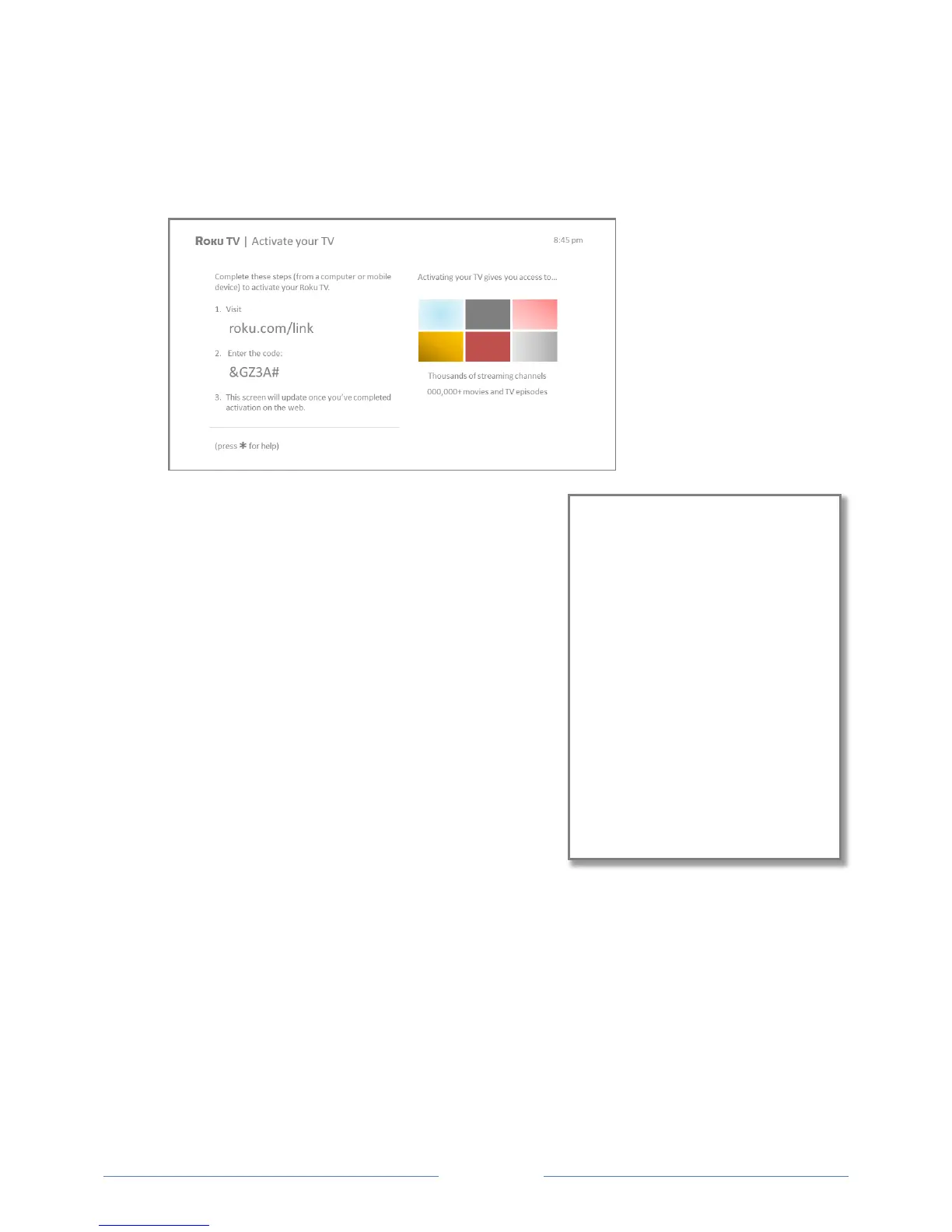
After the TV restarts, it displays the Activation screen:
10. Using a compatible computer, tablet, or smartphone
with an Internet connection, go to the web address
displayed on the screen and enter the code that
appears on your screen.
After you log in or create your Roku account, the link
page suggests that you select some streaming
channels. After you confirm your selections, the TV
gets an acknowledgement, and then adds your
preexisting and newly-selected streaming channels to
your Roku TV. This process is automatic and takes a
few moments—a little longer if you already have a lot
of streaming channels to add.
Tip: Streaming channels from all Roku streaming
devices associated with your account are synchronized
periodically, so that all of your Roku streaming devices
have the same set of streaming channels (subject to compatibility with the device).
Why do I need a Roku Account?
You need a Roku account for several reasons.
It links you, your Roku TV, and your other
Roku streaming devices to the Roku
Channel Store and billing service.
Streaming content providers know that it’s
OK to send content you request to your
Roku TV.
Roku can automatically send updates to
your device.
You need a Roku account to activate your
device and access entertainment across
thousands of streaming channels. Roku
accounts are free, and while a valid credit card
number is not required to create your account,
providing your credit card information makes
renting and purchasing entertainment from
the Roku Channel Store fast and convenient.



 To Next Page