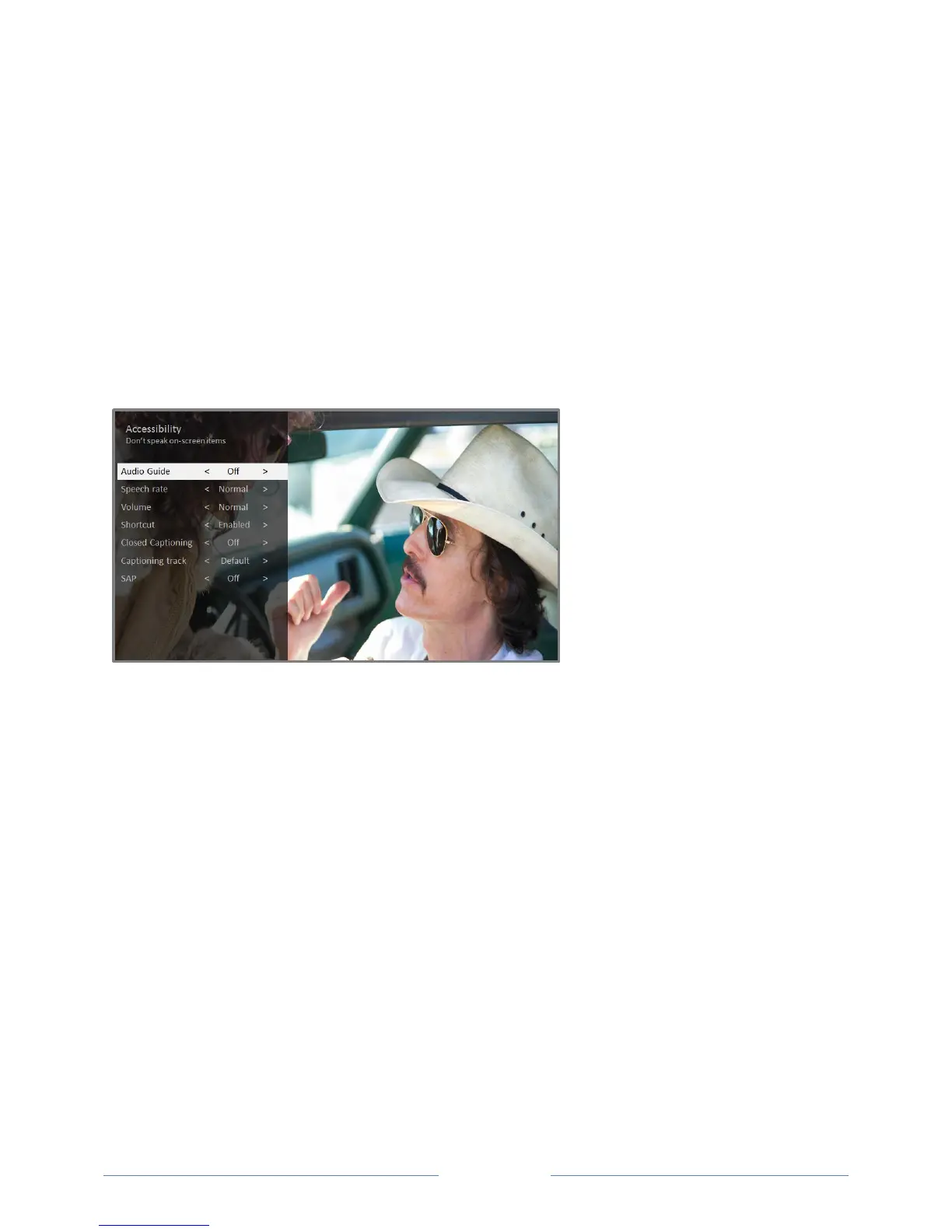
Accessibility (U.S. only)
The Accessibility menu is present only on TVs sold in the United States.
The settings on the Accessibility menu enable you to change the TV’s accessibility settings without
leaving the program you are watching. These settings are also available on the Home screen under
Settings > Accessibility.
To enable the Audio Guide, press the
button on the remote control four times in rapid succession.
Repeat to disable the Audio Guide. (The
button is located directly below the directional pad on the
right side of the Roku remote control.)
Accessibility menu settings
Audio Guide – Turn the Audio Guide on or off. The Audio Guide is a text-to-speech screen
reader that helps blind and low-vision users navigate the Roku user interface and on screen
menus. When enabled, the Audio Guide reads out text, menus, and other on-screen items.
Tip: If Shortcut is enabled, you can enable or disable the Audio Guide by pressing the Option
button
four times in quick succession.
Speech rate – Choose the speed at which the TV speaks Audio Guide prompts.
Volume – Set the volume of the Audio Guide in relation to the main TV volume.
Shortcut – Enable or disable the shortcut feature. When disabled, pressing the Option button
four times in quick succession does not enable or disable the Audio Guide.
Closed captioning – Controls when you see captions. This setting is only offered for Antenna TV,
the AV input, and streaming videos. Any set value remains in effect across only these inputs.
o Antenna TV – Set captions to off, always on, on only when the TV sound is muted, or on
only during instant replay (when Live TV Pause has been enabled).
o AV input – Set captions to off, always on, or on only when the TV sound is muted.



 To Next Page