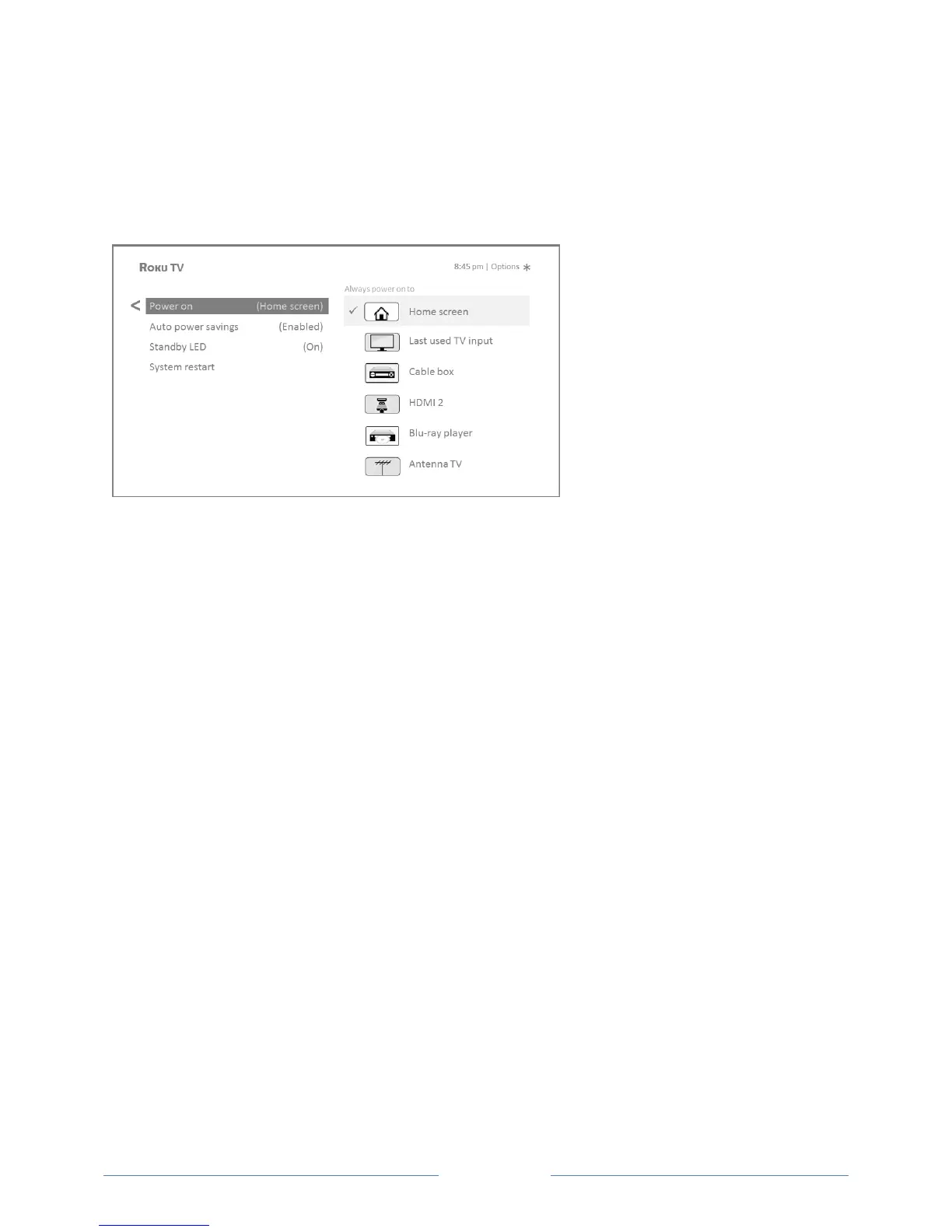
Power on settings
Power on settings tell the TV what to do when you turn on the power. To configure the power on
settings, from the Home screen menu, navigate to Settings > System > Power > Power on. Highlight the
power on location from the list, and then press OK to select it.
Auto power savings
To help you save energy, your TV can automatically turn itself off after a period of inactivity or a period
during which no signal has been detected. It is factory-configured to do both of these things, but you can
change these settings if needed.
To configure automatic power off, from the Home screen menu navigate to Settings > System > Power >
Auto power savings. In the Power settings screen, highlight the following options and press OK to turn
them on or off:
Reduce power after 15 minutes – If no video or audio activity and no user interaction occur for
15 minutes, the TV automatically turns off the screen and sound.
Turn off after 4 hours – If no video or audio activity and no user interaction occur for 4 hours,
the TV goes into standby mode.
Standby LED On/Off
Normally, the status LED on the front of your TV is lit whenever the TV is in standby mode. If you prefer
the status LED to not be lit in standby mode, you can turn it off. To do so, from the Home screen,
navigate to Settings > System > Power > Standby LED, and then select Off.
After making this change, the status LED still performs all other indication functions.



 To Next Page