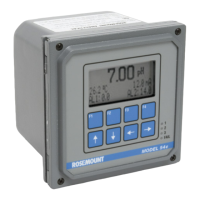
Rosemount Model 3095 Multivariable
™
Level Controller
4-12
Manual Bias This selection sets the controller bias value. (This parameter is
sometimes called manual bias or manual reset.)
This value is only used if the Control Type is set to P or PD. This setting
is used as the controller bias term for the P or PD algorithm equations.
Factory Default: 0.0%
Valid Range: 0.0 to 100%
Derivative Filter This selection sets the derivative filter factor. The tuning algorithm
multiplies the derivative filter value by the derivative time (the D
portion of the PID tuning algorithm).
The derivative filter value is factory set, and adjustment is not
recommended. If the setting is adjusted, you must retune the loop.
Factory Default: 0.125
Valid Range: 0.1 to 1.0
Autotuner (Optional)
Autotuning (Option Code CC) is the process of determining the
process parameters, and then applying standard tuning rules to
determine the optimal tuning parameters (gain, reset, rate, and
bias) for the PID equation. See page 3-4 for further details.
Autotuning may be done at any range, and is not limited to values just
around the setpoint. However, autotuning must be done in a region of
the tank that is representative of the control region.
Autotuning is a two step process. First, the tuner estimates the process
gain, delay and demand by working the process (opening and closing
the valve under live process conditions). Second, the proposed tuning
parameters (calculated values for gain, reset, rate, and bias) are
calculated using the process conditions, loop performance factor, and
the control type.
The Autotune procedure uses seven parameters to tune the loop:
Alpha, Cycles, Output Limits, Level Lo Limit, Level Hi Limit, Time
Limit, and Tune Overshoot. Set these parameters before starting the
Autotune procedure.
CAUTION
Autotuning will disturb the process and will not maintain a bumpless,
balanceless transfer. The valve will move abruptly without consideration
of balance time or manual rate limit. The loop must be out of commission
before performing the Autotune procedure.
Autotuning is not allowed in OOS mode. If you are in OOS mode, you
must change the Controller Mode before beginning the Autotune setup
(see page 4-11). When the Autotune procedure is finished, the controller
returns to the previous control mode (AUTO or MAN) and reverts to
previous tuning values. You must “accept” the autotune (page 4-14) for
the new tuning parameters to take effect.
HART Comm.
6, 2, 1, 6
HART Comm.
6, 2, 1, 5


 To Next Page