5-15
Troubleshooting and Maintenance
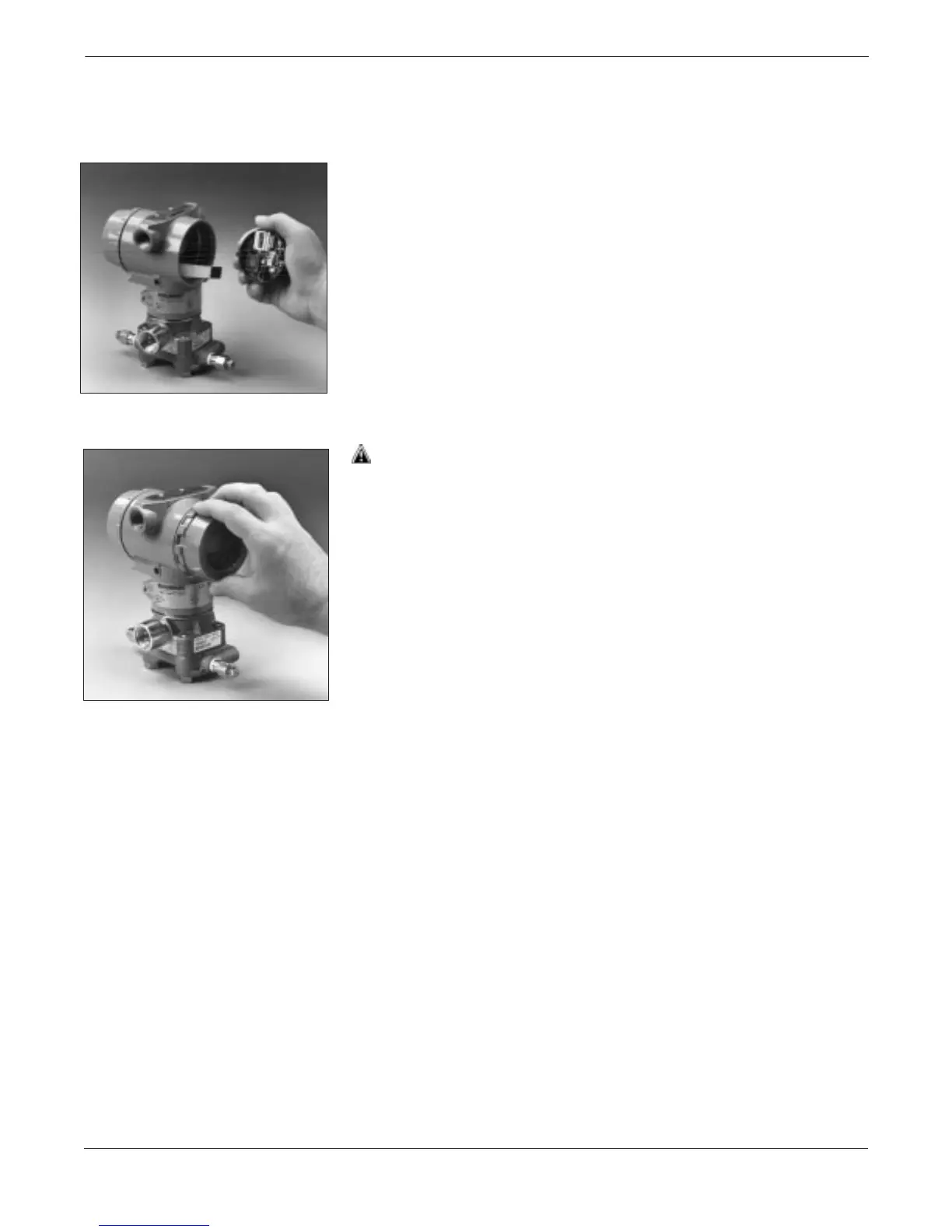
Attach the Electronics
Board
1. Remove the cable connector from its position inside the internal
shroud, and attach the cable to the electronics board.
2. Align the post-receptacle connectors with the posts inside the
electronics housing.
3. Insert the electronics board into the housing and tighten the
captive mounting screws.
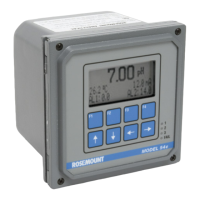
4. Replace the electronics housing cover. Metal to metal contact is
preferred. Both device covers must be fully engaged to meet
explosion-proof requirements.
3095LC043095LC02


 To Next Page