5-13
Troubleshooting and Maintenance
Remove the Sensor
Module from the
Electronics Housing
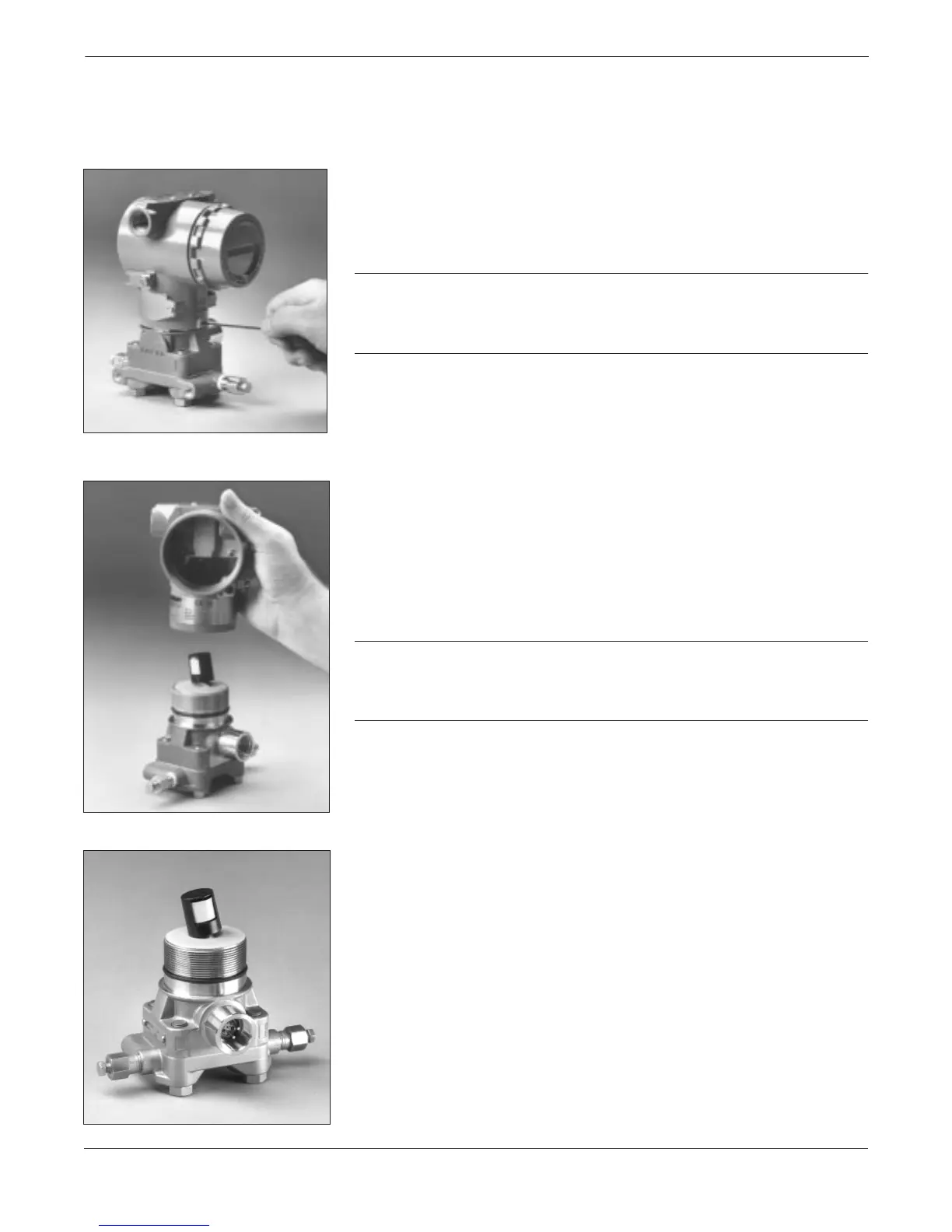
6. Loosen the housing rotation set screw with a 5/64-inch hex
wrench and back off one full turn.
CAUTION
Before removing the sensor module from the electronics housing,
disconnect the electronics board power cable from the sensor module.
This will prevent damage to the sensor module ribbon cable.
7. Unscrew the housing from the module, making sure the shroud
and sensor cable do not catch on the housing. Damage can occur
to the cable if the internal shroud and sensor cable rotate with
the housing. Carefully pull the shroud and sensor ribbon cable
assembly through the housing opening.
CAUTION
If the Coplanar flange has been removed, take care not to damage the
isolating diaphragm after disassembly. Damage to the isolating
diaphragm may lead to inaccurate measurements.
The sensor module is a complete assembly and cannot be further
disassembled.
3095LC063095LC073095LC08


 To Next Page