5-11
Troubleshooting and Maintenance
Electrical Housing
Electrical connections are located in a compartment identified as
FIELD TERMINALS on the electronics housing. Unscrew the cover on
the Field Terminal side to access the signal terminal block.
Remove the signal terminal block by loosening the two small screws
located at the 9 o'clock and 4 o'clock positions, then pulling the terminal
block straight out to disconnect the block from the post connectors.
Remove the Electronics
Board
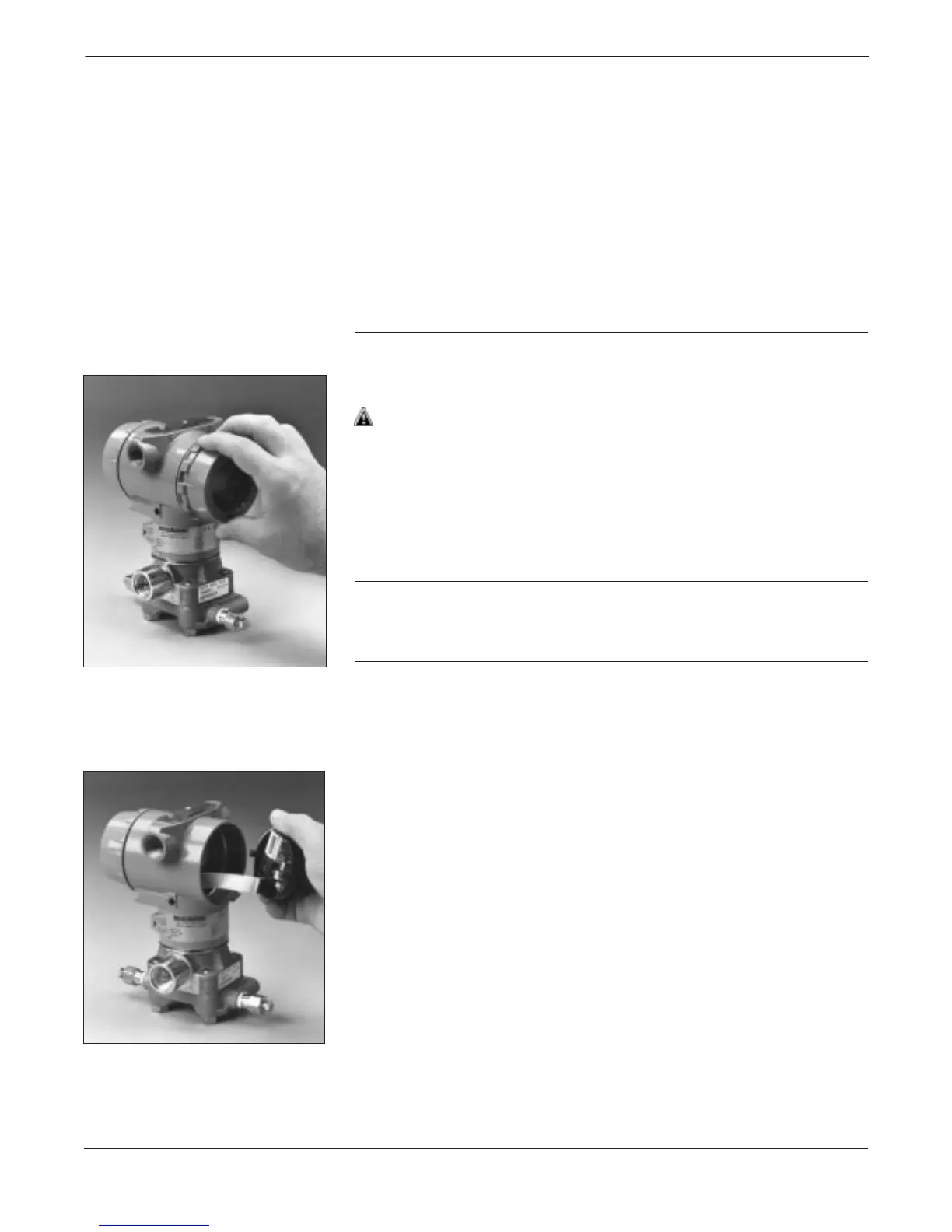
The device electronics are located behind the cover opposite the
terminal side.
CAUTION
To prevent damage to the circuit board, remove power from the device
before removing the electronics cover.
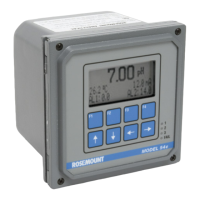
To remove the electronics board:
1. Remove the housing cover opposite the field terminal side. Do not
remove the instrument cover in explosive atmospheres when the
circuit is alive.
2. Loosen the two captive screws that anchor the board.
CAUTION
The circuit board is electrostatically sensitive. To prevent damage to
the circuit board, be sure to observe handling precautions for static-
sensitive components.
3. Slowly pull the electronics board out of the housing.
3095LC03 3095LC02


 To Next Page