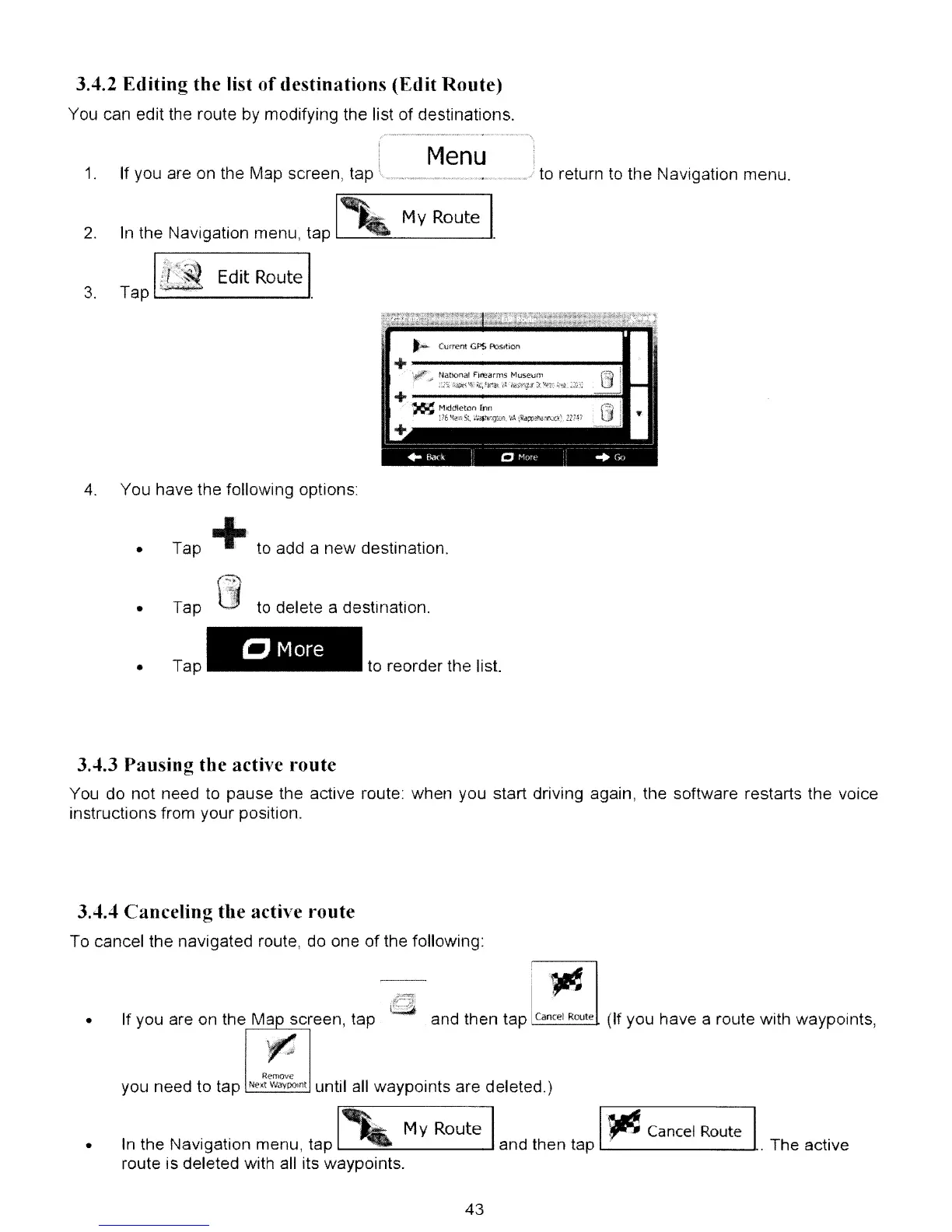
3.4.2 Editing
the
list
of
destinations
(Edit
Route)
You can edit the route
by
modifying the list of destinations.
1.
2.
Menu
If you are on the Map screen, tap
In
the Navigation menu, tap
[,
My Route l
to
return to the Navigation menu.
•
Edit Route
3.
Tap
1...-
--'
Niltion-al
FI~,arrns
t<1useum
~:.lx
\\~~~;
~,f~~\
'(l.
-'4;¥:;.:!1'
3',
"Y':.'0
~'tz;_
;z.;:~
+ .
~
f<1Jddlcerc()
inn
1:76
'<lif!o
St,
..
t::,,~.~,gWf\
'1;\
;~;:p~~t.n;:Q:\
.un:
+
4.
You have the following options:
Tap
+,
to add a new destination.
•
•
Tap
Tap
to delete a destillation.
CMore
to reorder Ule list.
3.4.3
Pausing
tbe
active I"oute
You do not need
to
pause the active route: when you start driving again, the software restarts the voice
instructions from your position.
3.4.4
Canceling
tbe
active
route
To cancel the navigated route, do one
of
the following:
1·.~
•
If you are
on
the Map screen, tap
~
ii~
and then tap Gmeet Route (If you have a route with waypoints,
•
Remove
you need to tap NMWayoomt until
all
waypoints are deleted.)
In
the Navigation menu, tap
My
Route and then tap
I·~
Cancel
Route
I..
The active
route is deleted with all its waypoints.
43



 To Next Page