CJ)
Touch
any
other
Tab
Button
to exit from the 1P3
~
interface.
Touch
any
button
where
MP3 music has been
recorded
to start playback.
(1
o
:::J
-
~
o
VI
»
3:
-
."
3:
ROSEN
WWW.rosenentertalnment
com
2.6 MP3
Operation
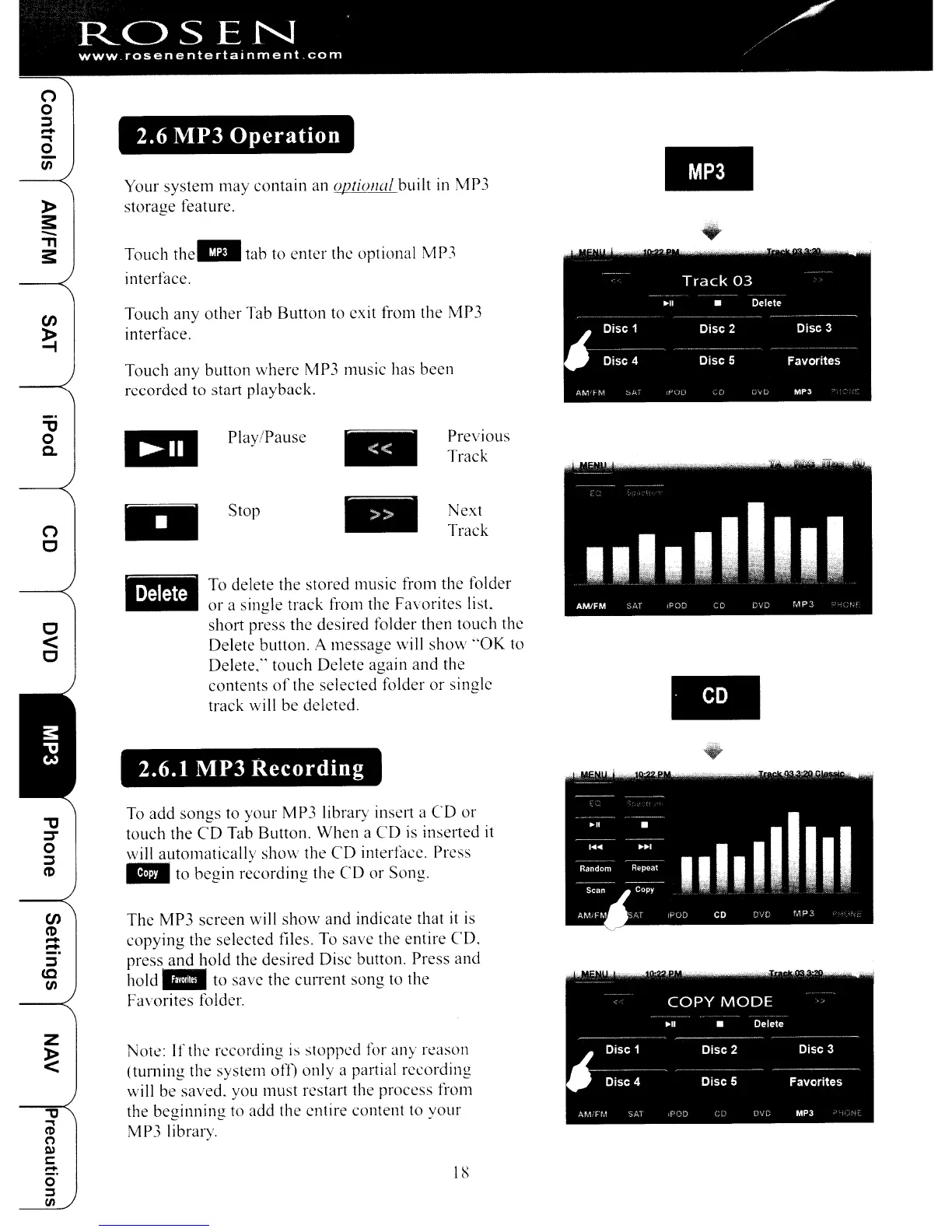
Your
system
may
contain an uptiunal built in MP3
storage
feature.
Touch the
III
tab to
enter
the optional MP3
interface.
..
..
all
Play/Pause
..
Previous
Track
..
Stop
..
Next
Track
2.6.1 MP3
Recording
18
To delete
the
stored music from the folder
or
a single track from the Favorites list.
short press the desired folder then
touch
the
Delete button. A
message
will shoyv
"OK
to
Delete," touch Delete again
and
the
contents
of
the selected folder
or
single
track will be deleted.
The
MP3
screen
will
show
and indicate that
it
is
copying
the selected files. To save the entire
CD,
press
and
hold the
desired
Disc button. Press and
hold"
to save the
current
song
to
the
Favorites folder.
NOk: I
f the recording
is
stopped for
any
reason
(turning
the
system off)
only
a partial recording
will be saved. you
must
restart the process from
the
beginning
to add the entire content to
your
MP3 library.
To
add
songs
to
your
MP3 library insel1 a
CD
or
touch the
CD
Tab Button.
When
a
CD
is
inserted it
will
automatically
show
the
CD
interl~1ce.
Press
..
to begin
r~cOl'ding
the
CD
or
Song.
"'tJ
o
c..
c
<
C
(1
C
"'tJ
:::T
o
:::J
(1)
1J
..,
CD
o
t'Il
c:
:!:
o
~
1/1
CJ)
(1)
-
-
:::J
to
VI
CJ)
Touch
any
other
Tab
Button
to exit from the 1P3
~
interface.
Touch
any
button
where
MP3 music has been
recorded
to start playback.
(1
o
:::J
-
~
o
VI
»
3:
-
."
3:
ROSEN
WWW.rosenentertalnment
com
2.6 MP3
Operation
Your
system
may
contain an uptiunal built in MP3
storage
feature.
Touch the
III
tab to
enter
the optional MP3
interface.
..
..
all
Play/Pause
..
Previous
Track
..
Stop
..
Next
Track
2.6.1 MP3
Recording
18
To delete
the
stored music from the folder
or
a single track from the Favorites list.
short press the desired folder then
touch
the
Delete button. A
message
will shoyv
"OK
to
Delete," touch Delete again
and
the
contents
of
the selected folder
or
single
track will be deleted.
The
MP3
screen
will
show
and indicate that
it
is
copying
the selected files. To save the entire
CD,
press
and
hold the
desired
Disc button. Press and
hold"
to save the
current
song
to
the
Favorites folder.
NOk: I
f the recording
is
stopped for
any
reason
(turning
the
system off)
only
a partial recording
will be saved. you
must
restart the process from
the
beginning
to add the entire content to
your
MP3 library.
To
add
songs
to
your
MP3 library insel1 a
CD
or
touch the
CD
Tab Button.
When
a
CD
is
inserted it
will
automatically
show
the
CD
interl~1ce.
Press
..
to begin
r~cOl'ding
the
CD
or
Song.
"'tJ
o
c..
c
<
C
(1
C
"'tJ
:::T
o
:::J
(1)
1J
..,
CD
o
t'Il
c:
:!:
o
~
1/1
CJ)
(1)
-
-
:::J
to
VI



 To Next Page