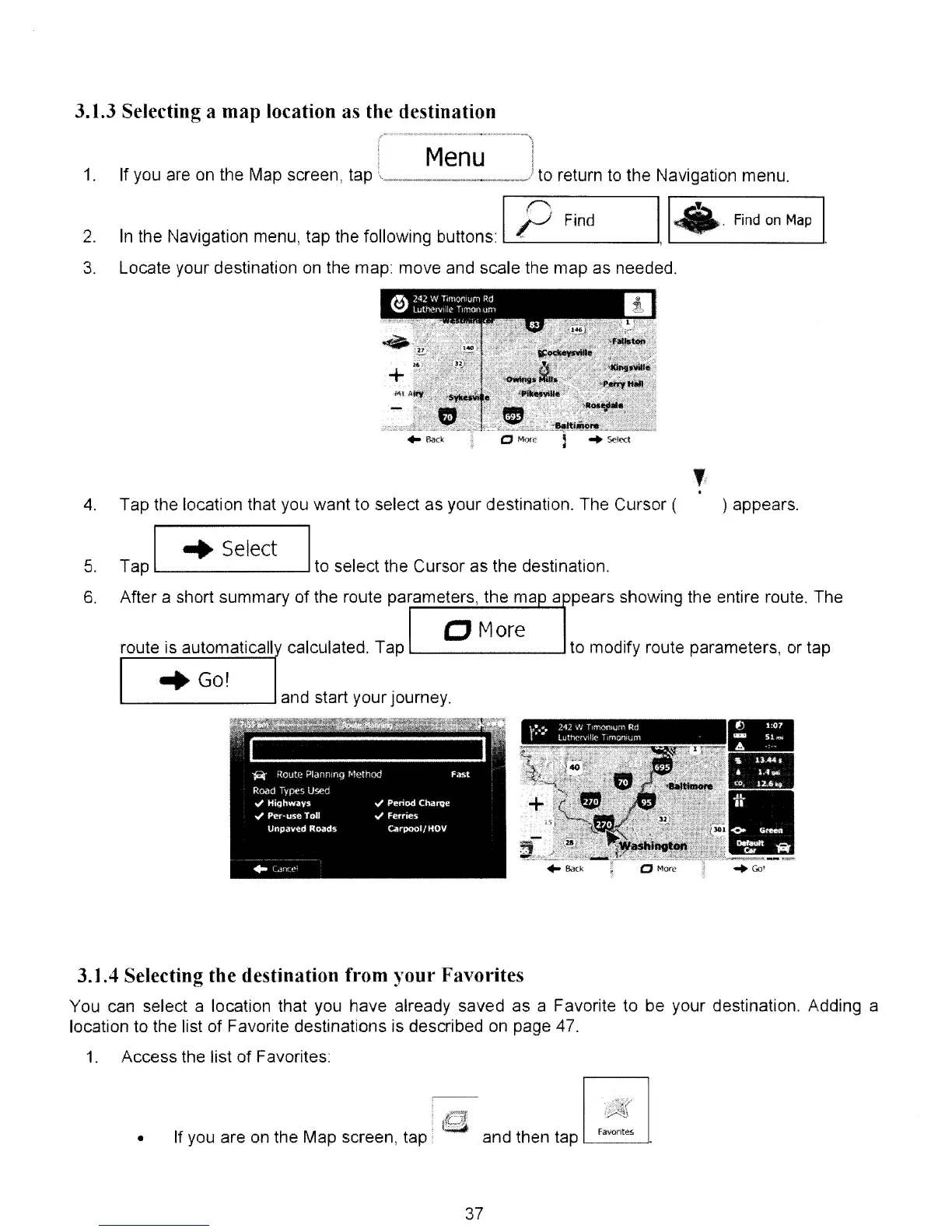
3.1.3 Selecting a map location as the destination
Menu
1.
If you are on the Map screen, tap
'.,~
._,._
..
__
,_,_.,_
...
.d
to return to the Navigation menu.
Locate your destination on the map: move and scale the
map
as needed.
2.
3.
In the Navigation menu,
tap
the following buttons: IP Find
114
Find
on
Map
I
) appears.
,
.
Tap the location that you
want
to select
as
your destination. The Cursor (
I
..
Select
I
Tap to select the Cursor as the destination.
After a short summary
of
the route parameters, the map a )pears showing the entire route. The
4.
5.
6.
o
More
route is automaticallv calculated. Tap
'---
--1
to modify route parameters, or tap
"Go!
'---
---'
and start your journey.
3.1.4 Selecting the destination from your Favorites
You can select a location that you have already saved as a Favorite to be your destination. Adding a
location to the list
of
Favorite destinations is described on page 47.
1.
Access the list
of
Favorites:
•
If you are on the Map screen,
tap:
and then tap
~Fa_vo_nt""-----"
37



 To Next Page