ROSEN
. .
www.rosenentertalnment
com
en
o
~
-
c:
o
U
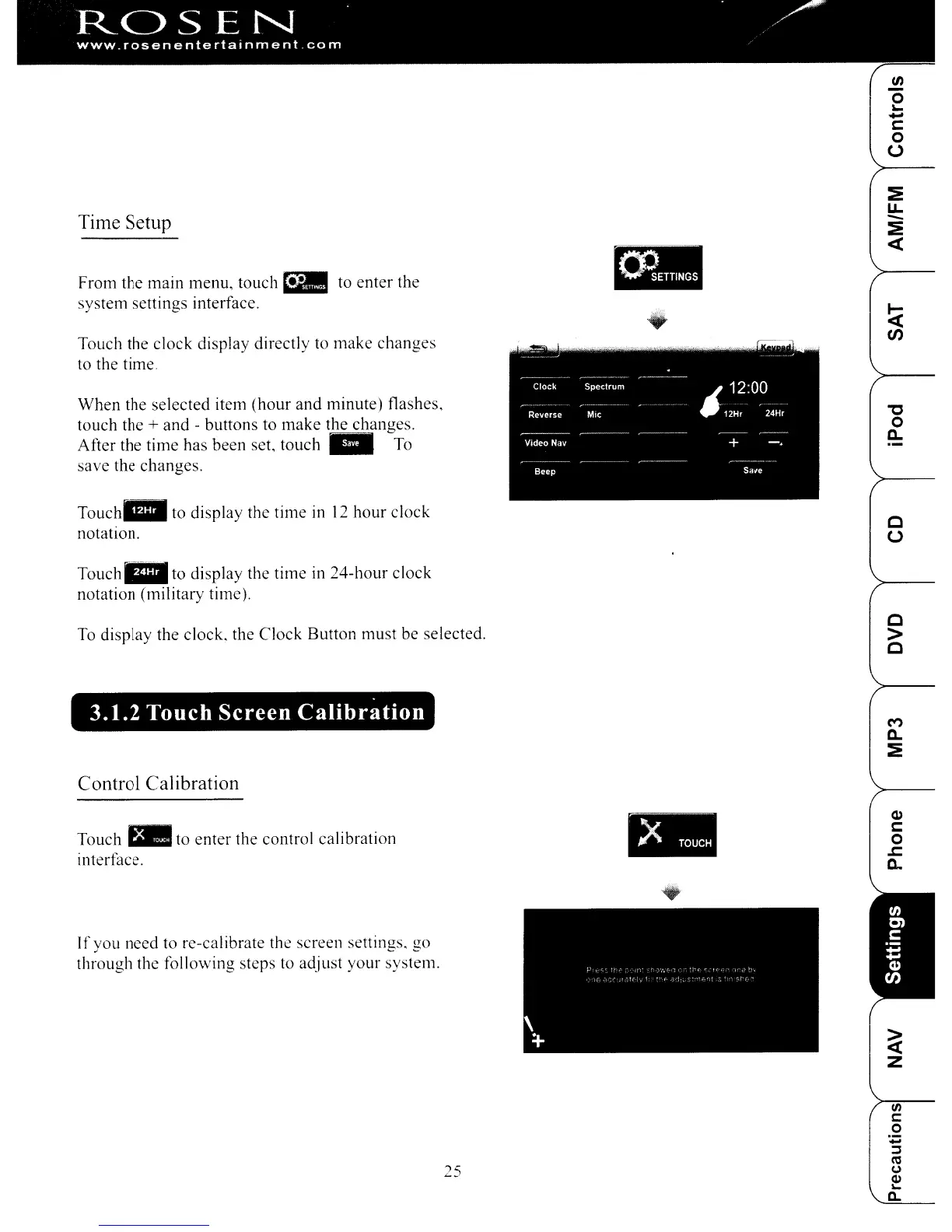
Time Setup
From the main menu, louch
rill
to enter the
system settings interface.
TOllch
the clock display directly to make changes
to the time.
When the selected item (hour and minute) flashes,
touch the
+ and - buttons to make the changes.
After the time has been set,
touch"
To
save the changes.
Touch"
to display the time
in
12
hour clock
notation.
-
c
u
Touch_
to display the time in 24-hour clock
notation (military time).
To
display the clock, the Clock Button must be selected.
c
>
C
3.1.2 Touch Screen
Calibration
M
a..
~
Control Calibration
Q)
c:
o
.c:
Q.
•
~
Z
<n
c
0
+=
::s
25
«J
0
Q,)
~
~
Touch
t-.
to enter the control calibration
interface.
I
f you need to re-calibrate the screen settings. go
through the following steps to adjust your system.
ROSEN
. .
www.rosenentertalnment
com
en
o
~
-
c:
o
U
Time Setup
From the main menu, louch
rill
to enter the
system settings interface.
TOllch
the clock display directly to make changes
to the time.
When the selected item (hour and minute) flashes,
touch the
+ and - buttons to make the changes.
After the time has been set,
touch"
To
save the changes.
Touch"
to display the time
in
12
hour clock
notation.
-
c
u
Touch_
to display the time in 24-hour clock
notation (military time).
To
display the clock, the Clock Button must be selected.
c
>
C
3.1.2 Touch Screen
Calibration
M
a..
~
Control Calibration
Q)
c:
o
.c:
Q.
•
~
Z
<n
c
0
+=
::s
25
«J
0
Q,)
~
~
Touch
t-.
to enter the control calibration
interface.
I
f you need to re-calibrate the screen settings. go
through the following steps to adjust your system.



 To Next Page