(')
o
~
-
~
o
en
>
s:
-
."
s:
ROSEN
/
www.rosenentertalnment.com
.
3.1.4 Rear Seat Source
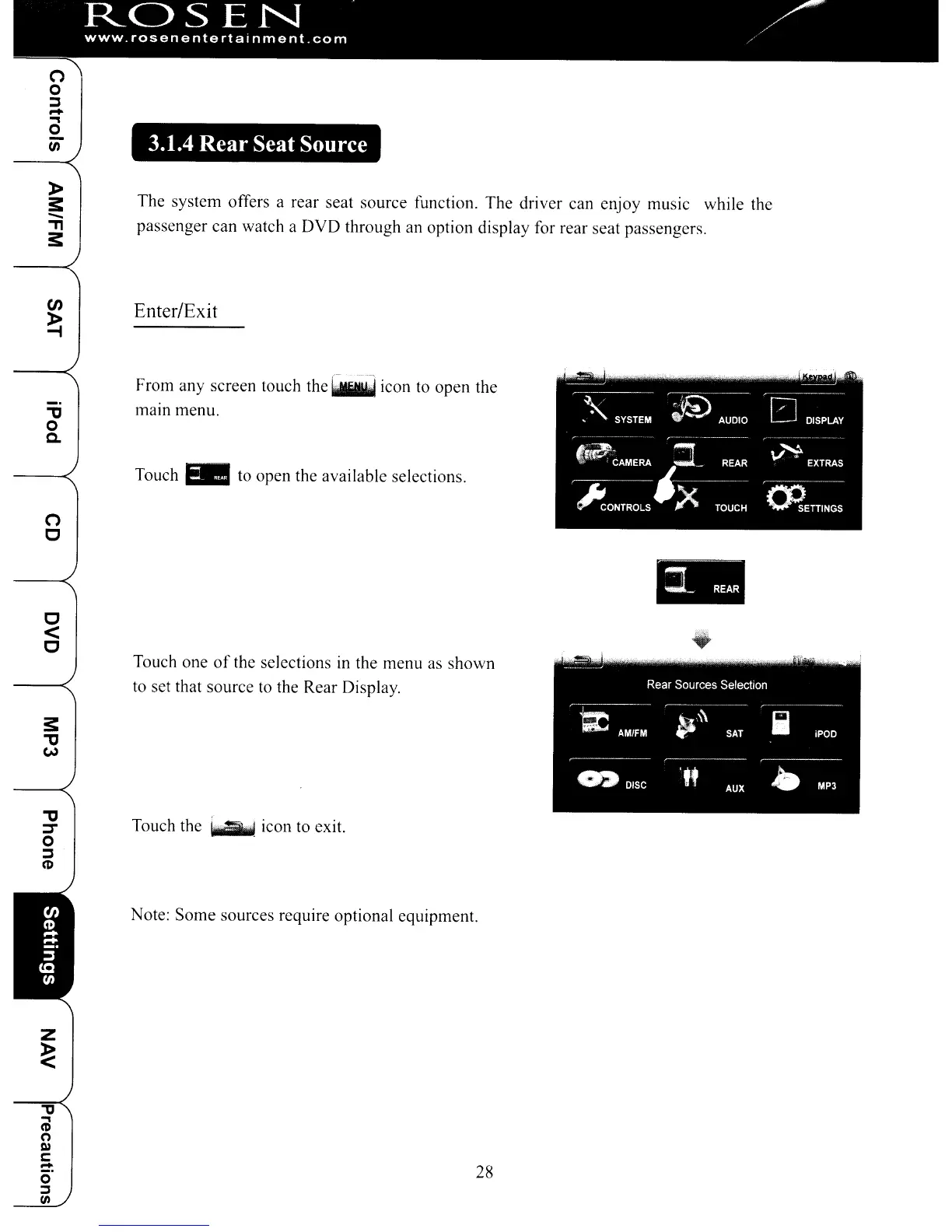
The system offers a rear seat source function. The driver can enjoy music while the
passenger can watch a
DVD
through an option display for rear seat passengers.
Enter/Exit
From any screen touch the
~
icon to open the
"'tJ
mam menu.
o
c..
Touch
EB
to open the available selections.
(')
o
ill
o
<
o
Touch one
of
the selections
in
the menu as
shown
to set that source to the Rear Display.
""C
~
Touch the
....
icon to exit.
o
~
(1)
Note:
Some
sources require optional equipment.
z
~
"
..,
(I)
(")
D)
c::
~
28
0
::1
IJl
(')
o
~
-
~
o
en
>
s:
-
."
s:
ROSEN
/
www.rosenentertalnment.com
.
3.1.4 Rear Seat Source
The system offers a rear seat source function. The driver can enjoy music while the
passenger can watch a
DVD
through an option display for rear seat passengers.
Enter/Exit
From any screen touch the
~
icon to open the
"'tJ
mam menu.
o
c..
Touch
EB
to open the available selections.
(')
o
ill
o
<
o
Touch one
of
the selections
in
the menu as
shown
to set that source to the Rear Display.
""C
~
Touch the
....
icon to exit.
o
~
(1)
Note:
Some
sources require optional equipment.
z
~
"
..,
(I)
(")
D)
c::
~
28
0
::1
IJl



 To Next Page