ROSEN
www.rosenentertalnment
com
2.7 Bluetooth Handsfree
The system can provide bluetooth hands free communication function.
If
your mobile phone is
bluetooth enabled,
it
can establish a point-to-point connection with the system, providing telephone
dial up, call answering, and bluetooth music play.
Note: This system requires a Bluetooth enabled phone. Cell phones and software vary by brand and
date
of
manufacture. Therefore some phones may not be compatible and/or some functions may be
different
or
not compatible with this system during actual use.
en
o
'-
..
c::
o
o
~
u.
-
~
«
Phone compatibility issues are not covered under warranty.
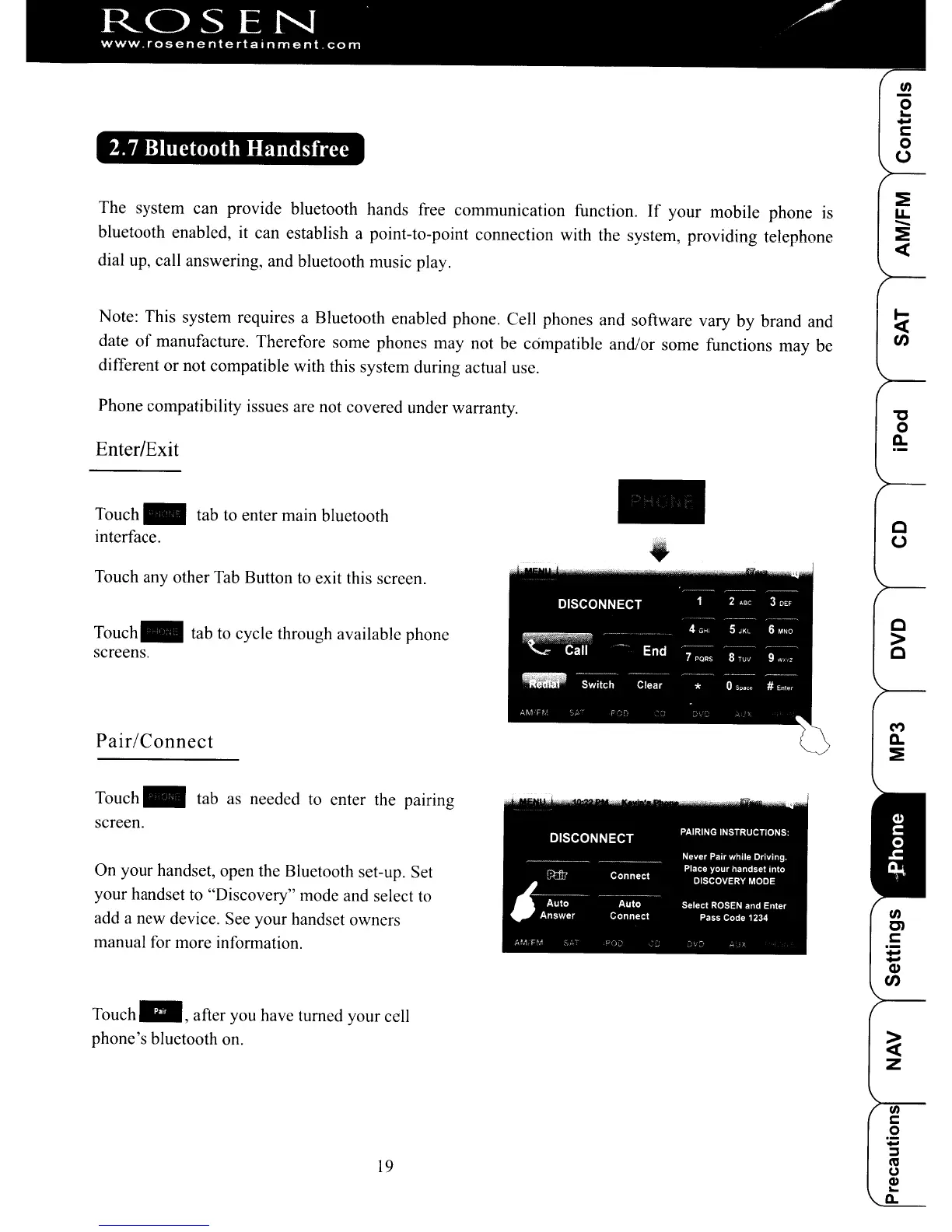
Enter/Exit
Touch
~
tab to enter main bluetooth
interface.
Touch any other Tab Button to exit this screen.
Touch.
tab to cycle through available phone
screens.
Pair/Connect
..
"C
o
a..
c
o
c
>
C
Touch
~
tab as needed to enter the pairing
screen.
On your handset, open the Bluetooth set-up. Set
your handset to "Discovery" mode and select to
add a new device. See your handset owners
manual for more information.
Touch",
after you have turned your cell
phone's bluetooth on.
19
ROSEN
www.rosenentertalnment
com
2.7 Bluetooth Handsfree
The system can provide bluetooth hands free communication function.
If
your mobile phone is
bluetooth enabled,
it
can establish a point-to-point connection with the system, providing telephone
dial up, call answering, and bluetooth music play.
Note: This system requires a Bluetooth enabled phone. Cell phones and software vary by brand and
date
of
manufacture. Therefore some phones may not be compatible and/or some functions may be
different
or
not compatible with this system during actual use.
en
o
'-
..
c::
o
o
~
u.
-
~
«
Phone compatibility issues are not covered under warranty.
Enter/Exit
Touch
~
tab to enter main bluetooth
interface.
Touch any other Tab Button to exit this screen.
Touch.
tab to cycle through available phone
screens.
Pair/Connect
..
"C
o
a..
c
o
c
>
C
Touch
~
tab as needed to enter the pairing
screen.
On your handset, open the Bluetooth set-up. Set
your handset to "Discovery" mode and select to
add a new device. See your handset owners
manual for more information.
Touch",
after you have turned your cell
phone's bluetooth on.
19



 To Next Page