o
o
::::l
-
..,
o
en
"'1J
o
c.
ROSEN
www.rosenentertalnment
com
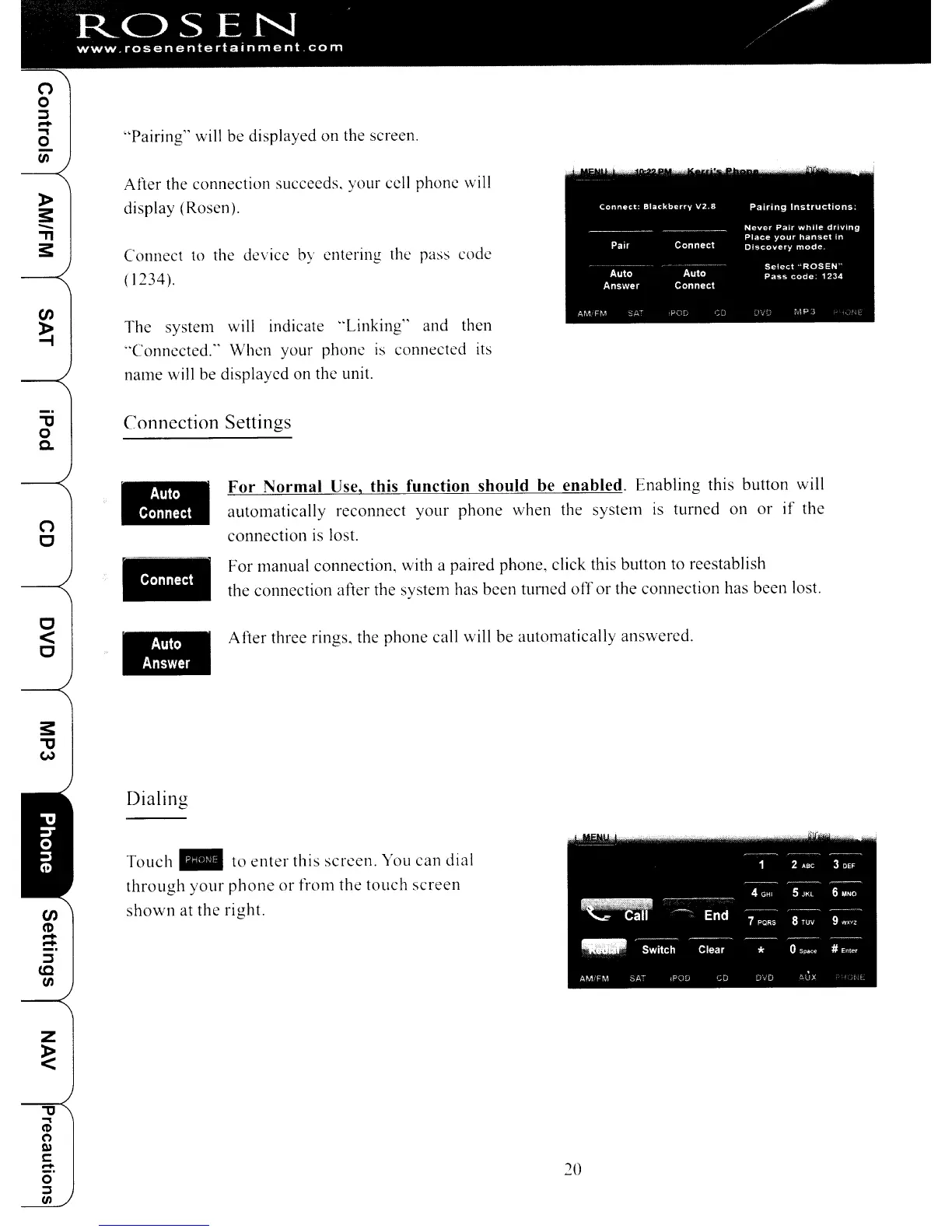
"Pairing" will be displayed
on
the screen.
After the connection succeeds. your cell phone will
display (Rosen).
Connect to the device by entering the pass code
( 1234).
The
system will indicate
"Linking"
and then
"Connected'" When your phone is connected
its
name will be displayed on the unit.
Connection
Settings
o
c
c
<
C
-.m.
-
-.m.
...
For
Normal
Use,
this
function
should
be
enabled.
Enabling
this button will
automatically
reconnect
your
phone
when
the system
is
turned
on
or
if
the
connection
is lost.
For
manual connection, with a paired phone, click this button to reestablish
the connection after the system has been turned
off
or
the connection has been lost.
After
three rings, the phone call will be automatically answered.
Dialing
Touch"
to
enter
this
screen.
You
can
dial
through
your
phone
or
from
the
touch
screen
en
shown
at
the
right.
~
-
-
::::l
to
en
20
o
o
::::l
-
..,
o
en
"'1J
o
c.
ROSEN
www.rosenentertalnment
com
"Pairing" will be displayed
on
the screen.
After the connection succeeds. your cell phone will
display (Rosen).
Connect to the device by entering the pass code
( 1234).
The
system will indicate
"Linking"
and then
"Connected'" When your phone is connected
its
name will be displayed on the unit.
Connection
Settings
o
c
c
<
C
-.m.
-
-.m.
...
For
Normal
Use,
this
function
should
be
enabled.
Enabling
this button will
automatically
reconnect
your
phone
when
the system
is
turned
on
or
if
the
connection
is lost.
For
manual connection, with a paired phone, click this button to reestablish
the connection after the system has been turned
off
or
the connection has been lost.
After
three rings, the phone call will be automatically answered.
Dialing
Touch"
to
enter
this
screen.
You
can
dial
through
your
phone
or
from
the
touch
screen
en
shown
at
the
right.
~
-
-
::::l
to
en
20



 To Next Page