ROSEN
www.rosenentertalnment.com
3.1.5 Reverse Camera/Sensor Operation
When the system
is
connected with an
optional
rear camera or sensors you can view the
image from the rear camera
on
the unit or
use
the backup warning system.
UJ
o
s-
-
c:
o
(.)
:!:
u.
-
:!:
«
When the camera
is
installed and the backup
setting enabled. the rear camera view will
automatically open when the vehicle
is
shifted
into reverse.
"'C
o
a.
Notice:
The
rear
camera
is
provided
for
additional
information
only.
As the driver, you should always check
your
surroundings
before
backing
the
vehicle.
c
(.)
To
access the camera view manually touch the
~
icon
to
enter the main menu. Touch the
aiII
button
to
enter the camera view.
Touch
l-.J
to
exit the camera interface.
c
>
C
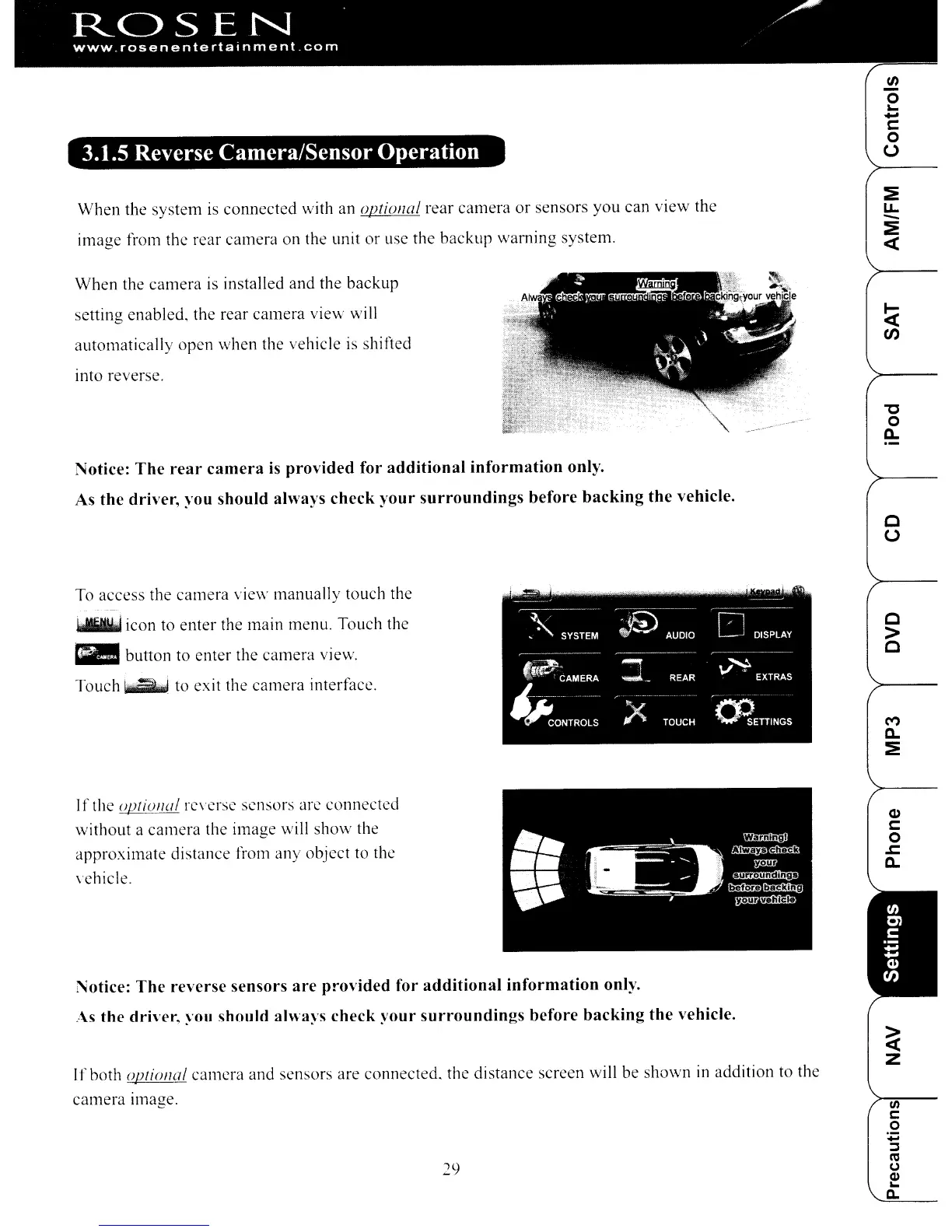
If the
0l1iollal
rc\'crsc scnsors are connected
without a camera the image will show the
approximate distance from any object
to
the
vehicle.
Notice:
The
reverse sensors
are
provided for
additional
information
only.
/\s
the
driver, you should always check
your
surroundings
before
backing
the
vehicle.
Ifboth
opri()//al camera and sensors are connected. the distance screen will
be
shown
in
addition
to
the
camera Image.
29
(1)
c:
o
.c
a.
In
c:
o
ROSEN
www.rosenentertalnment.com
3.1.5 Reverse Camera/Sensor Operation
When
the
system
is
connected
with an
optional
rear
camera
or
sensors
you
can
view
the
image
from the rear
camera
on the unit or use
the
backup
waming
system.
UJ
o
s-
-
c:
o
(.)
:!:
u.
-
:!:
«
When
the
camera
is installed
and
the
backup
setting
enabled.
the
rear
camera
view
will
automatically
open
when
the vehicle is shifted
into reverse.
"'C
o
a.
Notice:
The
rear
camera
is
provided
for
additional
information
only.
As the driver, you should always check
your
surroundings
before
backing
the
vehicle.
c
(.)
To
access
the
camera
view
manually
touch the
~
icon to
enter
the main menu. Touch the
aiII
button to
enter
the
camera
view.
Touch
l-.J
to exit the
camera
interfacc.
c
>
C
If the
0l1iollal
rc\'crsc scnsors arc
connected
without
a
camera
the
image
will
show
the
approximate
distance
from
any
object
to thc
vehicle.
Notice:
The
reverse sensors
are
provided for
additional
information
only.
/\s
the
driver, you should always check
your
surroundings
before
backing
the
vehicle.
Ifboth
opri()//al
camera
and
sensors
are
connected.
the
distance
screen will be
shown
in
addition to the
camera
Image.
29
(1)
c:
o
.c
a.
In
c:
o



 To Next Page