3.1.1
Entering
an
address
or
a
part
of
the
address
If you know at least a part of the address, it is the quickest way to select the destination of the route.
Using the same screen, you can find
an
address by entering:
• the exact address, including house number
• the center of a city/town
• an intersection
• the midpoint of a street
• any of the above, starting the search with the
ZIP code (page Error! Bookmark
not
defined.)
3.1.1.1
Entering
an
address
(United
States)
To enter
an
address as the destination, do as follows:
1.
If you are on the Map screen, tap
Menu
to return to the Navigation menu.
2.
3.
In the Navigation menu, tap the following buttons: I P Find
I,
18
F~nd_
Add~essJ
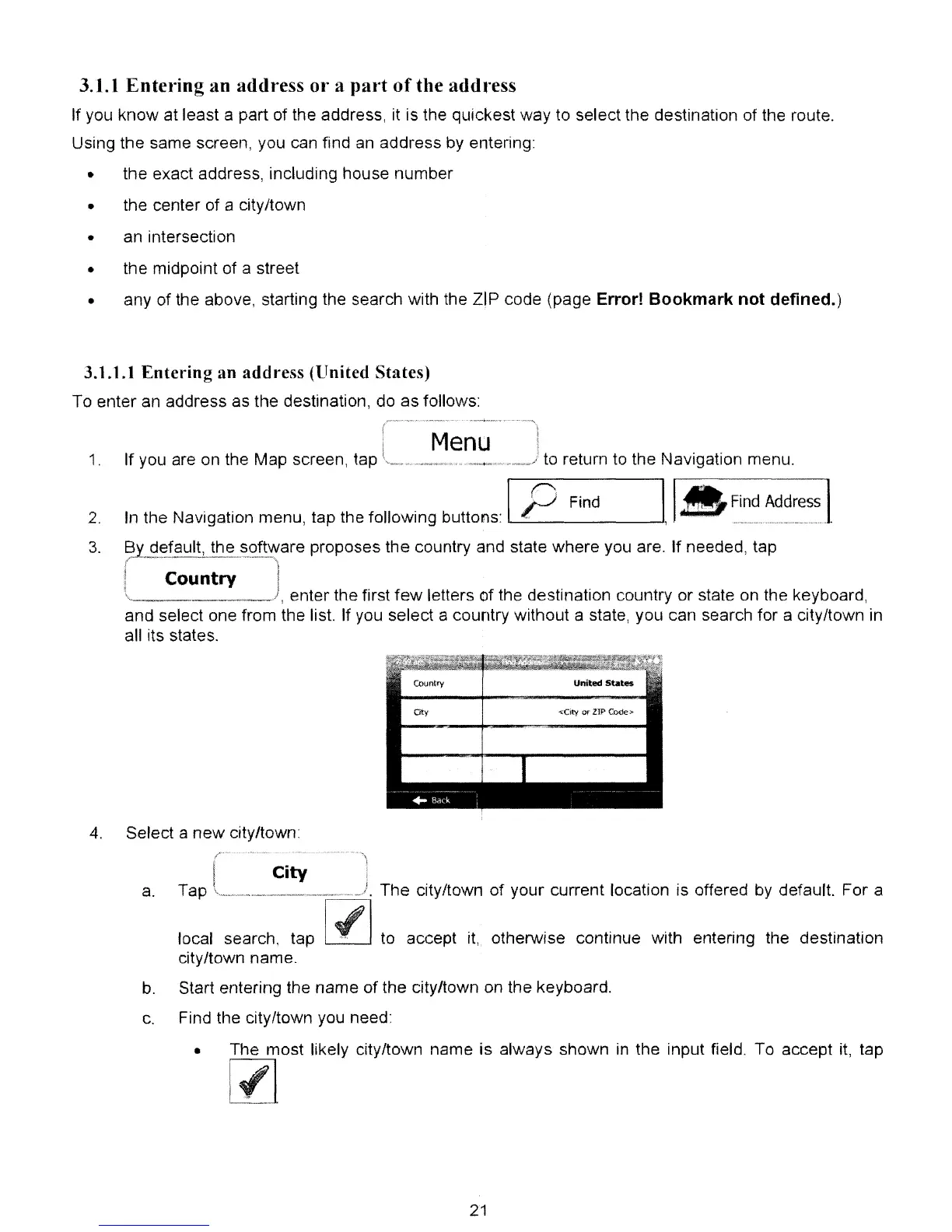
81 default, the software proposes the country and state where you are. If needed, tap
/"
'_'_<
..
~~--~-~-'
_._~"-~~"----,\
i i
1 Country I
\.____
),
enter the first
few
letters of the destination country or state on the keyboard,
and select one from the list. If you select a country without a state, you can search for a city/town in
all its states.
Country
United
States
Oty
~Oty
or
lIP
COde)o
4.
Select a
new
city/town
City
a.
Tap _
~=~.
The city/town
of
your current location is offered
by
default. For a
'----'
to accept
it,
otherwise continue with entering the destination
local search, tap
city/town name.
b.
Start entering the name of the city/town on the keyboard.
c.
Find the city/town you need:
• The most likely city/town name is always shown
in
the input field. To accept
it,
tap
[l]
21



 To Next Page