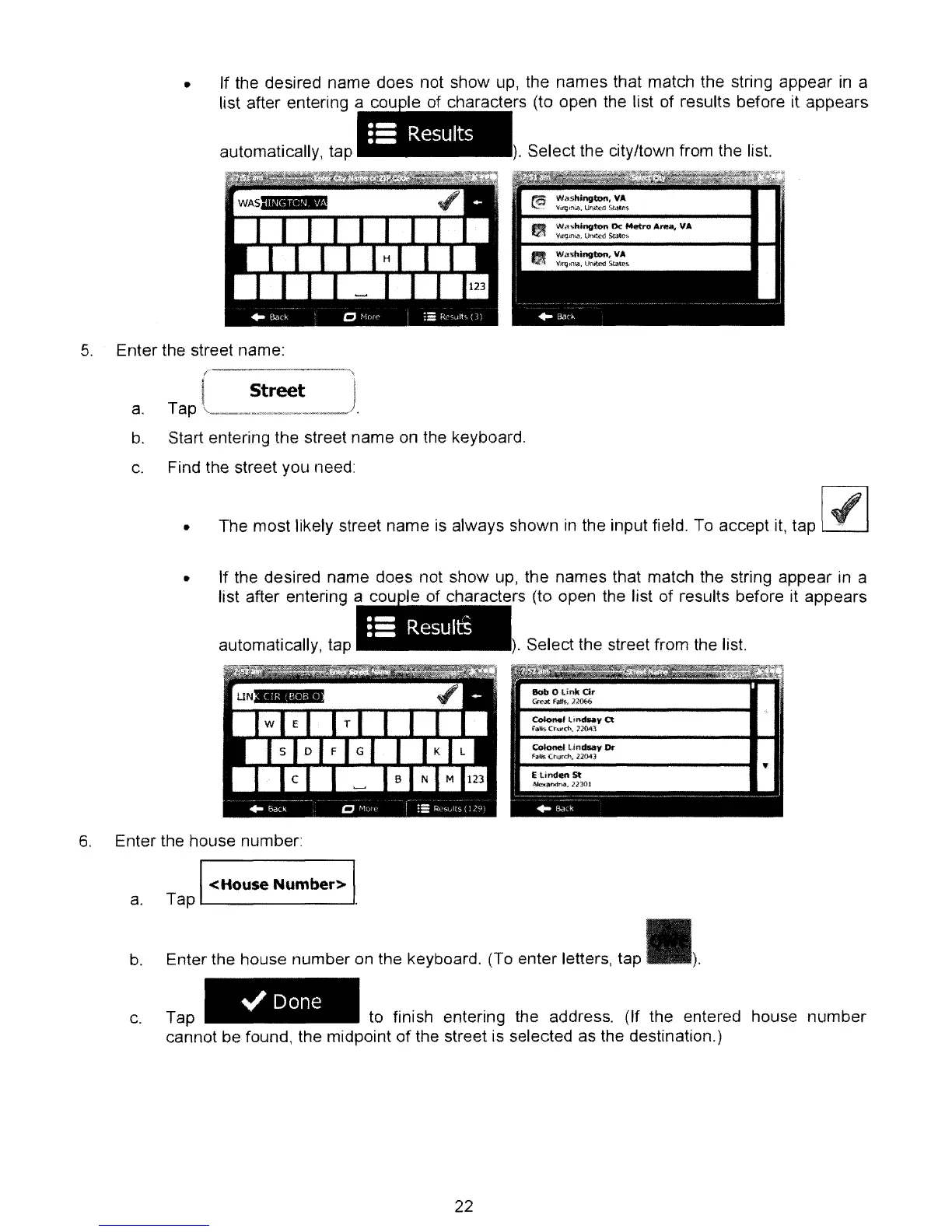
).
Select the city/town from the list.
•
•- I
.-
Resu
ts
.-
automatically, tap
•
If
the desired name does not show up, the names that match the string appear
in
a
list after entering a I f h t rs (to open the list of results before it appears
5.
Enter the street name:
Street
a.
Tap "
__
~
__
M._""~'_""'_~'~_/
b.
Start entering the street name on the keyboard.
c.
Find the street you need:
• The most likely street name is always shown
in
the input field. To accept
it,
tap
).
Select the street from the list.
•
=:
ResultS
automatically, tap
• If the desired name does not show up, the names that match the string appear in a
list after entering a I f h t
rs
(to open the list
of
results before it appears
b.
6.
Enter the house number:
a.
TapI
<House
Number>
l
Enter
the
house number on the keyboard. (To enter letters, tap
.l.
.,/
Done
Tap to finish entering the address. (If the entered house
number
cannot be found, the midpoint
of
the street is selected as the destination.)
c.
22



 To Next Page