ROSEN
' /
www
rosenentertalnment
com
(")
o
j
-
.,
o
en
»
!:
-
"T1
!:
"tJ
o
c.
Answer A Call
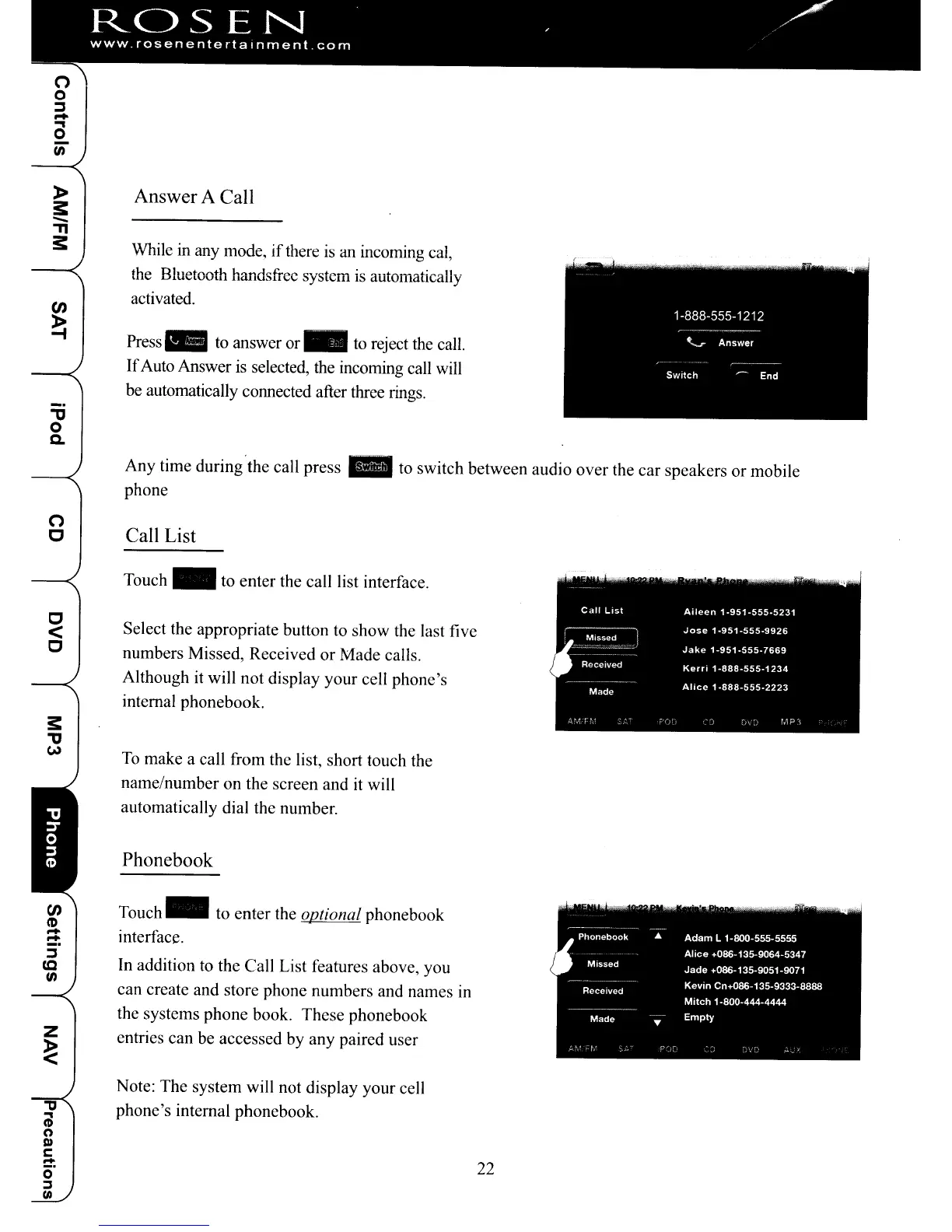
While in any mode, ifthere is an incoming cal,
the Bluetooth handsfrec system
is
automatically
activated.
Press
~
to answer
or"
to reject the call.
If
Auto Answer is selected, the incoming call will
be
automatically connected after three rings.
Any time during'the call
press"
to switch between audio over the car speakers or mobile
phone
(")
C Call List
C
<
C
CJ)
C'D
-
-
"
..,
CD
(")
D)
c:
-
o·
~
(II
Touch _ to enter the call list interface.
Select the appropriate button to show the last five
numbers Missed, Received or Made calls.
Although
it
will not display your cell phone's
internal phonebook.
To
make a call from the list, short touch the
name/number on the screen and
it
will
automatically dial the number.
Phonebook
Touch"
to enter the optional phonebook
interface.
In addition to the Call List features above, you
can create and store phone numbers and names in
the systems phone book. These phonebook
entries can be accessed by any paired user
Note: The system will not display your cell
phone's internal phonebook.
22
ROSEN
' /
www
rosenentertalnment
com
(")
o
j
-
.,
o
en
»
!:
-
"T1
!:
"tJ
o
c.
Answer A Call
While in any mode, ifthere is an incoming cal,
the Bluetooth handsfrec system
is
automatically
activated.
Press
~
to answer
or"
to reject the call.
If
Auto Answer is selected, the incoming call will
be
automatically connected after three rings.
Any time during'the call
press"
to switch between audio over the car speakers or mobile
phone
(")
C Call List
C
<
C
CJ)
C'D
-
-
"
..,
CD
(")
D)
c:
-
o·
~
(II
Touch _ to enter the call list interface.
Select the appropriate button to show the last five
numbers Missed, Received or Made calls.
Although
it
will not display your cell phone's
internal phonebook.
To
make a call from the list, short touch the
name/number on the screen and
it
will
automatically dial the number.
Phonebook
Touch"
to enter the optional phonebook
interface.
In addition to the Call List features above, you
can create and store phone numbers and names in
the systems phone book. These phonebook
entries can be accessed by any paired user
Note: The system will not display your cell
phone's internal phonebook.
22



 To Next Page