ROSEN
www
rosenentertalnment
com
3.1.8
AUX
Operation
If you have an external video source
connected
to
your
system
you can access the
source through the Auxiliary Input function (AUX).
In
o
'-
-
c:
o
U
Touch
~
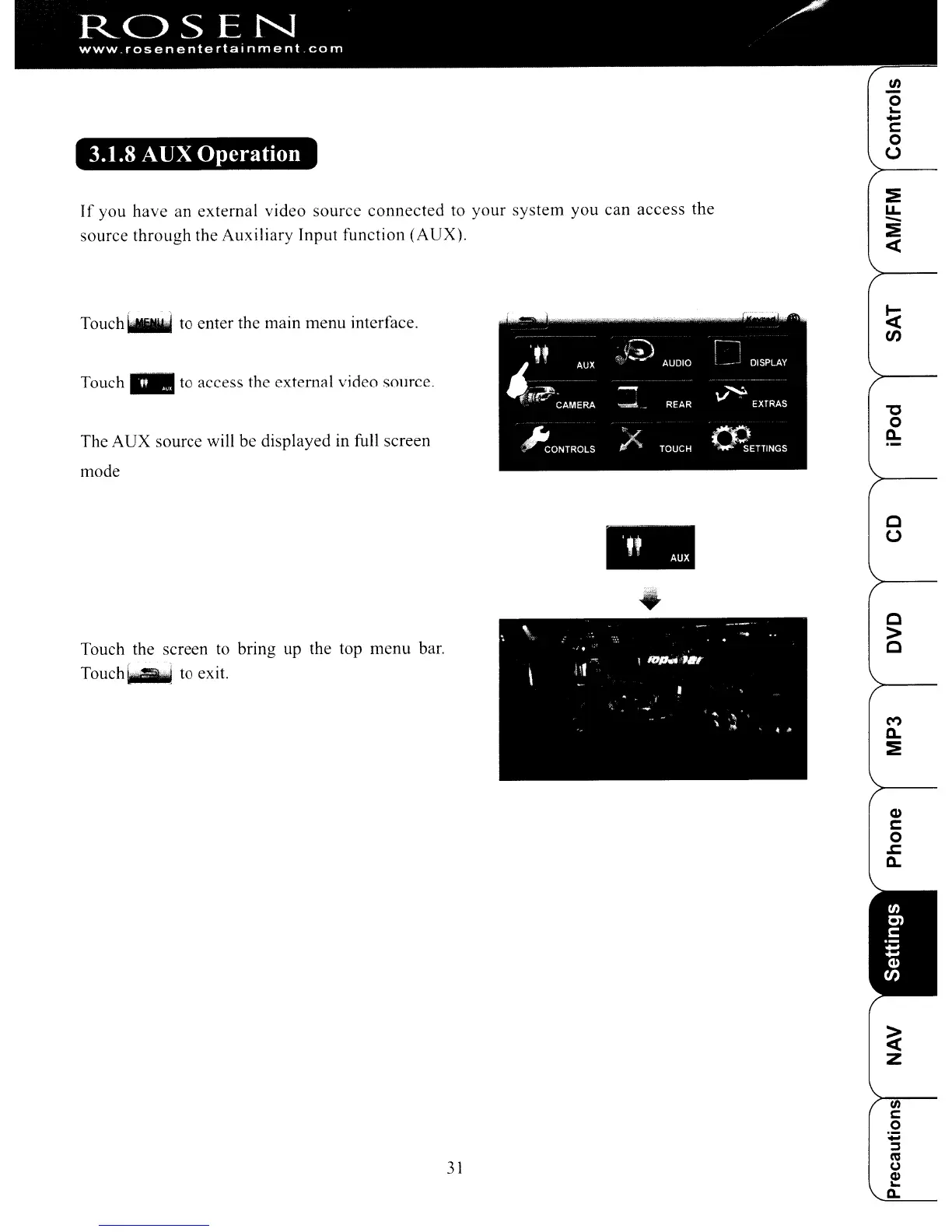
to enter the main menu interface.
Touch"
to access the external video source.
The AUX source will be displayed in full screen
mode
.-.,
'If
<Y?'>
AUDIO
!~J
DISPLAY
fflW
AUX
-
,.....
CAMERA
""="
REAR
V,
EXTRAS
~ONTROLS
A
~~
TOUCH
. SETTINGS
"'C
o
a..
..
c
u
Touch the screen
to
bring up the top menu bar.
Touch~
to exit.
31
c
>
C
M
a..
:!
Q)
c:
o
.c:
C.
ROSEN
www
rosenentertalnment
com
3.1.8
AUX
Operation
If you have an external video source
connected
to
your
system
you can access the
source through the Auxiliary Input function (AUX).
In
o
'-
-
c:
o
U
Touch
~
to enter the main menu interface.
Touch"
to access the external video source.
The AUX source will be displayed in full screen
mode
.-.,
'If
<Y?'>
AUDIO
!~J
DISPLAY
fflW
AUX
-
,.....
CAMERA
""="
REAR
V,
EXTRAS
~ONTROLS
A
~~
TOUCH
. SETTINGS
"'C
o
a..
..
c
u
Touch the screen
to
bring up the top menu bar.
Touch~
to exit.
31
c
>
C
M
a..
:!
Q)
c:
o
.c:
C.



 To Next Page