@>
Enter traffic circle (second next maneuver).
m
Enter freeway.
m
Exit freeway.
..
Board ferry.
.-
Leave ferry.
.~
Approaching a waypoint.
'~
Approaching the destination.
2.2.3.3
Lane information and Signposts
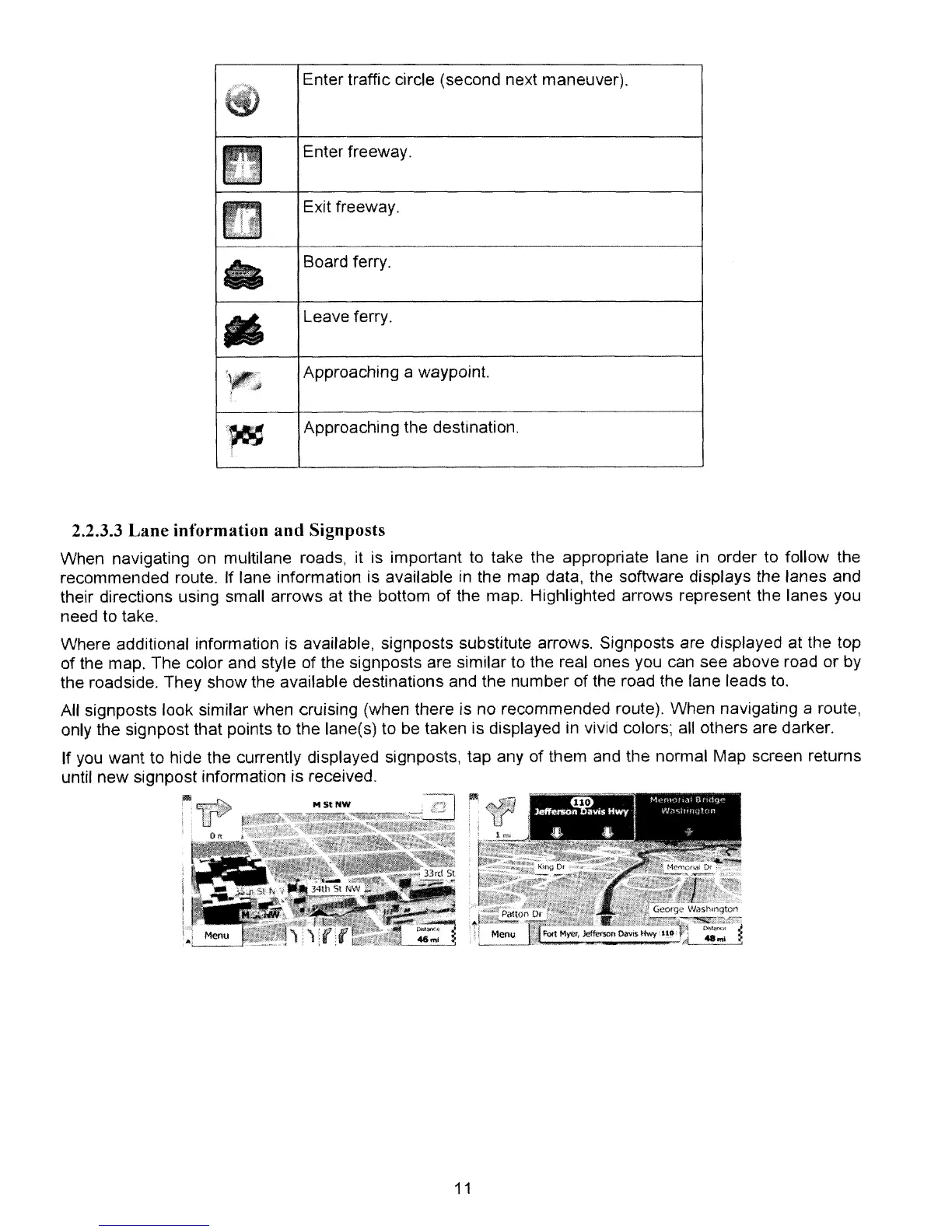
When navigating on multilane roads, it is important to take the appropriate lane in order to follow the
recommended route. If lane information is available in the map data. the software displays the lanes and
their directions using small arrows at the bottom of the map. Highlighted arrows represent the lanes you
need to take.
Where additional information is available, signposts substitute arrows. Signposts are displayed
at
the top
of
the map. The color and style of the signposts are similar
to
the real ones you can see above road or by
the roadside. They show the available destinations and the number
of
the road the lane leads
to.
All signposts look similar when cruising (when there is no recommended route). When navigating a route,
only the signpost that points to the lane(s) to be taken is displayed in vivid colors;
all
others are darker.
If you want to hide the currently displayed signposts, tap any
of
them and the normal Map screen returns
until new signpost information is received.
11



 To Next Page