2.2.3.630
object types
Your software supports the following
3D
object types:
Type
Description
3Dterrall1
3D
terrain map data shows changes
in
terrain. elevations or depressions
in
the land
when you view the map
in
2D,
and use it
to
plot the route map
in
3D
when you
navigate. Hills and mountains are shown
in
the background of the 3D map, and
illustrated
by
color and shading
on
the
2D
map.
Elevated roads
Complex intersections and vertically isolated roads (such as overpasses or bridges)
are displayed
in
3D.
3D
landmarks
Landmarks are
3D
artistic or block representations of prominent or well-known
objects.
3D buildings
3D
block representation of full city bUilding data containing actual building size and
position
on
the map.
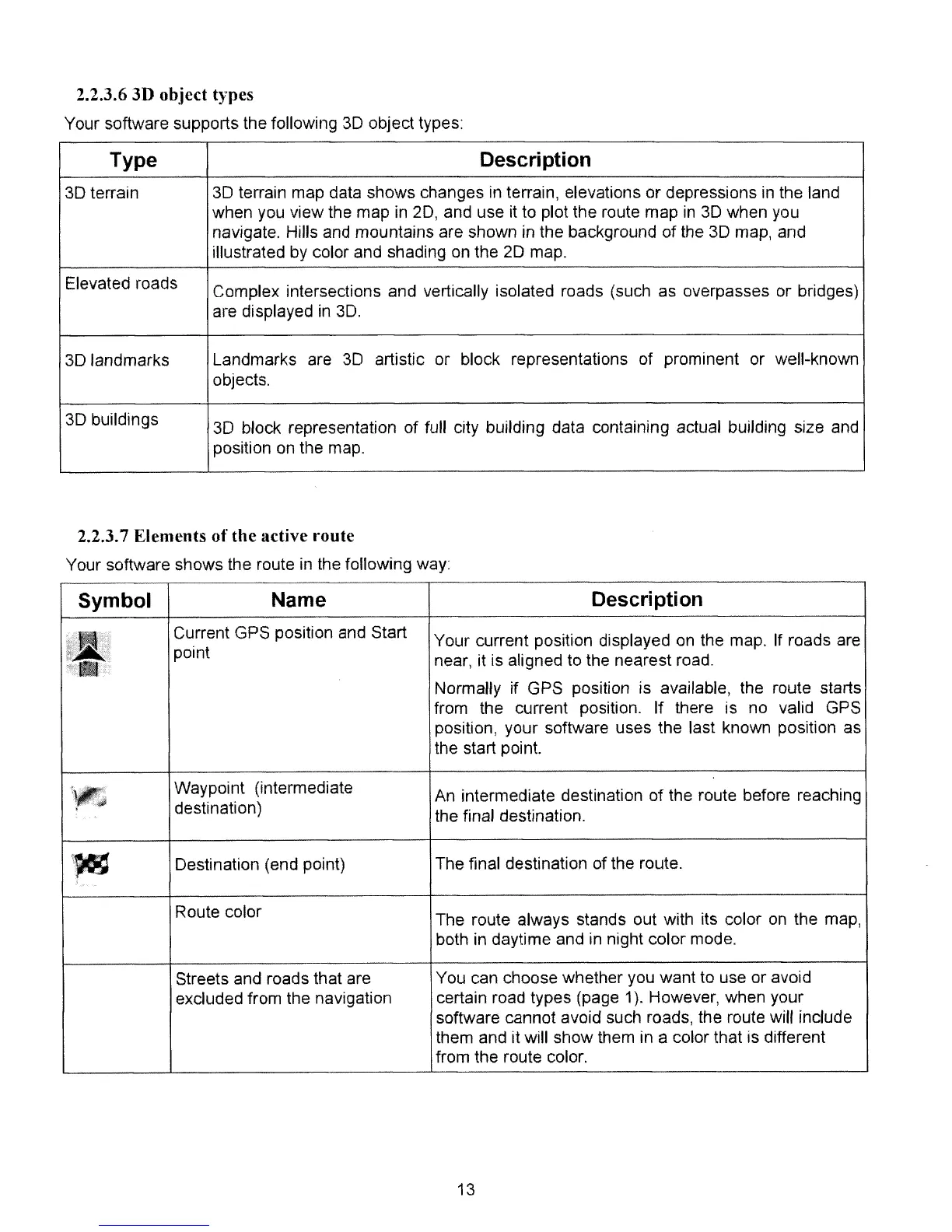
2.2.3.7 Elements
of
the active route
Your software shows the route
in
the following way
Symbol
Name
Description
l.l..
Current GPS position and Start
Your current position displayed
on
the map. If roads are
"'.
point
near, it is aligned to the nearest road.
Normally if GPS position is available, the route starts
from
the current position. If there is no valid GPS
position, your software uses the last known position as
the start point.
'~
Waypoint (intermediate
An intermediate destination of the route before reaching
destination)
the final destination.
\~
Destination (end point)
The final destination of the route.
Route color
The route always stands out with its color
on
the map,
both
in
daytime and
in
night color mode.
Streets and roads that are
You can choose whether you want
to
use or avoid
excluded from the navigation
certain road types (page
1).
However, when your
software cannot avoid such roads, the route will include
them and It will show them in a color that is different
from the route color.
13



 To Next Page