ROSEN
"
www.rosenentertalnment
com
n
o
:::J
-
..,
o
C/l
Setting Preset
Buttons
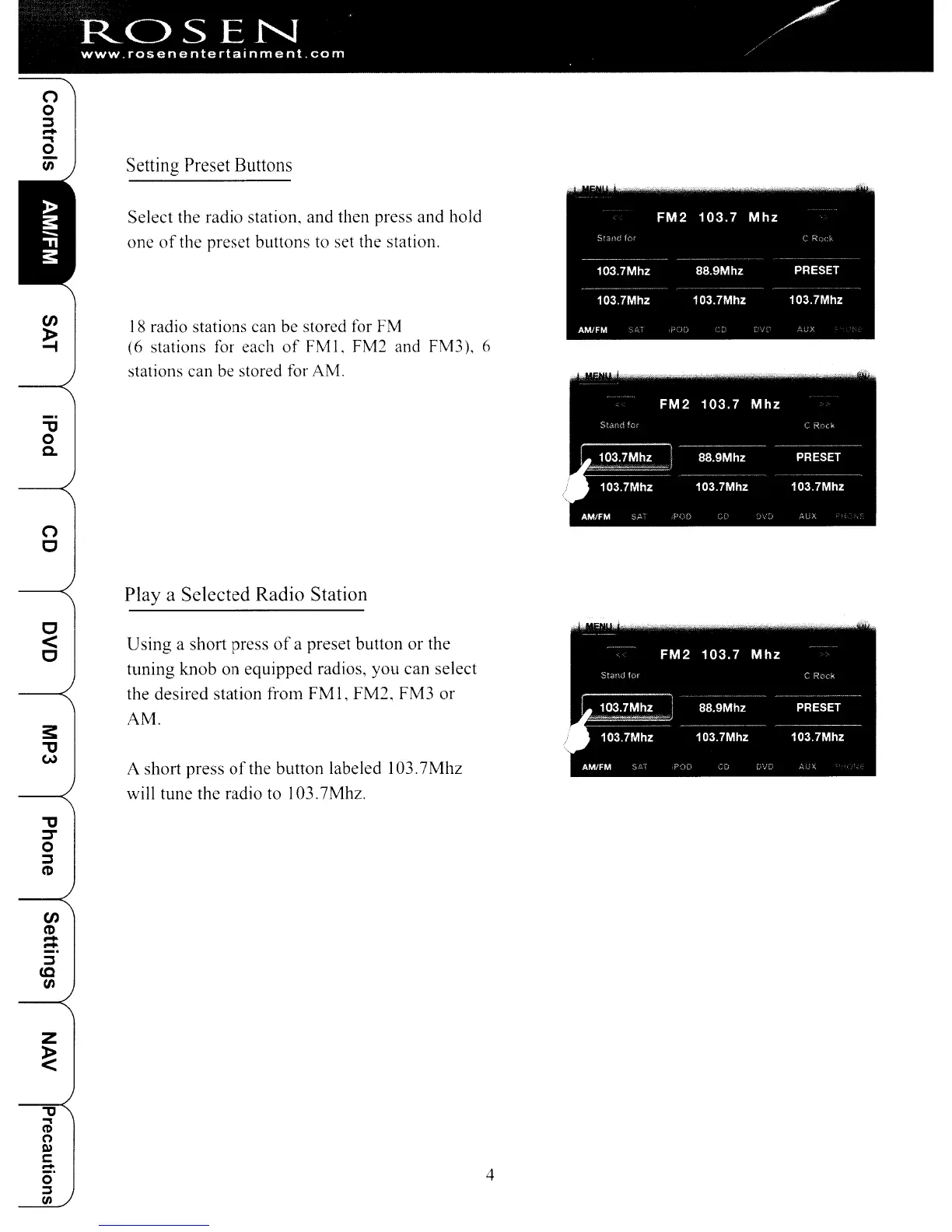
Select the radio station. and then press and hold
one
of
the preset buttons to set the station.
18
radio stations can be stored for FM
(6 stations for each
of
FM
1,
FM2 and FM3), 6
stations can be stored for AM.
"
o
Q.
n
c
Playa
Selected Radio Station
c
<
C
s:
"
eN
Using a short press
of
a preset button
or
the
tuning knob
on
equipped
radios,
you
can
select
the desired station from
FM
I,
FM2,
FM3
or
AM.
A short press
of
the button labeled 103.
7Mhz
will tune the radio to 103.7Mhz.
"
:::T
0
:::J
CD
en
CD
-
-
:::J
to
C/l
Z
~
"tJ
..,
en
(')
Ql
c:
!:t
4
0
::::J
CIl
ROSEN
"
www.rosenentertalnment
com
n
o
:::J
-
..,
o
C/l
Setting Preset
Buttons
Select the radio station. and then press and hold
one
of
the preset buttons to set the station.
18
radio stations can be stored for FM
(6 stations for each
of
FM
1,
FM2 and FM3), 6
stations can be stored for AM.
"
o
Q.
n
c
Playa
Selected Radio Station
c
<
C
s:
"
eN
Using a short press
of
a preset button
or
the
tuning knob
on
equipped
radios,
you
can
select
the desired station from
FM
I,
FM2,
FM3
or
AM.
A short press
of
the button labeled 103.
7Mhz
will tune the radio to 103.7Mhz.
"
:::T
0
:::J
CD
en
CD
-
-
:::J
to
C/l
Z
~
"tJ
..,
en
(')
Ql
c:
!:t
4
0
::::J
CIl



 To Next Page