5. Measurements with the Piranha System
Mammography
Piranha & QABrowser Reference Manual
2014-06/5.5C
122
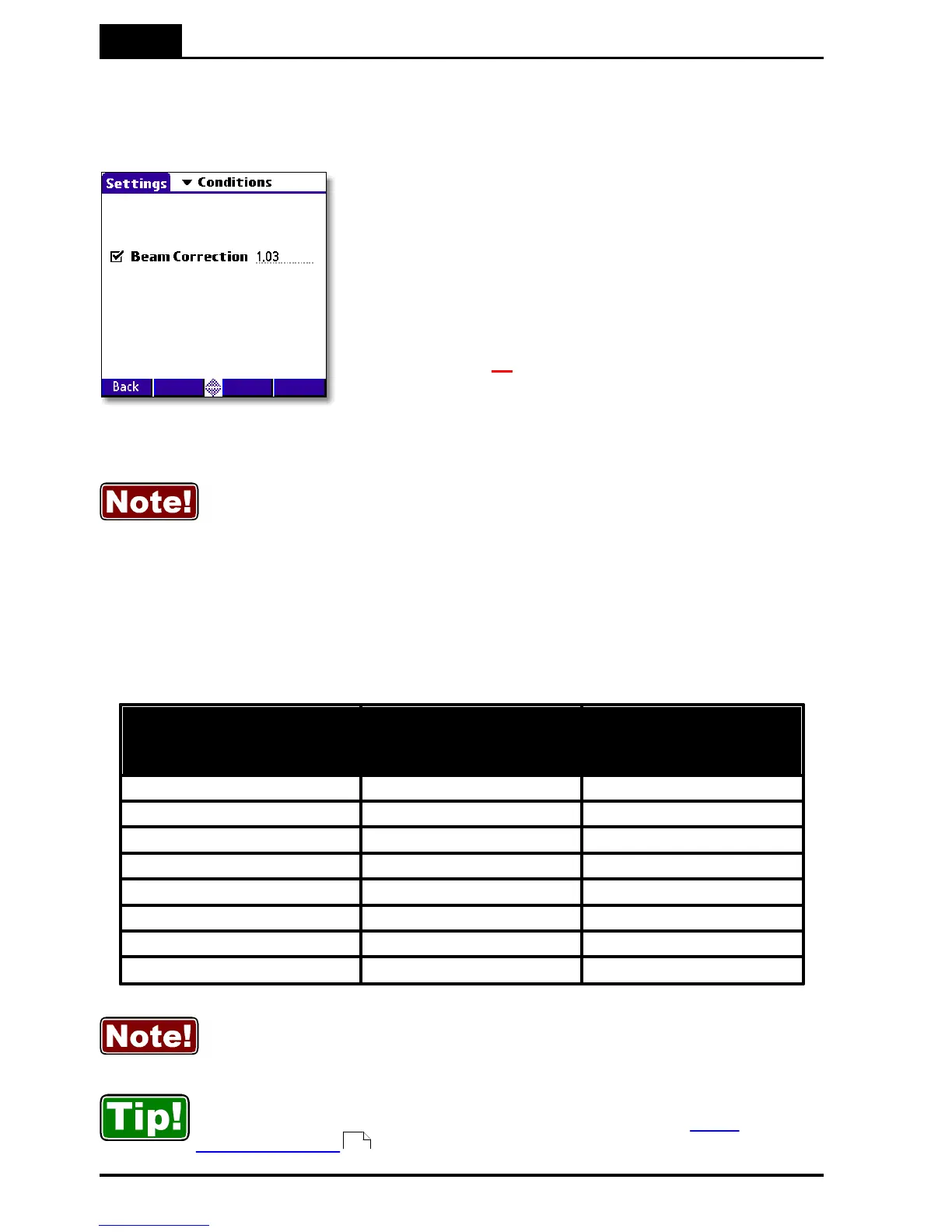
5.5.7.3 Beam Correction Factor
Sometimes you may want to make comparable measurements with a known mechanical
setup.
Assume that you want to emulate ion chamber
measurements in a particular scattering situation. Then
you can set a Beam Correction factor to get that reading
like you used to. In this case the ion chamber measures
an extra 3 % from side and back-scatter. Using this
factor makes the readings to be the same. It is of course
important that the mechanical setup in these cases are
the same. When this function is activated a red
horisontal indicator will show in the top right corner of
the RTD screen ( ).
You may use the Beam Correction factor to make compensations and
corrections of various nature. Examples might be: energy corrections,
angular corrections, field inhomogeneity corrections, etc. If you save this
setting as a Favourite, you can have a quick way of repeatedly making a
special measurement without any manual corrections.
5.5.7.4 Corrections for Angular Sensitivity
For mammography, the following correction table may be used at a SDD of 60 cm, if the
Piranha is placed flat on the breast support. (This assuming that the focal point is
situated at the chest wall, which normally is the case.)
You can find the product version on the label on the back side of your Piranha.
Distance from
chest wall
(cm)
Correction for Piranha
v1.X
(%)
Correction for Piranha
v2.X and higher
(%)
Rule of thumb for v1.X: add 2 % per centimeter from the chest wall at
60 cm SDD, i.e. for 4 cm use +8 % correction.
As seen for product version 2.X+, no correction is necessary.
You may use the Beam Correction Factor together with Favourites in Ocean
or QABrowser to automatically do a specific correction. See Beam
Correction Factor .



 To Next Page