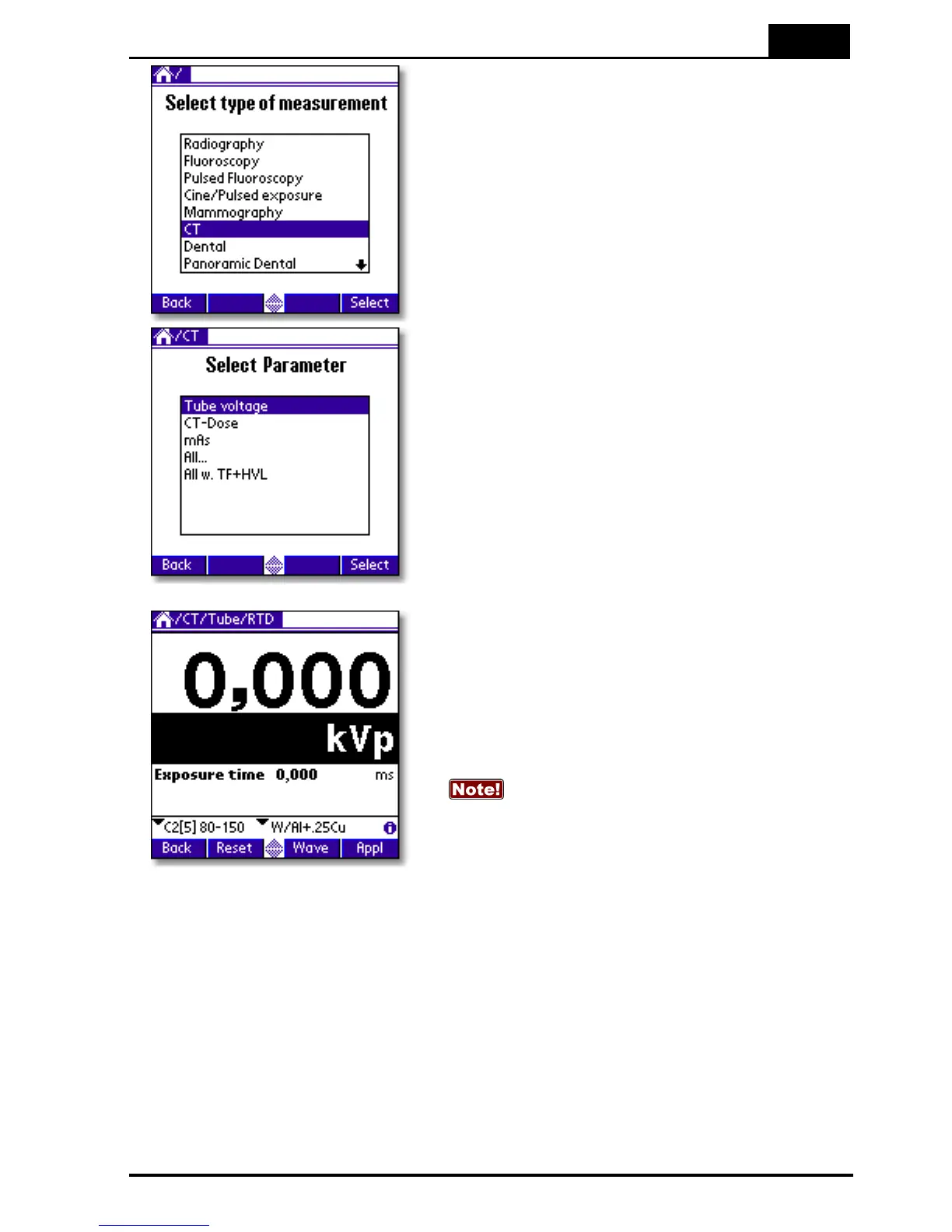
5. The real-time display for tube voltage is now
shown. At the bottom of the screen you can
select kV range and calibration. Three different
calibrations are available:
C1 = W/3.0 mm Al
C2 = W/3.0 mm Al + 0.25 mm Cu (optional)
C3 = W/3.0 mm Al + 1.2 mm Ti (optional)
In earlier software versions, the Piranha
could not measure total filtration in the CT
application. Therefore, an extra radiation quality
(C2) corresponding to measurements inside a
phantom, was necessary in order to get a
correct kV. Now this is taken care of
automatically, since the total filtration is
measured also for CT.
2: C3 is a special calibration for kV only. You
cannot measure TF and HVL with it. For work-
around see FAQ at RTI's webpage.



 To Next Page