2. Description of the Piranha
Maintenance
2014-06/5.5C
33
Piranha & QABrowser Reference Manual
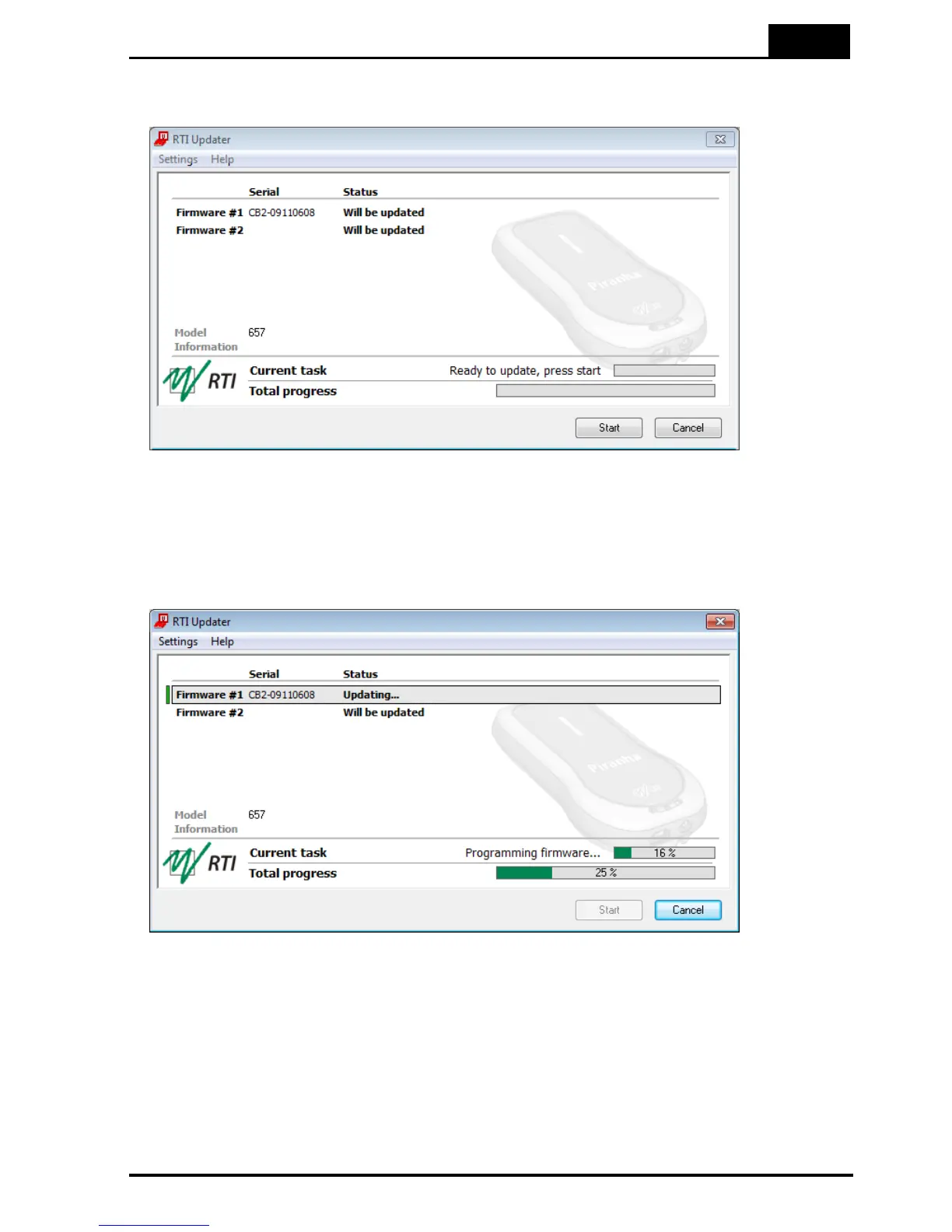
5. The RTI Updater starts and locates the Piranha automatically if it is connected to an
USB port.
6. If the Piranha is found, the window in the figure above is shown. The different
modules are checked and after a while the start button is enabled. Click Start. If the
Piranha cannot be found, a message with suggested solutions is shown.
7. The updating process starts. The RTI Updater checks the current versions and
compares with the update. Modules with old firmware are automatically updated.
8. Note that storing the new firmware in the flash memory may take several minutes for
each module. The RTI Updater will indicate which modules have been updated.
9. Power off the Piranha and disconnect the serial cable when the program indicates
that everything is OK.



 To Next Page