Ship or combination type according to numeric ERI
classification. Both numerical input and selection from
list is possible. See chapter 11 “Appendix A – Inland
ERI Ship Types” for available types.
4.4.4 Main Menu Config Ship Dimensions
The parameters in the Ship Dimensions view depends on the configuration parameter
“Ship Size Mode” in the Misc Interfaces view. The Ship Size Mode parameter can be
set to either Standard or Simplified (default). The Ship Size Mode affects how the user
should input ship size and antenna position information and how it is interpreted.
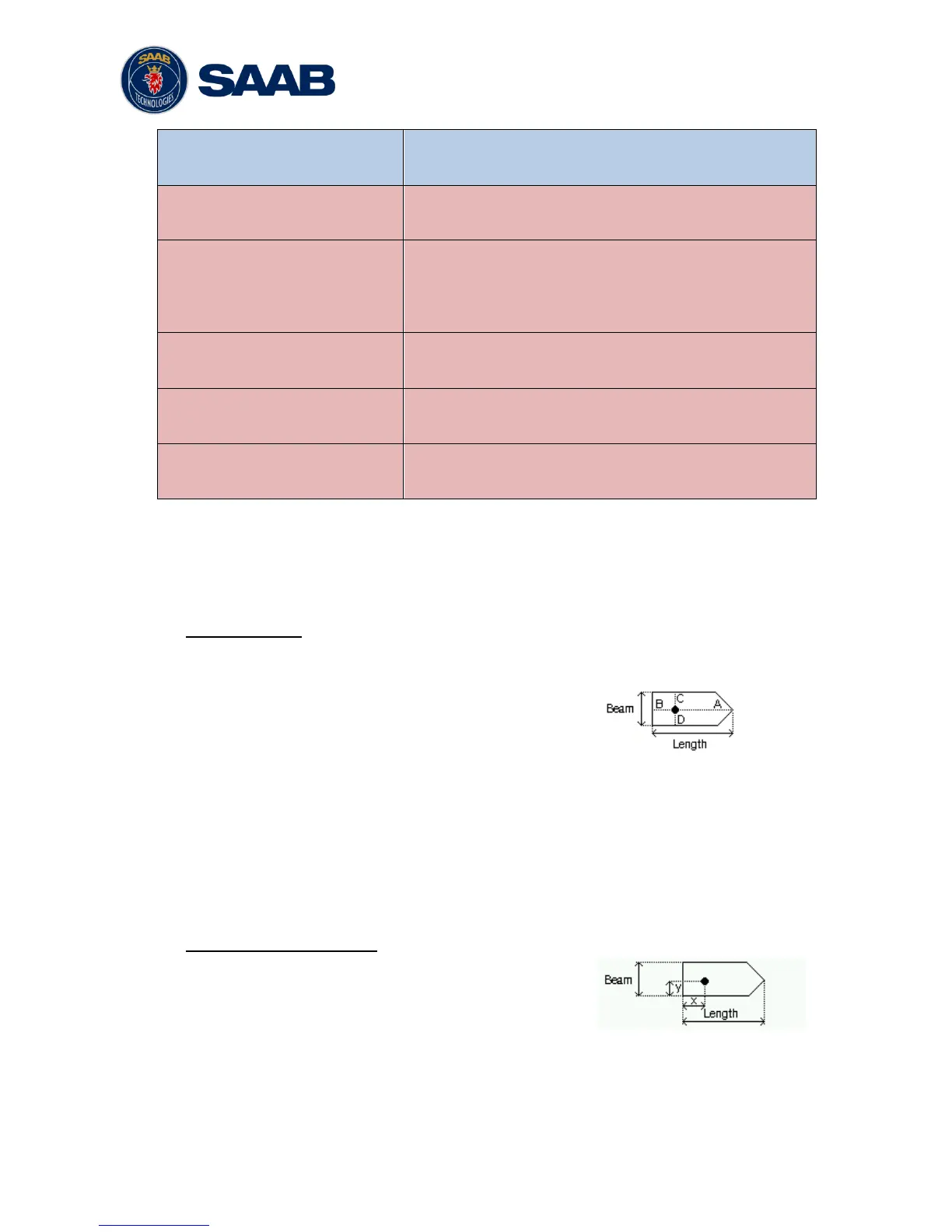
Standard Mode
In this mode the user must input:
Convoy/ship length [m] (one decimal precision)
Convoy/ship beam [m] (one decimal precision)
A, B, C, D for internal antenna [m]
A, B, C, D for external antenna [m]
It is the users responsibility to input correctly rounded data (A+B = Convoy/ship length
rounded up, C+D = Convoy/ship beam rounded up).
If the user inputs data which is not correctly rounded the “Ship size mismatch” alarm
will be activated.
The output on the AIS data link will be exactly the values input by the user.
Simplified Mode (default)
In this mode the user inputs:
Ship length [m] (one decimal precision)
Ship beam [m] (one decimal precision)
X, Y for internal antenna relative to ship [m] (one decimal precision)
X, Y for external antenna relative to ship [m] (one decimal precision)



 To Next Page