63
English
PRESS P1 TO UPDATE
FROM VX.yz > TO A.bc
- the message on the second line indicates that if the
program is updated you will pass from the current
version (X.yz) to the update flash version (A.bc);
- to upgrade the software press the internal button P1
(near the corner) of the CPU board, any other button
will abort the operation
- the software requires abt 30 seconds to be updated
and the procedure end is signalled by a message on
the display;
- switch off the vending machine;
- disassemble the external memory;
- if required, assemble the TIME KEEPER.
- switch on the vending machine. The vending machine
checks if a suitable external memory is present. It this
is the case, the following message is displayed:
10.4 Software updating
The v.m. control program is in the flash memory inside the
microcontroller.
The software can be updated using via the external EPROM
or FLASH memory;
The following is the general procedure of the operations
to be carried out for the above mentioned updates.
External EPROM or FLASH memory;
The procedure is the following:
- turn off the vending machine;
- disassemble the TIMEKEEPER (if present);
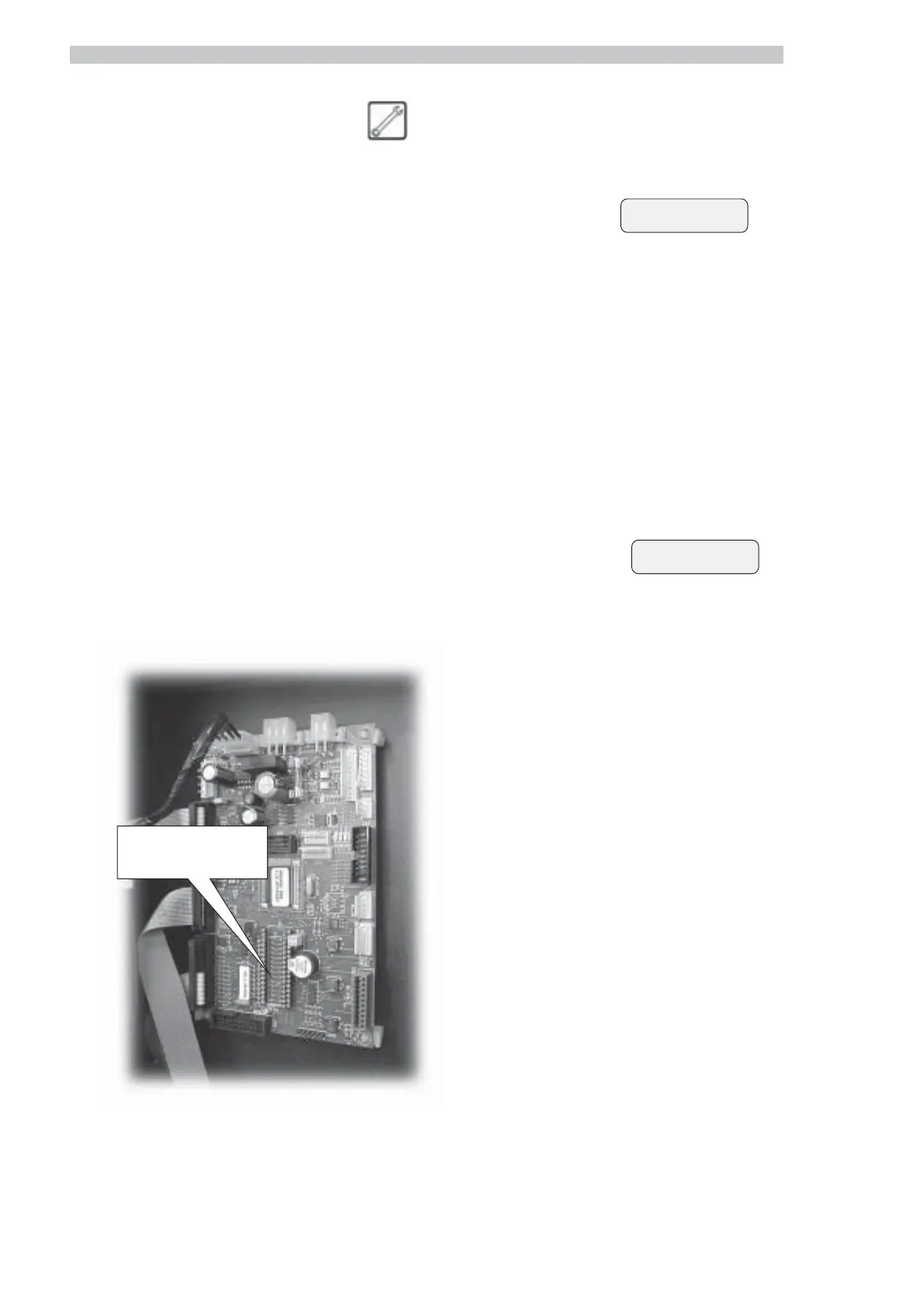
- insert the external memory on a strip of 16x2 (Fig.
137) with the section showing the PIN turned upwards;
Make sure the memory pins are all fully fitted, so that
it perfectly fits the strip 16x2.
Fig. 137
Strip 16x2 for SW
upgrading
UPDATE COMPLETED



 To Next Page