EasyManua.ls Logo

Samsung BD-D7500 - Logos of Discs the Player Can Play; Accessories

Samsung BD-D7500
93 pages
Print Icon
To Next Page IconTo Next Page
To Previous Page IconTo Previous Page
Loading...
~J
c~
Java~
POWEllED
DIVX~
HO
I
NTSC
I
~dts-HD
Master
Audio
OTS-HO
Master
AudiO
r.
·
,
Bracket-Wall
IBracket-Set
I.Bracket-SCrew
..
(AH61-03156A
/
AH61-03157
AI
AH61
~03164AJ
.
Assy
Holder-Stand
(AK96.:01585AJ
.
B/u·ray
3D1
TM
3D
Blu-ray
Disc
[IJDOLB'f.
TRUCE
I
~
B/u-r.gDisc
Accessories
Blu~ray
Disc
Batteries
for
Remote
.
Control
(AAASize)
(AC43-12002H)
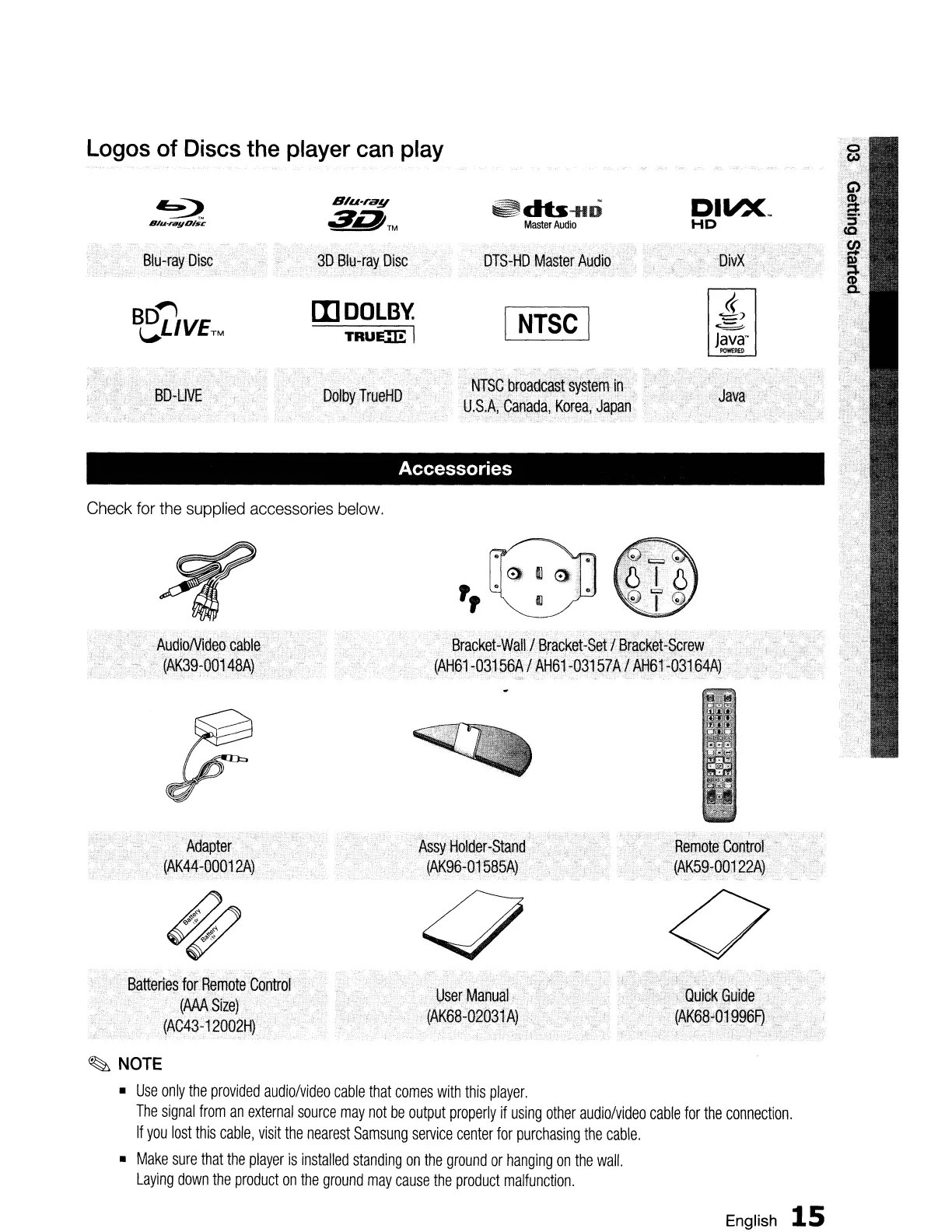
Check
for
the supplied accessories
below.
Logos
of
Discs
the
player
can
play
~
NOTE
•
Use
only
the
provided
audio/video
cable
that
comes
with
this
player.
The
signal
from
an
external
source
may
not
be
output
properly
if
using
other
audiolvideo
cable
for
the
connection.
If
you
lost
this
cable,
visit
the
nearest
Samsung
service
center
for
purchasing
the
cable.
•
Make
sure
that
the
player
is
installed
standing
on
the
ground
or
hanging
on
the
wall.
Laying
down
the
product
on
the
ground
may
cause
the
product
malfunction.
English
15

Table of Contents