EasyManua.ls Logo

Samsung BD-D7500 - Disc Storage & Management; Disc Handling

Samsung BD-D7500
93 pages
Print Icon
To Next Page IconTo Next Page
To Previous Page IconTo Previous Page
Loading...
DVD-VIDEO, Audio CD (CD-DA)
Disc
Storage
&
Management
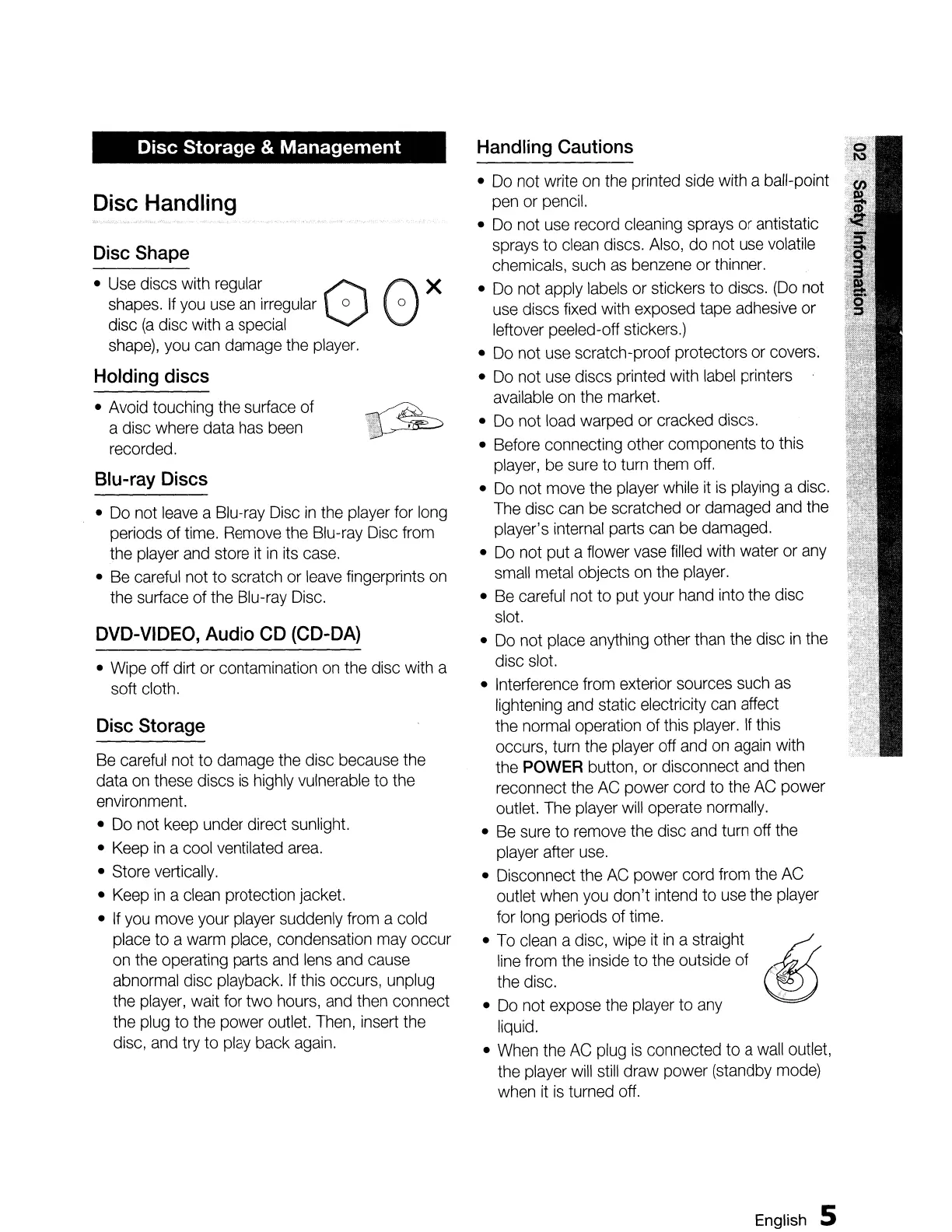
Handling Cautions
Do
not write
on
the
printed
side
with
a ball-point
pen
or
pencil.
Do
not
use
record
cleaning
sprays
or
antistatic
sprays
to
clean
discs.
Also,
do
not
use
volatile
chemicals,
such
as
benzene
or
thinner.
Do
not apply
labels
or
stickers
to
discs.
(Do
not
use
discs
fixed
with exposed tape
adhesive
or
leftover peeled-off
stickers.)
Do
not
use
scratch-proof protectors
or
covers.
Do
not
use
discs printed with
label
printers
available
on
the
market.
Do
not
load
warped
or
cracked discs.
Before
connecting other components to
this
player,
be
sure
to
turn
them
off.
Do
not
move
the
player
while
it
is
playing
a
disc.
The
disc
can
be
scratched
or
damaged
and
the
player's
internal
parts
can
be
damaged.
Do
not put a flower
vase
filled
with
water
or
any
small
metal
objects
on
the
player.
Be
careful
not to put your
hand
into
the
disc
slot.
Do
not
place
anything
other
than
the
disc
in
the
disc
slot.
Interference
from
exterior sources
such
as
lightening
and
static electricity
can
affect
the
normal
operation of
this
player.
If
this
occurs,
turn
the
player
off
and
on
again
with
the
POWER
button,
or
disconnect
and
then
reconnect
the
AC
power cord
to
the
AC
power
outlet.
The
player
will
operate
normally.
Be
sure
to
remove
the
disc
and
turn
off
the
player
after
use.
Disconnect
the
AC
power cord
from
the
AC
outlet
when
you
don't
intend
to
use
the
player
for
long
periods of
time.
To
clean
a disc,
wipe
it
in
a straight
.Q
:~:
~i~~
the
inside
to the outside
of
~
Do
not
expose
the
player
to
any
.
liquid.
When
the
AC
plug
is
connected
to
a
wall
outlet,
the
player
will
still
draw power (standby
mode)
when
it
is
turned
off.
Disc Storage
Be
careful
not to
damage
the disc because
the
data
on
these
discs
is
highly
vulnerable
to the
environment.
Do
not
keep
under direct
sunlight.
Keep
in
a cool
ventilated
area.
Store
vertically.
Keep
in
a
clean
protection jacket.
If
you
move
your
player
suddenly
from
a cold
place
to
a
warm
place,
condensation
may
occur
on
the
operating parts
and
lens
and
cause
abnormal
disc
playback.
If
this
occurs,
unplug
the
player,
wait
for
two
hours,
and
then
connect
the
plug
to
the
power
outlet.
Then,
insert
the
disc,
and
try
to
play
back
again.
Wipe
off dirt
or
contamination
on
the
disc
with
a
soft
cloth.
Blu-ray Discs
Do
not
leave
a Blu-ray
Disc
in
the
player
for
long
periods of
time.
Remove
the
Blu-ray
Disc
from
the
player
and
store
it
in
its
case.
Be
careful
not to scratch
or
leave
fingerprints
on
the
surface of
the
Blu-ray
Disc.
Avoid
touching
the
surface of
a disc
where
data
has
been
recorded.
Disc Handling
Disc Shape
Use
discs with
regular
0
shapes.
If
you
use
an
irregular
0
disc
(a
disc with a
special
shape),
you
can
damage
the
player.
Holding discs
English
5

Table of Contents

Related product manuals