Installing the Blu-ray Disc Player
You
can
install
your
player
on
a
stand
or
hang
it
on
the
wall.
When installing the player, please make sure that enough space
is
left to insert a disc.
If
you
do
not, player will not operate normally.
Installation Precautions
•
If
you install your player on a wall, the wall must be flat and vertical.
• Avoid installing the player
in
areas with high temperature
or
humidity, or on a wall that cannot sustain
the weight
of
the set.
• Check the strength
of
the wall.
If
the strength of the wall is insufficient
to
support the player, make sure
to reinforce the wall before installing.
• Check the compostion of the wall.
If
the wall
is
made of plaster board, marble, or iron board, purchase
and use the appropriate mollies and fixing screws.
• Connect
all
cables from external devices
(TV,
etc.) to the player before you install
it.
•
If
you are installing the player onto plasterboard (dry wall),
we
recommend locating a stud behind the
wall and screwing the support screws into the stud.
• To prevent electric shock, be sure
to
turn off the player before you install
it.
• Do not hang on the installed player and avoid hitting
it.
• Secure the unit firmly to the wall so that
it
does not fall off.
If
the unit falls off,
it
may result
in
injury or
in
damage to the product.
•
If
you install the player on a wall, please make sure that a child does not pull any
of
connecting cables,
as
it may cause the player to fall.
Case
1 :
Installing
on
the
stand
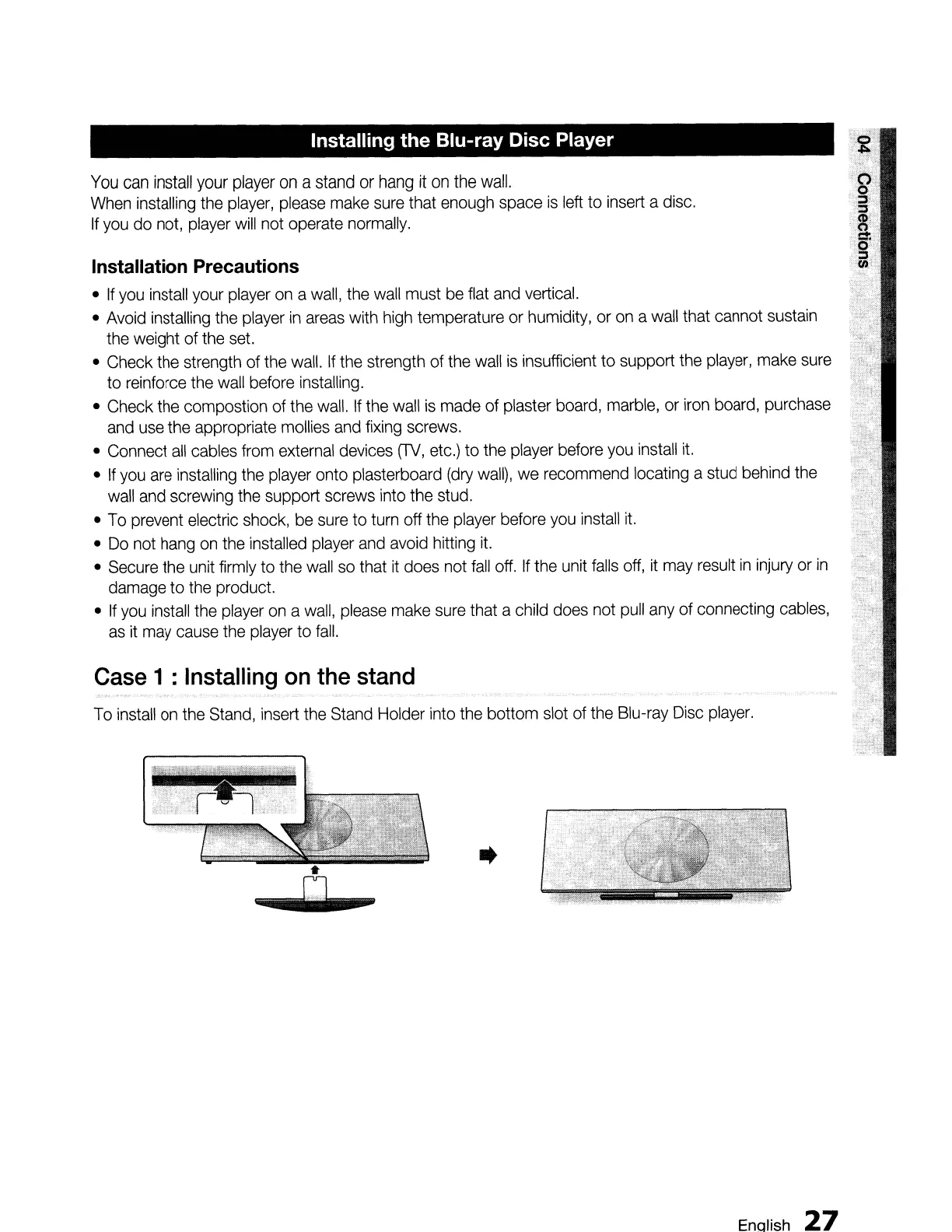
To install on the Stand, insert the Stand Holder into the bottom slot of the Blu-ray Disc player.
..
Enalish
27












 To Next Page