EasyManua.ls Logo

Samsung BD-D7500 - HDMI Deep Color; Still Mode; Progressive Mode; Audio

Samsung BD-D7500
93 pages
Print Icon
To Next Page IconTo Next Page
To Previous Page IconTo Previous Page
Loading...
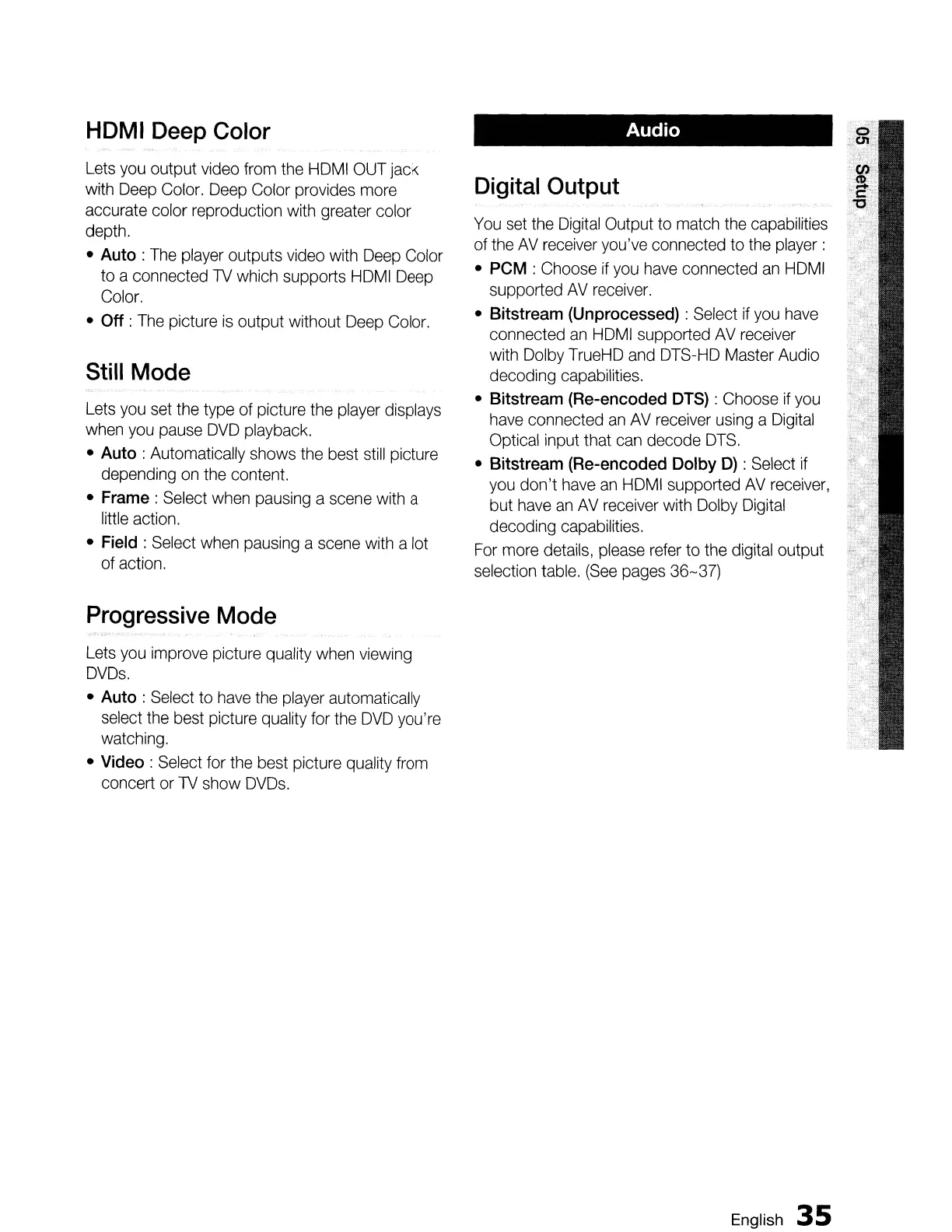
HDMI
Deep
Color
Lets
you
output
video
from
the
HOM
I
OUT
jack
with
Deep
Color.
Deep
Color provides
more
accurate color reproduction
with
greater color
depth.
Auto
:
The
player
outputs
video
with
Deep
Color
to a connected
TV
which supports
HDMI
Deep
Color.
Off :
The
picture
is
output without
Deep
Color.
Still
Mode
Lets
you
set
the
type of picture
the
player
displays
when
you
pause
DVD
playback.
Auto: Automatically shows
the
best
still
picture
depending
on
the
content.
Frame: Select
when
pausing
a
scene
with
a
little action.
Field
: Select
when
pausing
a
scene
with
a lot
of action.
Progressive
Mode
Lets
you
improve picture quality
when
viewing
DVDs.
Auto
:
Select
to
have
the
player
automatically
select
the
best picture
quality
for
the
DVD
you're
watching.
Video: Select for
the
best picture quality
from
concert
or
TV
show
DVDs.
Audio
Digital
Output
You
set
the
Digital
Output to
match
the
capabilities
of
the
AV
receiver
you've
connected to
the
player:
PCM : Choose
if
you
have
connected
an
HDMI
supported
AV
receiver.
Bitstream
(Unprocessed)
: Select
if
you
have
connected
an
HDMI
supported
AV
receiver
with
Dolby
TrueHD
and
DTS-HD
Master Audio
decoding capabilities.
Bitstream
(Re-encoded
DTS)
: Choose
if
you
have
connected
an
AV
receiver
using
a
Digital
Optical input that
can
decode
DTS.
Bitstream (Re-encoded
Dolby
D)
:
Select
if
you
don't
have
an
HDMI
supported
AV
receiver,
but
have
an
AV
receiver
with
Dolby
Digital
decoding capabilities.
For
more
details,
please
refer
to
the
digital output
selection
table.
(See
pages
36-37)
English
35

Table of Contents

Related product manuals