Basic functions
16
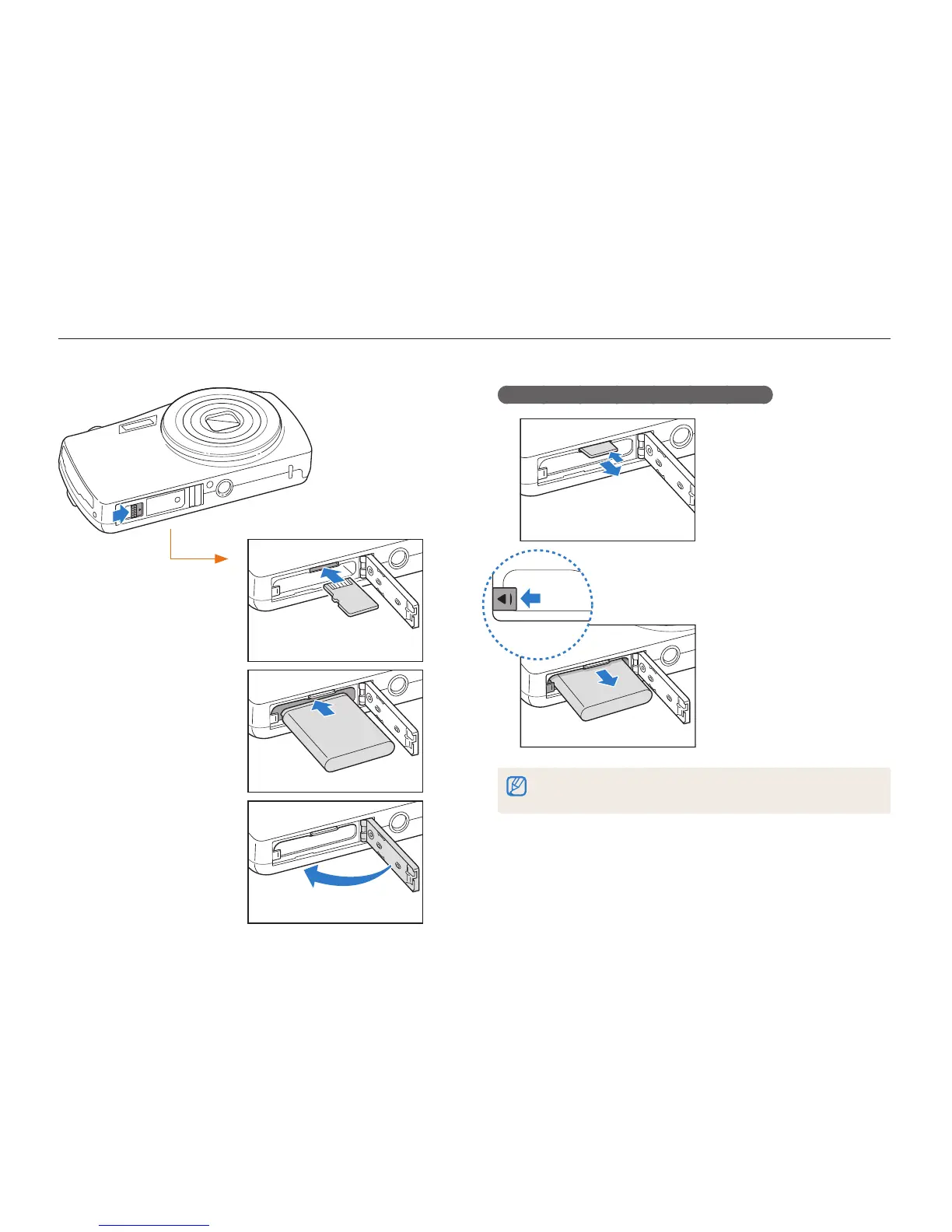
Inserting the battery and memory card
Learn how to insert the battery and an optional memory card into the camera.
Removing the battery and memory card
Memory card
Push the card gently until
it disengages from the
camera, and then pull it out
of the slot.
Slide the lock left to release
the battery.
You can use the internal memory for temporary storage if a memory card is
not inserted.
Battery lock
Rechargeable battery
Insert a memory card
with the gold-colored
contacts facing up.
Memory card
Insert the battery with
the Samsung logo facing
down.
Rechargeable battery



 To Next Page