EasyManua.ls Logo

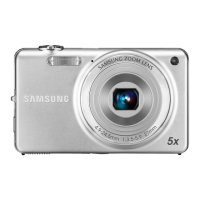
Samsung ST65 - Learning Icons

Samsung ST65
142 pages
Print Icon
To Next Page IconTo Next Page
To Previous Page IconTo Previous Page
Loading...
Basic functions
20
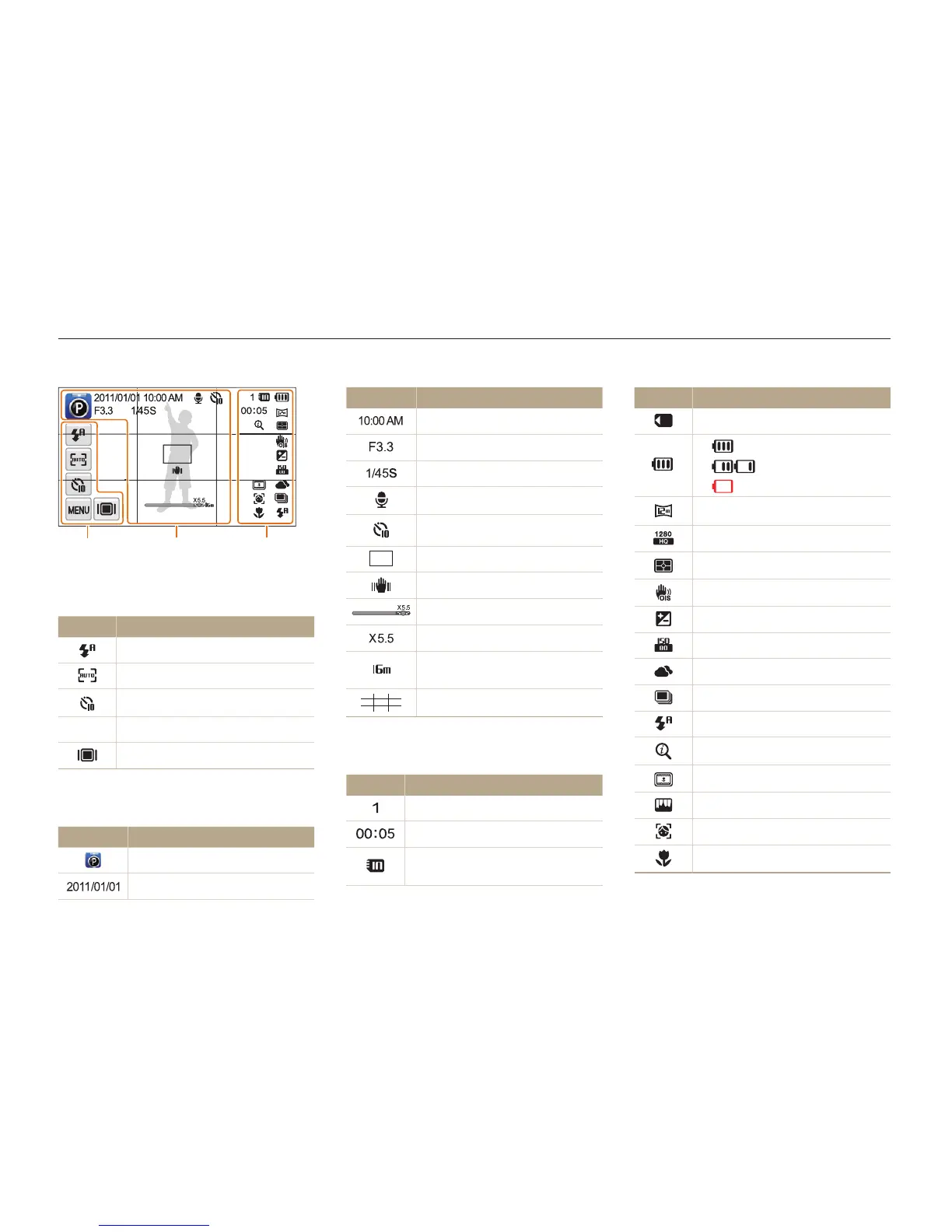
Icon Description
Memory card inserted
•
: Fully charged
•
: Partially charged
•
: Empty (Recharge)
Photo resolution
Video resolution
Metering
Optical Image Stabilization (OIS)
Exposure value adjusted
ISO sensitivity
White balance
Burst type
Flash
Intelli zoom is on
Smart Filter
Image Adjust
Face detection
Auto focus
Learning icons
The icons the camera displays on the screen change according to the mode you select or the options you set.
Icon Description
Current time
Aperture value
Shutter speed
Voice memo
Timer
Auto focus frame
Camera shake
Zoom indicator
Zoom ratio
Photo resolution when Intelli
zoom is on
Grid lines
3
Status icons
Icon Description
Available number of photos
Available recording time
Memory card not inserted
(Internal memory)
1
Option icons (touch)
Icon Description
Flash option
Auto focus option
Timer option
m
Shooting options
Display type
2
Status icons
Icon Description
Shooting mode
Current date
2
3
1

Table of Contents