Extended functions
39
Using shooting modes
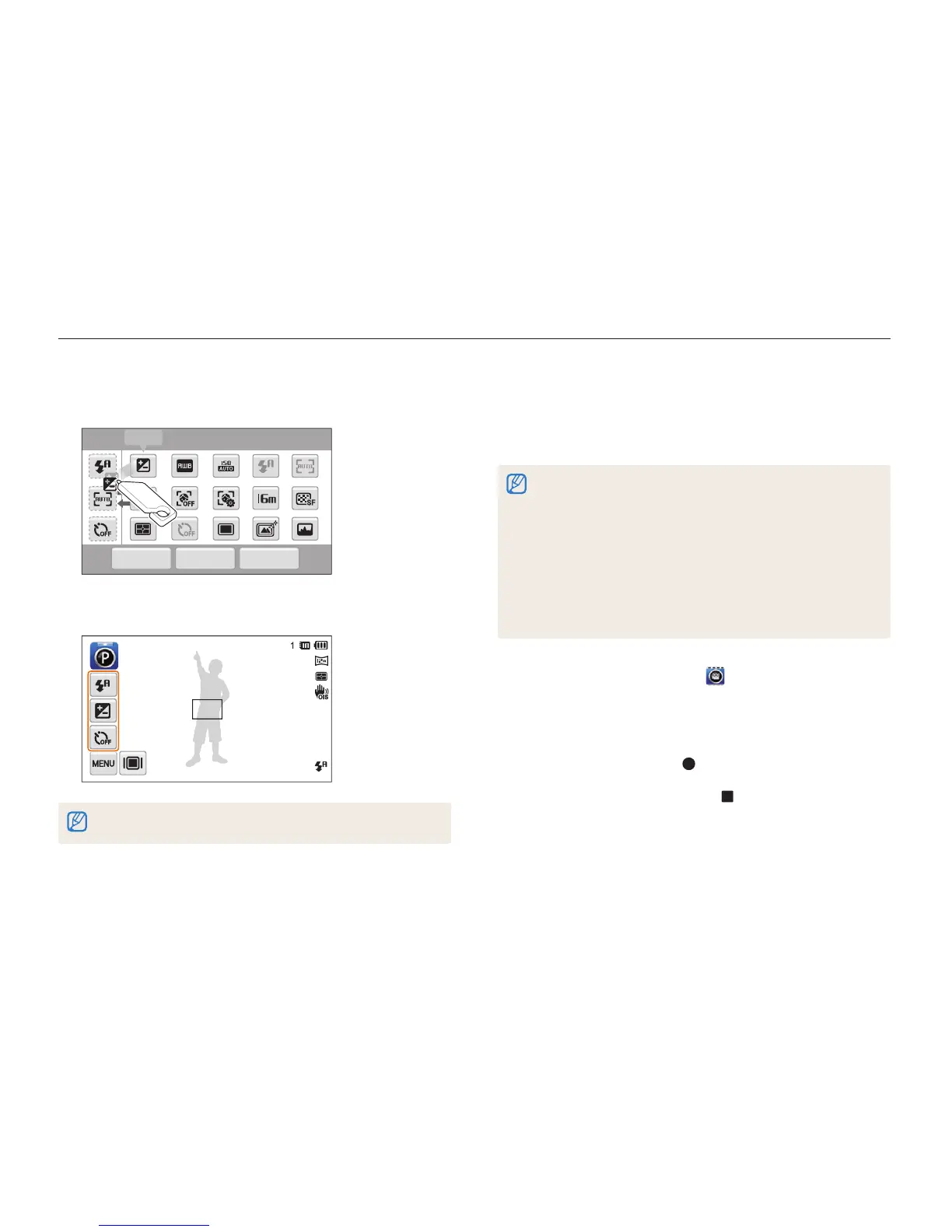
3
Drag the icon into a desired box on the left.
•
To remove shortcuts, drag an icon to the right.
OK
Reset
Cancel
EV
My screen
4
Touch
o
to save.
You can create up to 3 shortcuts.
Using the Movie mode
In Movie mode, you can record high-definition videos of up to 20
minutes in length. The camera saves recorded videos as MP4
(H.264) files.
•
H.264 (MPEG-4 part10/AVC) is a high-compression video format
established by the international standard organizations ISO-IEC and
ITU-T.
•
Some memory cards may not support high definition recording. If this
occurs, set a lower resolution.
•
Memory cards with slow write speeds will not support high-resolution
videos and high-speed videos. To record high-resolution or high-
speed videos, use memory cards with faster write speeds.
•
If you have activated Optical Image Stabilization, the camera may
record the sounds the OIS makes when it operates.
1
On the Home screen, touch .
2
Touch
m
, and then set desired options.
(For a list of options, refer to page 50.)
3
Press [Shutter] or touch to start recording.
4
Press [Shutter] again or touch to stop recording.



 To Next Page