Playback/Editing
97
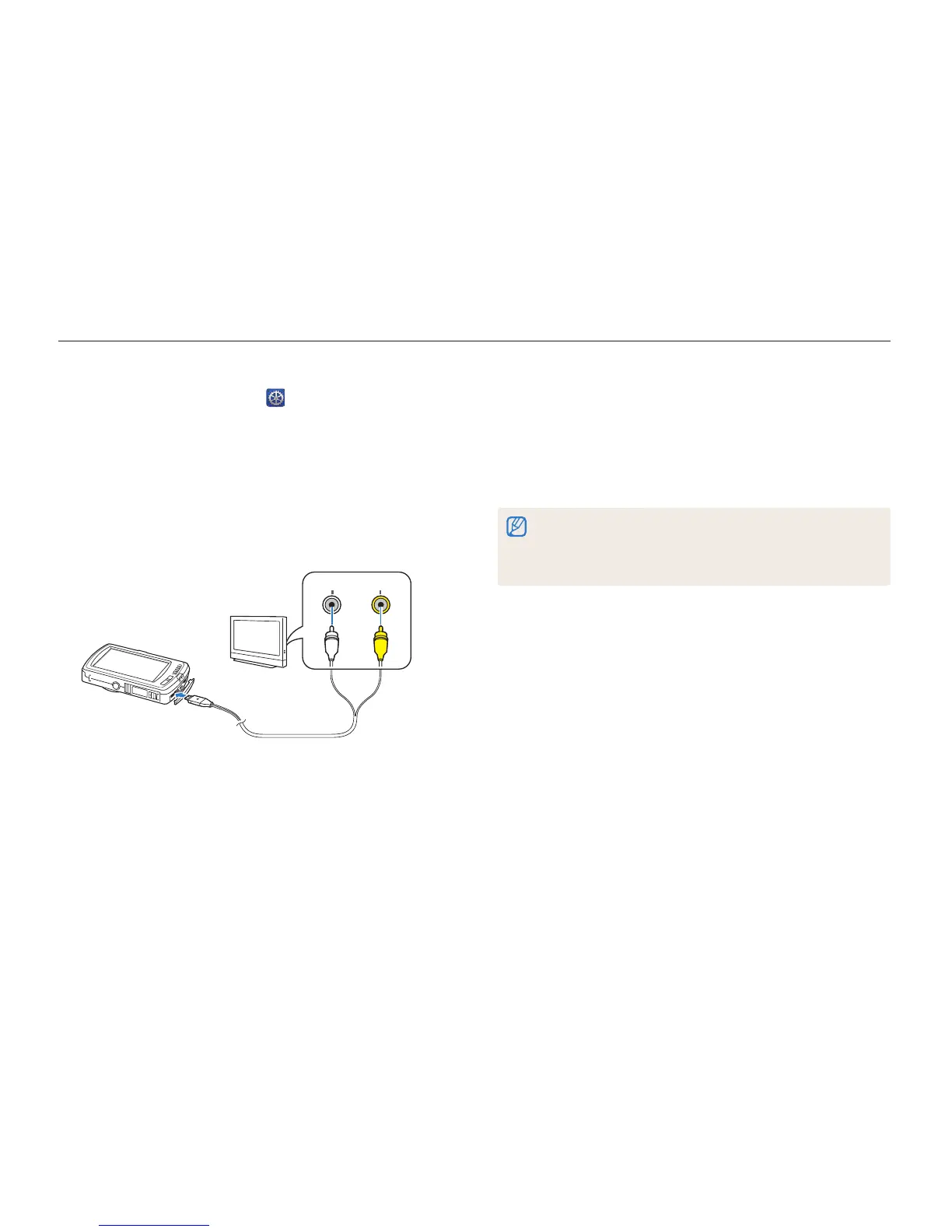
Viewing files on a TV or HDTV
Play back photos or videos by connecting your camera to a TV with the A/V cable.
7
Turn on your camera.
•
The camera automatically enters into Playback mode when
you connect it to a TV.
8
View photos or play videos using the touch screen on
your camera.
•
Depending on the TV model, you may see some digital noise or part
of an image may not appear.
•
The camera automatically enters Playback mode when you connect
it to a TV.
1
On the Home screen, touch .
2
Touch Connectivity Video Out.
3
Select the appropriate video signal output for your
country or region. (p. 110)
4
Turn off your camera and TV.
5
Connect your camera to your TV with the A/V cable.
VideoAudio
6
Turn on your TV, and then select a video output mode
and the video source (AV 1, etc.) with the TV remote
control.



 To Next Page