Basic functions
30
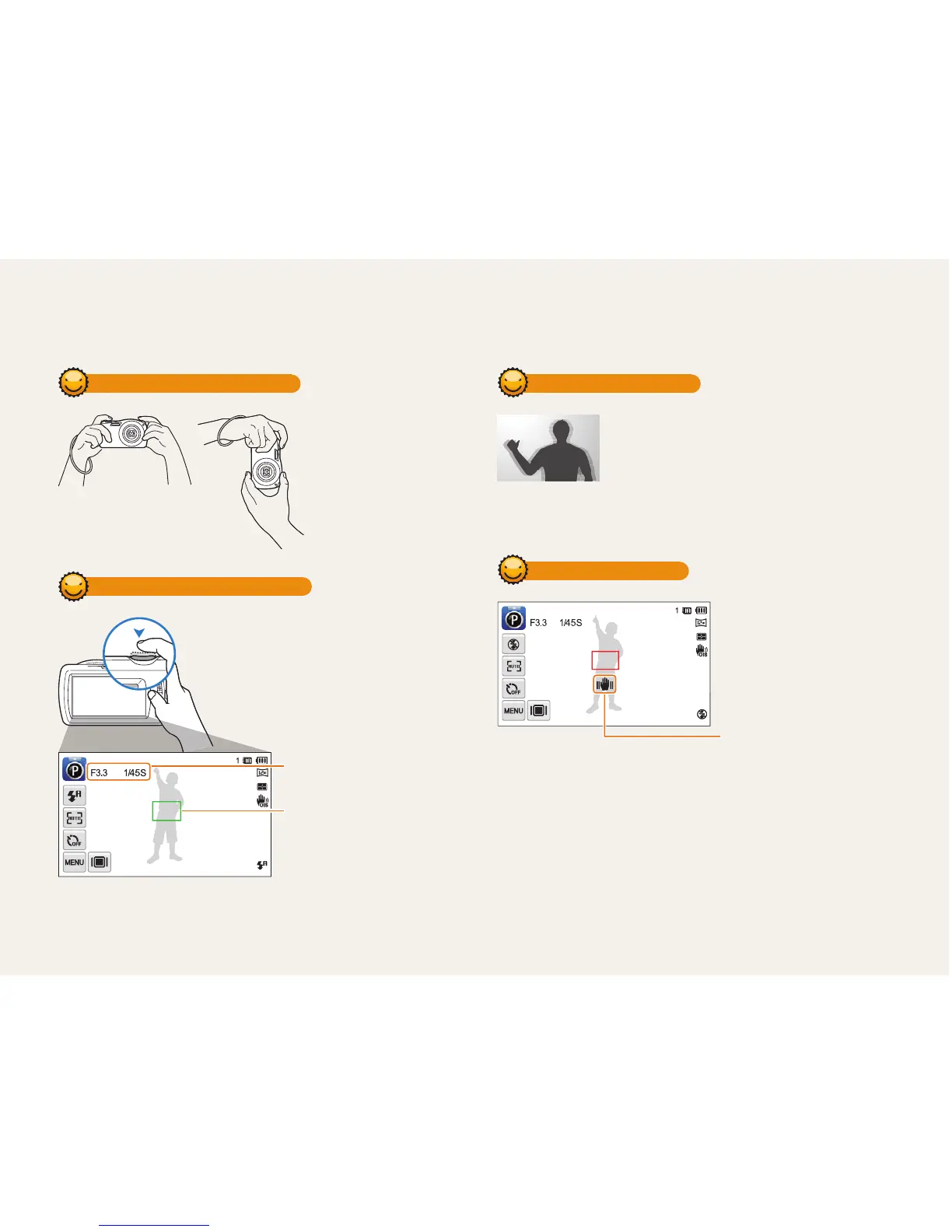
Holding your camera correctly
Ensure nothing is
blocking the lens.
Half-pressing the shutter button
Half-press [Shutter] to adjust the focus.
The camera adjusts the focus and
exposure automatically.
The camera sets the aperture
value and shutter speed
automatically.
Focus frame
•
Press [Shutter] to capture
the photo if the focus frame
appears in green.
•
Change the composition and
half-press [Shutter] again if the
focus frame appears in red.
Reducing camera shake
•
Set the Optical Image Stabilization option to
reduce camera shake optically. (p. 29)
•
Select the DUAL IS mode to reduce camera
shake both optically and digitally. (p.35)
When
h
is displayed
Camera shake
When you shoot in the dark, avoid setting the flash option to Slow
Sync or Off. The aperture remains open longer and it may be harder to
hold the camera steady long enough to take a clear picture.
•
Use a tripod or set the flash option to Fill in. (p. 55)
•
Set ISO sensitivity options. (p. 57)
Tips for getting a clearer photo



 To Next Page