Shooting options
73
Applying effects/Adjusting images
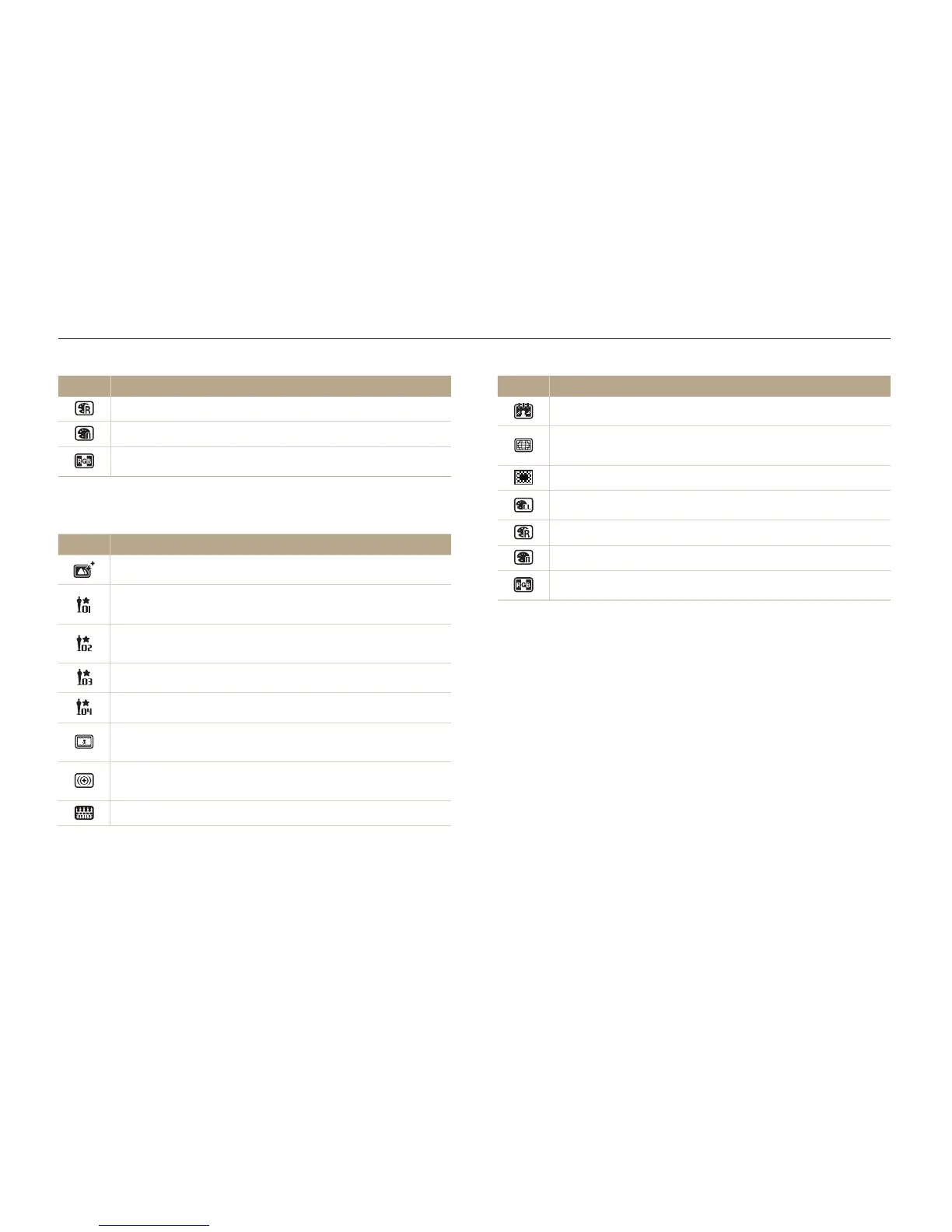
Icon Description
Retro: Apply a sepia tone effect.
Negative: Apply a negative film effect.
Custom RGB: Customize a color value.
Available filters in Movie mode
Icon Description
Normal: No effect
Palette Effect 1: Create a vivid look with sharp contrast and
red color.
Palette Effect 2: Make scenes clean and clear by applying
a soft blue tone.
Palette Effect 3: Apply a soft brown tone.
Palette Effect 4: Create a cold and monotone effect.
Miniature: Apply a tilt-shift effect to make the subject
appear in miniature.
Vignetting: Apply the retro-looking colors, high contrast,
and strong vignette effect of Lomo cameras.
Half Tone Dot: Apply a halftone effect.
Icon Description
Sketch: Apply a pen sketch effect.
Fish-eye: Distort close objects to imitate the visual effect of
a fisheye lens.
Defog: Make the images clearer.
Classic: Apply a black and white effect.
Retro: Apply a sepia tone effect.
Negative: Apply a negative film effect.
Custom RGB: Customize a color value.



 To Next Page