Chapter 3. Installing the Product 3 - 27
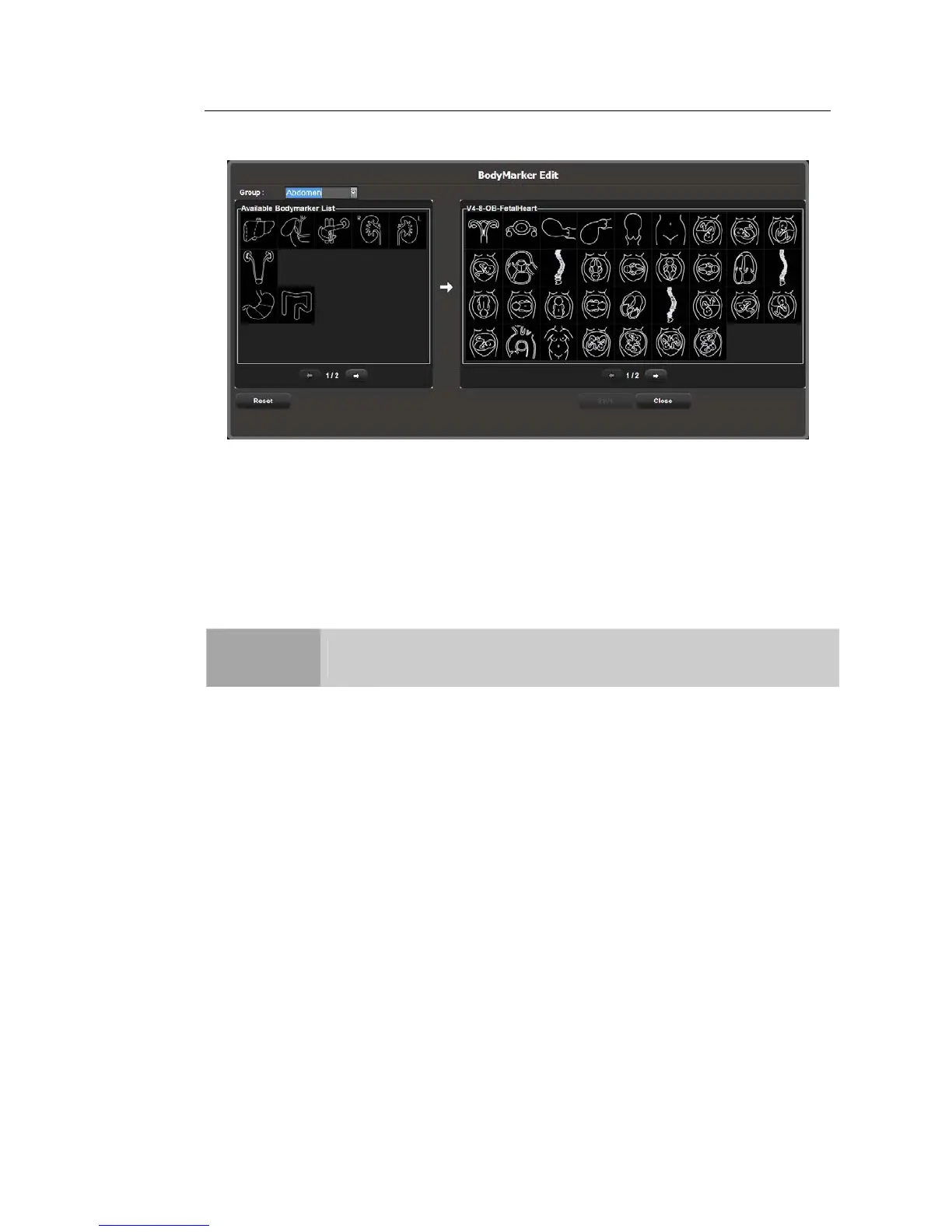
BodyMarker Edit
[Figure 3.12 BodyMarker Edit]
① BodyMarker list: The list varies depending on the group selected from Group. Current
page/Total pages is displayed below the list. If the total pages are two or more, you
can move to other pages by using [⇨] or [⇦].
② BodyMarker list of probes or presets currently being used. Current page/Total pages is
displayed below the list. If the total pages are two or more, you can move to other
pages by using [⇨] or [⇦].
NOTE
You can add or save between 1 and 100 BodyMarkers in each list.
– Adding a BodyMarker
Select and double-click a BodyMarker in the list on the left (①). The selected
BodyMarker is added to the list on the right (②). The right list cannot have
duplicated BodyMarkers. If this occurs, a warning message will pop-up.
– Removing a BodyMarker
Select and double-click a BodyMarker in the list (②) on the right.
– Saving and Canceling the BodyMarker list
Click Save to save the list. Click Close to cancel.
– Resetting the BodyMarker list
Click Reset. The BodyMarker list is reset to the system defaults.
② ①



 To Next Page