1 - 16 WS80A Service Manual
The Console
The console consists of two parts – the inner and outer units. The inside of the console contains
ultrasound imaging components. On the exterior of the console are various connectors, probe
holders, storage compartments, handles, and wheels, etc.
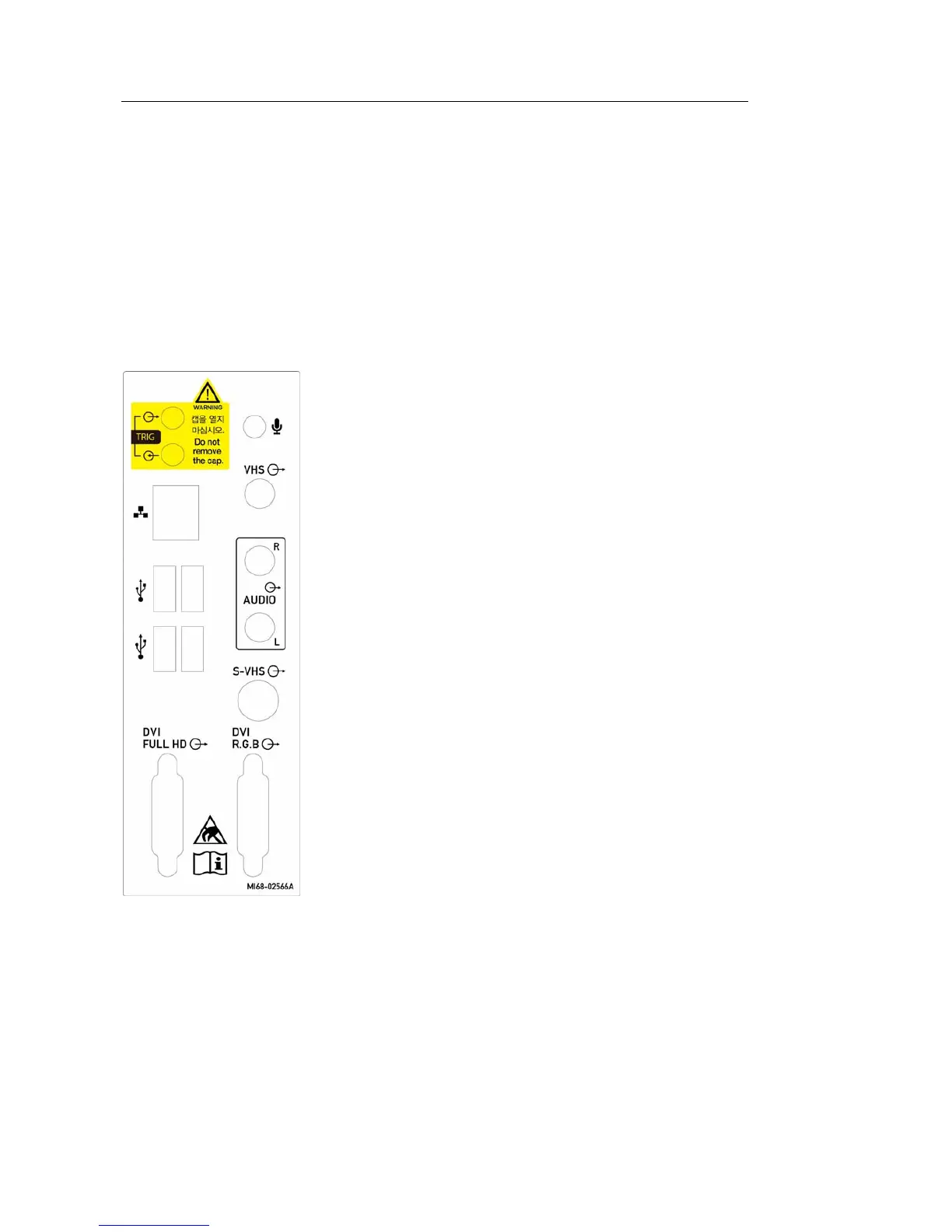
▐ Rear Panel
Various peripheral devices including monitors are connected via the rear panel at the back of
the system.
[Figure 1.9 Rear panel]
① Trig port (In/Out): Not used.
② Microphone port (Input): Connect a microphone to
this port.
③ VHS port (Output): Outputs composite image to the
monitor.
④ Audio port (Output): Used to output audio signals.
⑤ S-VHS port (Output): Outputs S-VHS image to the
monitor.
⑥ DVI port (Output): Outputs the digital signal (DVI
Full HD) and analog signal (DVI R.G.B) to the
monitor.
⑦ USB port: Used to connect to USB peripheral
devices..
⑧ Network port: Used to connect to a network. You
can transfer patient information to another server
via the DICOM network.



 To Next Page