3 - 38 WS80A Service Manual
User Defined Keys
Select the User Defined Key tab on the Setup screen. Or tap User Defined Key on the touch
screen. You can configure keys or buttons connected to the product.
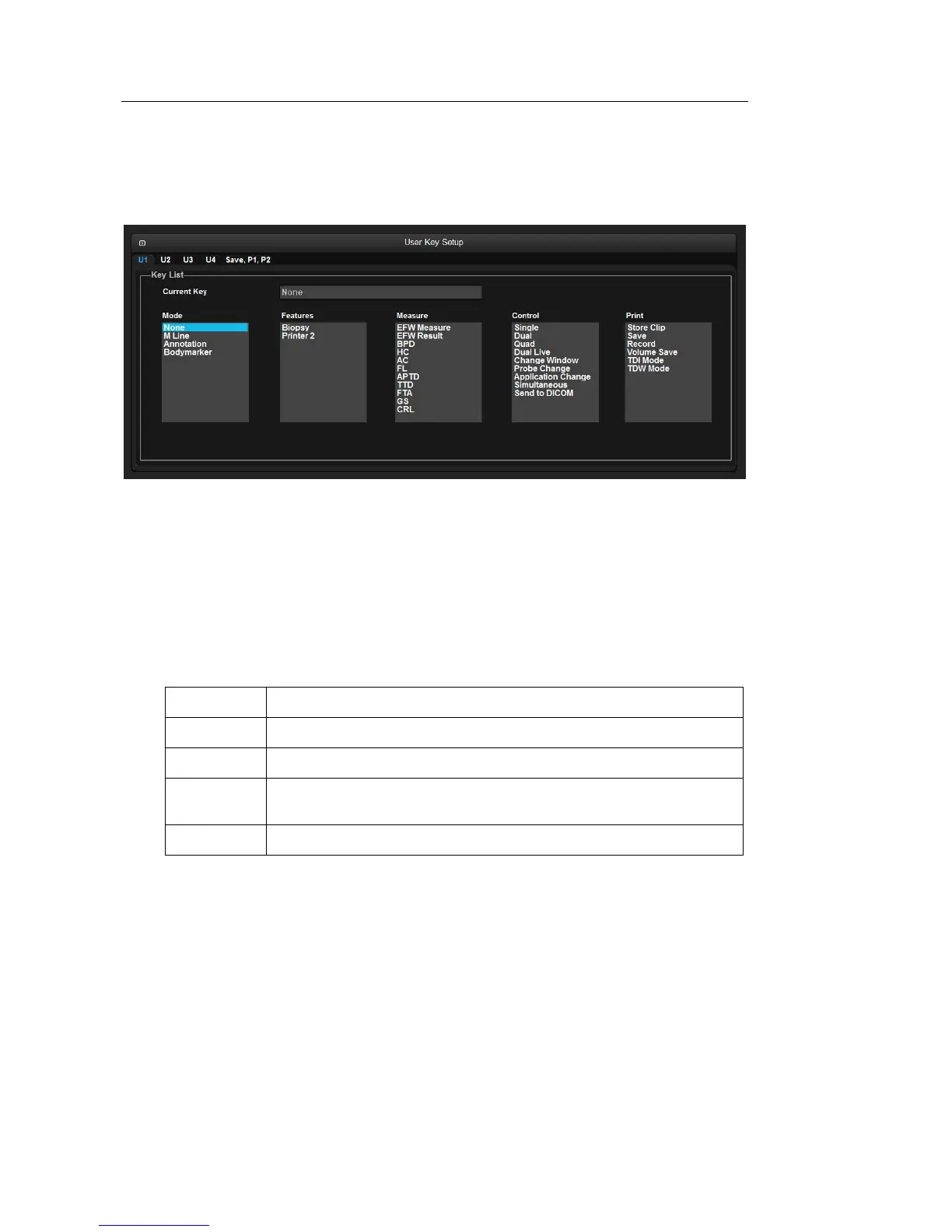
[Figure 3.19 Setup – User Defined key]
▌ User Key Setup
Assign functions to the U1, U2, U3, and U4 buttons on the control panel or touch panel. The
functions you can assign are as follows:
Key List
– Current key : Displays the current settings of the User Key button.
Mode None, M Line, Annotation, BodyMarker
Features Biopsy, Printer2
Measure EFW Measure, EFW Result, BPD, HC, AC, FL, APTD, TTD, FTA, GS, CRL
Control Single, Dual, Quad, Dual Live, Change Window, Probe Change, Application
Change, Simultaneous, Send to DICOM, Exit (only U2 can be set)
Print Store Clip, Save, Record, Volume Save, TDI Mode, TDW Mode
Select the functions to assign to the Peripheral Keys (P1 and P2 buttons) or Save
button on the control panel. The functions you can assign are as follows:



 To Next Page