Chapter 1. Introduction 1 - 9
The Control Panel
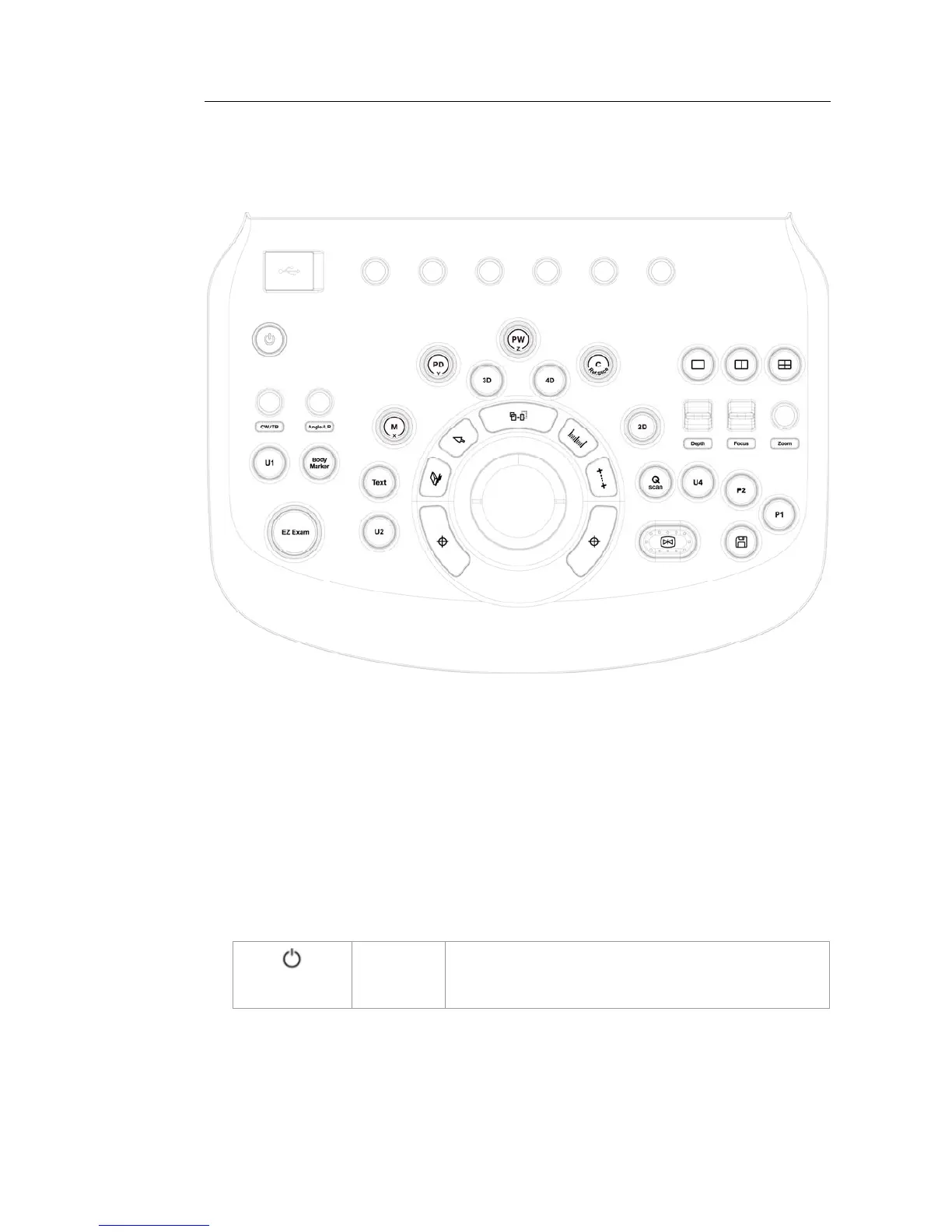
The system can be controlled by using the control panel.
[Figure 1.4 Control Panel]
The control panel consists of a keyboard, soft menus, buttons, dials, dial-buttons, a slider, and a
trackball.
The dial-button can be used both as a dial and a button.
▐ Functions of the Control Panel
The followings describe each control in the control panel and show how to use them.
Controls with multiple functions are described in detail in the following chapters of Chapter 3
in this manual.
On/Off
Button Turns the system on/off.



 To Next Page