Home
Samsung
Medical Equipment
WS80A
Page 158
Samsung WS80A - Page 158
266 pages
Manual
Save Page as PDF
To Next Page
To Next Page
To Previous Page
To Previous Page
Loading...
5 - 16 WS80A
Service Manual
pressured bipolar pulse and sent to Pro
be.
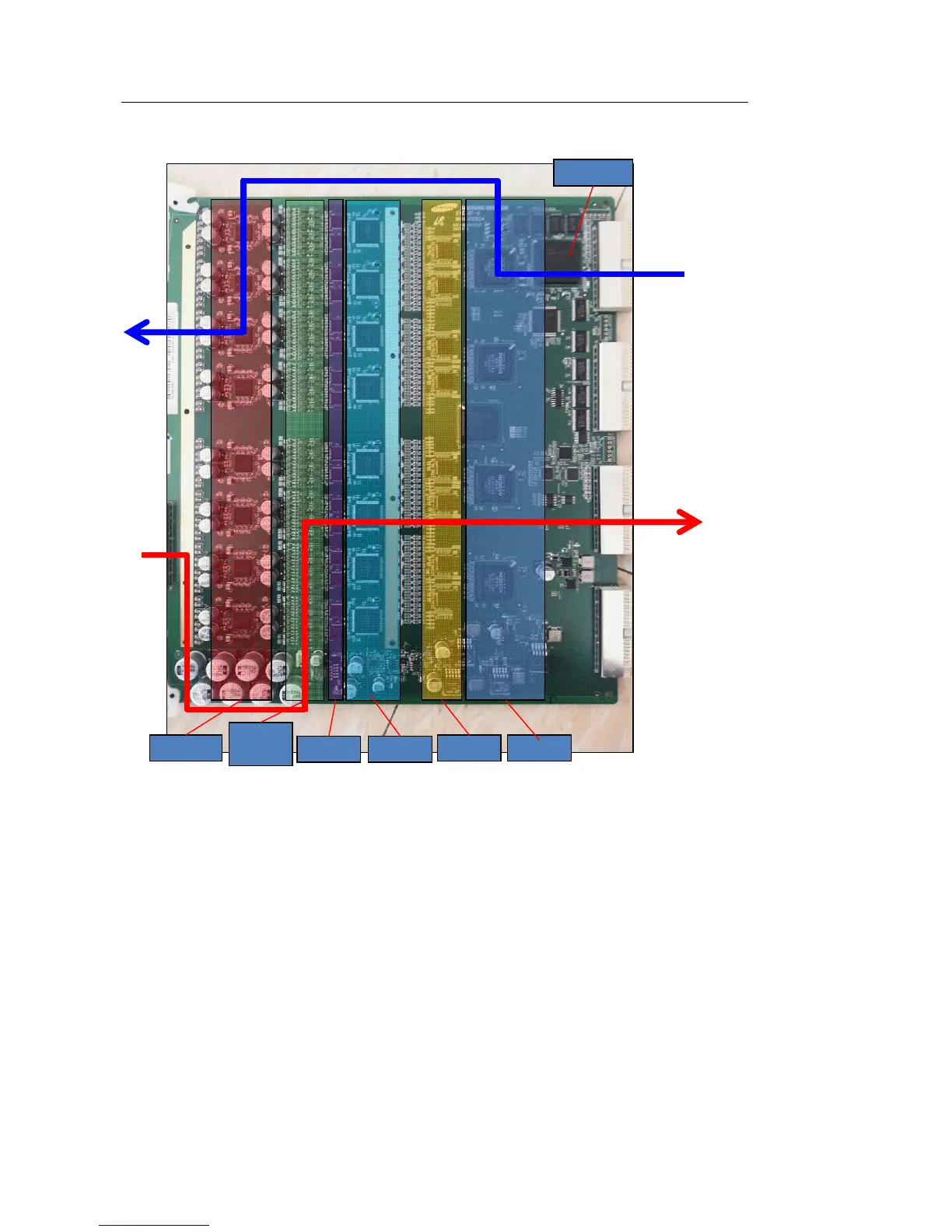
[Figure 5.6 Signal Path]
▌
Spectification
•
TX Pulser 16 (HDL6M05585, 4CH)
•
T/R
switch 64CH
•
Pre amp 32 (MAX2034, 4CH)
•
TGC amp 8 (MAX2037, 8CH)
BFIC
A
DC
TGC
LNA
T/R
switch
Pulse
r
TX Path
RX Path
FPGA
157
159
Table of Contents
Main Page
Default Chapter
10
Table of Contents
10
Chapter 1 . Introduction
16
Product Specifications
16
Product Configuration
19
The Monitor
21
The Control Panel
23
The Console
30
Peripheral Devices
32
Probes
35
Accessories
36
Optional Functions
37
Chapter 2 . Safety
39
Purpose of Use
39
Safety Information
40
Safety Symbols
40
Symbols
43
Label
44
Labels
44
Electrical Safety
45
Prevention of Electric Shocks
45
Prevention of Electric Shock
45
ECG-Related Information
47
Esd
47
Emi
48
Emc
48
Mechanical Safety
56
Moving the Equipment
56
To Use the Product Safely
57
Biological Safety
60
ALARA Principle
60
Environmental Protection
75
Correct Disposal of this Product(Waste Electrical & Electric Equipment)
75
Correct Disposal of this Product (Waste Electrical & Electronic Equipment)
75
Chapter 3. Installing the Product
78
Unpacking the Product
78
Installation Environment
79
Installing the Product
80
Power Cord Connection
81
Probe Connection
81
Connecting Peripherals
82
System Power
84
Turning the Power on
84
Shutting down the System
85
System Settings
86
System General Setting
87
Scan Mode
92
Display
96
Annotate
101
Peripheral Device Settings
106
User Defined Keys
113
MPR Menu
115
Network
116
Options
118
DICOM Setup (Optional)
120
Auto Calc
134
System Information
135
Chapter 4. Product Inspection
136
Inspecting Functions
137
Basic Inspections
137
Detailed Inspections
139
Chapter 5. Product Structure
145
Overview
145
System Block Diagram
147
Basic Structure of WS80A
149
Ultrasound System Part
150
PC Part
151
User Interface Part
152
AC to Power Module
152
Basic Structure of UGEO WS80A
149
Overview
149
Ultrasound System Part
153
Psa
153
Analog Control
155
Beam Former Board
157
Back End Board
164
PC Part
170
PC Module
170
Software DSC
171
Rear Board
173
Power Supply
174
User Interface Part
177
Control Panel
177
Docking CP Board
179
Touch Panel
180
Monitor
181
Chapter 6 . Service Mode
183
System Information
183
Windows Mode
184
Admin Mode
185
Admin Mode Functions
186
Adding and Deleting Options
192
Adding an Option
193
Chapter 7 . Troubleshooting
196
Power Issues
196
Power Does Not Turn on
196
Power Does Not Turn off
196
Power Turns off by Itself
197
Monitor
198
Nothing Is Displayed on the Screen
198
Screen Is Discolored
198
Error Messages
199
Error Occurs During Booting
199
Image
200
2D Mode: There Is no IMAGE ECHO or IMAGE FORMAT
200
Lines (Noise) Appear in 2D Mode Image
200
M, C, PW, CW Mode Trouble
200
Error Code
201
Chapter 8 . Disassembly and Assembly
203
Caution
203
Preparation
203
Disassembling the Product
204
Front Cover Disassembly
204
Rear Cover Disassembly
206
Control Panel Disassembly
208
Monitor Disassembly
209
Monitor Arm Disassembly
210
Assembling the Product
212
Chapter 9 . Probes
213
Probe
213
Ultrasound Transmission Gel
227
Using Sheaths
228
Cleaning and Disinfecting the Probe
231
Chapter 10 . Maintenance
248
Product Maintenance
248
Cleaning and Disinfecting
248
Air Filter Management
250
Accuracy Checks
251
Information Maintenance
252
Backing up User Setting
252
Backing up Patient Information
252
Software
252
Chapter 11 . Service Part List
254
Body Cover Parts
254
System Parts
259
Control Panel Parts
263
System Cable Parts
266
Related product manuals
Samsung SONOACE R7
454 pages
Samsung h60
686 pages
Samsung HS70A
271 pages
Samsung HS40
308 pages
Samsung RS80A
300 pages



 To Next Page