06-2017
CAP. 5
17 / 24
OPERA
Operation of the machine
EN
Shut down
• The “Shut down” function can be used to set the time
for automatic shutdown of the machine.
• Press arrow “>” on the right side of the screen near
the “Shut down” button to display the following
screen:
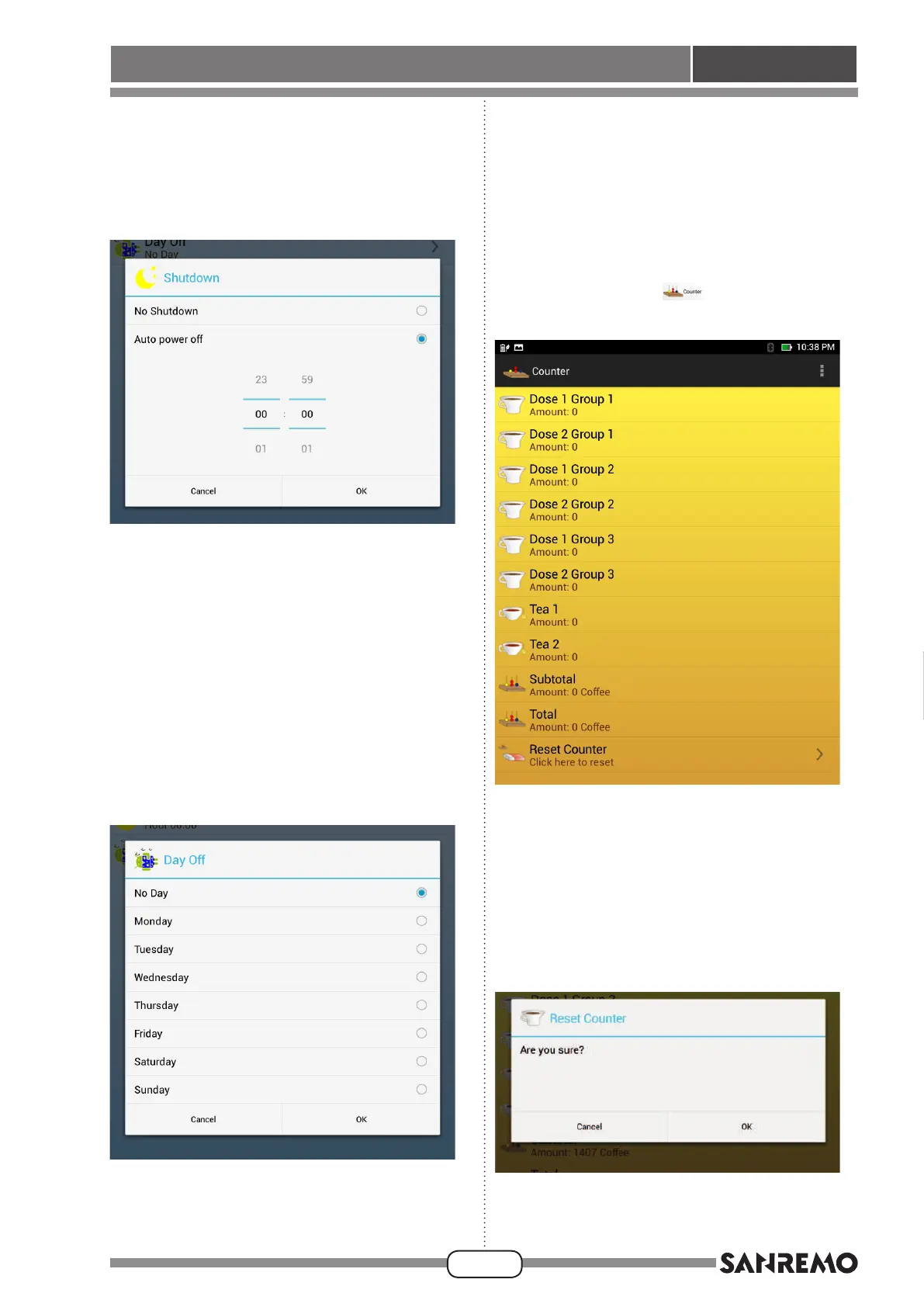
• Enable the “No shutdown” function to prevent the
machine from shutting down automatically; enable
the “Automatic shutdown” function to set the shut-
downtimeofthemachineintherelevantelds;press
“OK”toconrmandreturntothemainscreenofthe
“Timer” function.
Closing day
• The “Closing day” function can be used to set the
closing day of the facility, so that the application will
not automatically start the machine for that day (if
automatic start is set).
• Press arrow “>” on the right side of the screen near
the “Closing day” button to display the following
screen:
• Enable the “No day” function to start the machine
automatically every day at the set time, if automatic
start is set; select one of the days of the week and
the application will not enable the automatic start for
that day.
Press“OK”toconrmthedayandreturntothemain
screen of the “Timer” function.
Counters
• Press the “Counters”
button to display the
following screen:
• This screen shows the quantity of single and double
coffee dispensed for each unit of the machine, as
well as any dispensing of tea.
The “Sub-total” eld shows the quantity of coffee
dispensed since the last reset.
The“Total”eld showsthe totalquantity ofcoffee
dispensedbythemachine;thiseldcannotbereset.
Press arrow “>” on the right side of the screen near
the “Counter reset” function to reset partial counters
and display the following screen:








 To Next Page