06-2017
18 / 24
OPERA
CAP. 5
Operation of the machine
EN
• Press “OK” to reset partial counters.
Cup heating plate
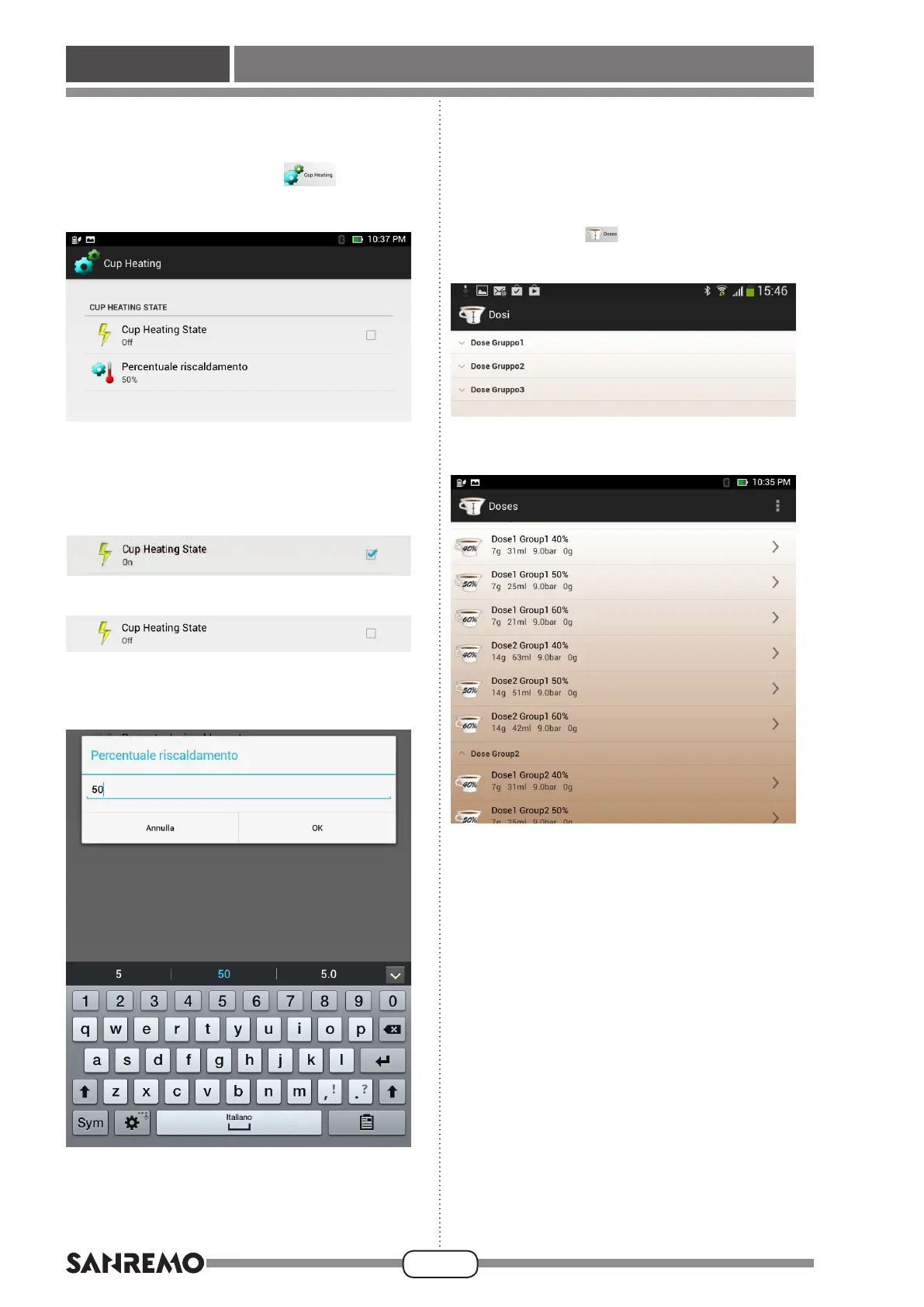
• Press the “Cup heating plate”
button to dis-
play the following screen:
• This screen can be used to enable or disable heating
of the cup heating plate by pressing the box on the
right of the screen, in the “Cup heating plate status”
eld;whentheboxischecked,themessage“ON”
appearsbelowthe“Cupheatingplatestatus”eld;
when the box is deselected, “OFF” will be displayed.
• The“Heatingpercentage”elddisplaystheoperating
% of the heating element of the cup heating plate.
Presstheeldtodisplaythefollowingscreen:
• Use the keyboard to type the desired % of power of
the heating element of the cup heating plate, then
press“OK”toconrmandreturntothemain“Cup
heating plate” screen.
Doses
• Press the “Doses” button to display the following
screen:
• Press the “Unit 1 Doses” button to display the follow-
ing screen:
• This screen shows the values set for each type of
dispensing (one or two coffees) and for each % of
brewing.
Press the “>” arrow on the right of the screen, near
the dispensing type to be edited, e.g. “ Dose 1 Unit
1 40%” to set data to dispense one coffee from unit
1 with a % of brewing of 40% and to display the
following screen:








 To Next Page