5-6
TSL-770 Operation Manual
5-4 Setting the Optical Power
1.
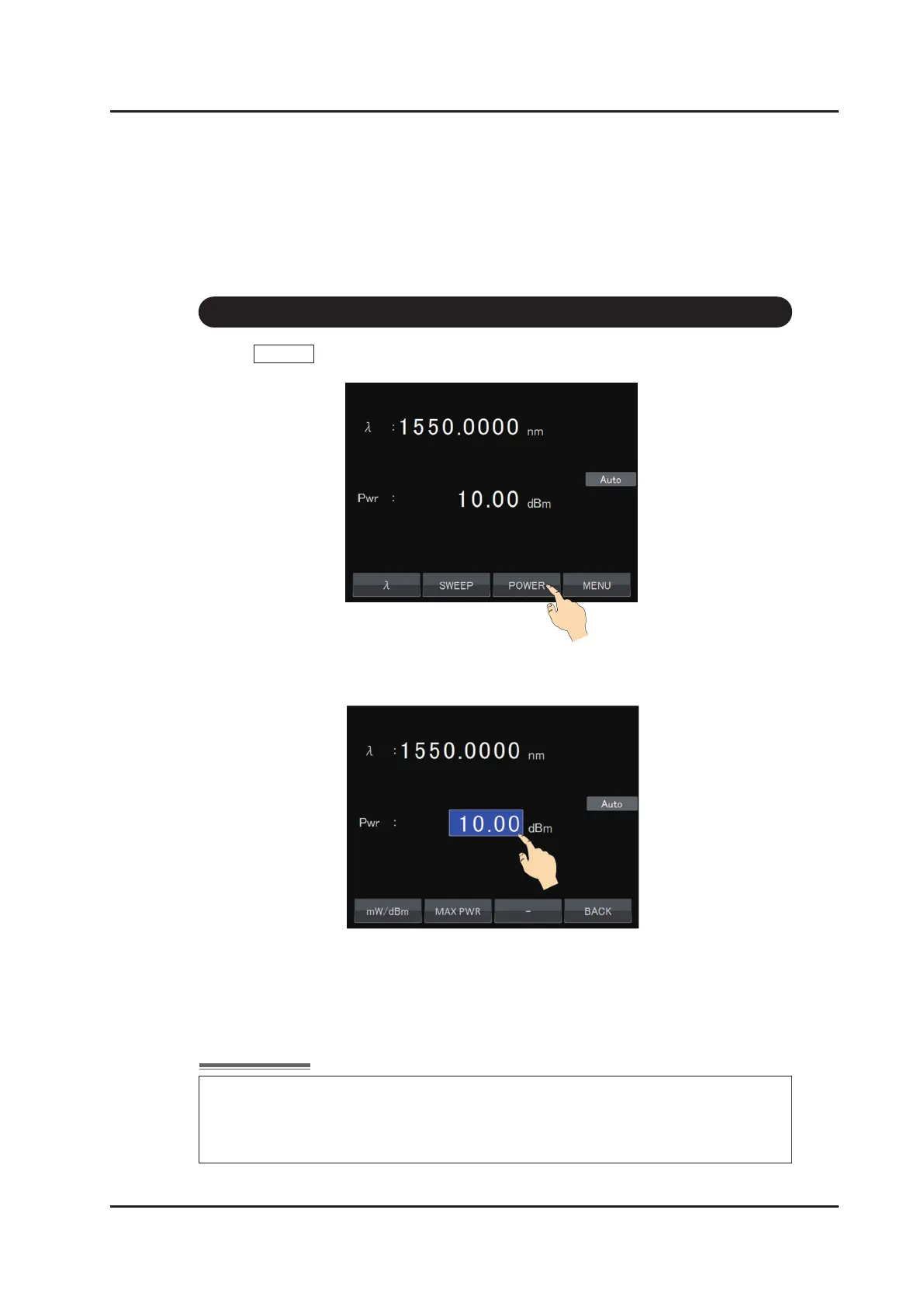
Touch POWER on the main screen.
2.
The power setting screen appears, and the cursor highlights in the power display area.
3. Input a value according to “How to input values” on page 5-4
.
Range: 20dB up to peak power
Unit : 0.01dB (0.01mW)
When a value is set that is greater than the maximum power, “PWR Err” is
displayed to show that the set power is not the same as the output power. The
wavelength and power accuracy are not guaranteed while “PWR Err” is displayed.
Please decrease the setting power so that “PWR Err” turns off.



 To Next Page