Tunable Semiconductor Laser TSL-770
5-15
5-6 Executing the Wavelength Sweep
1.
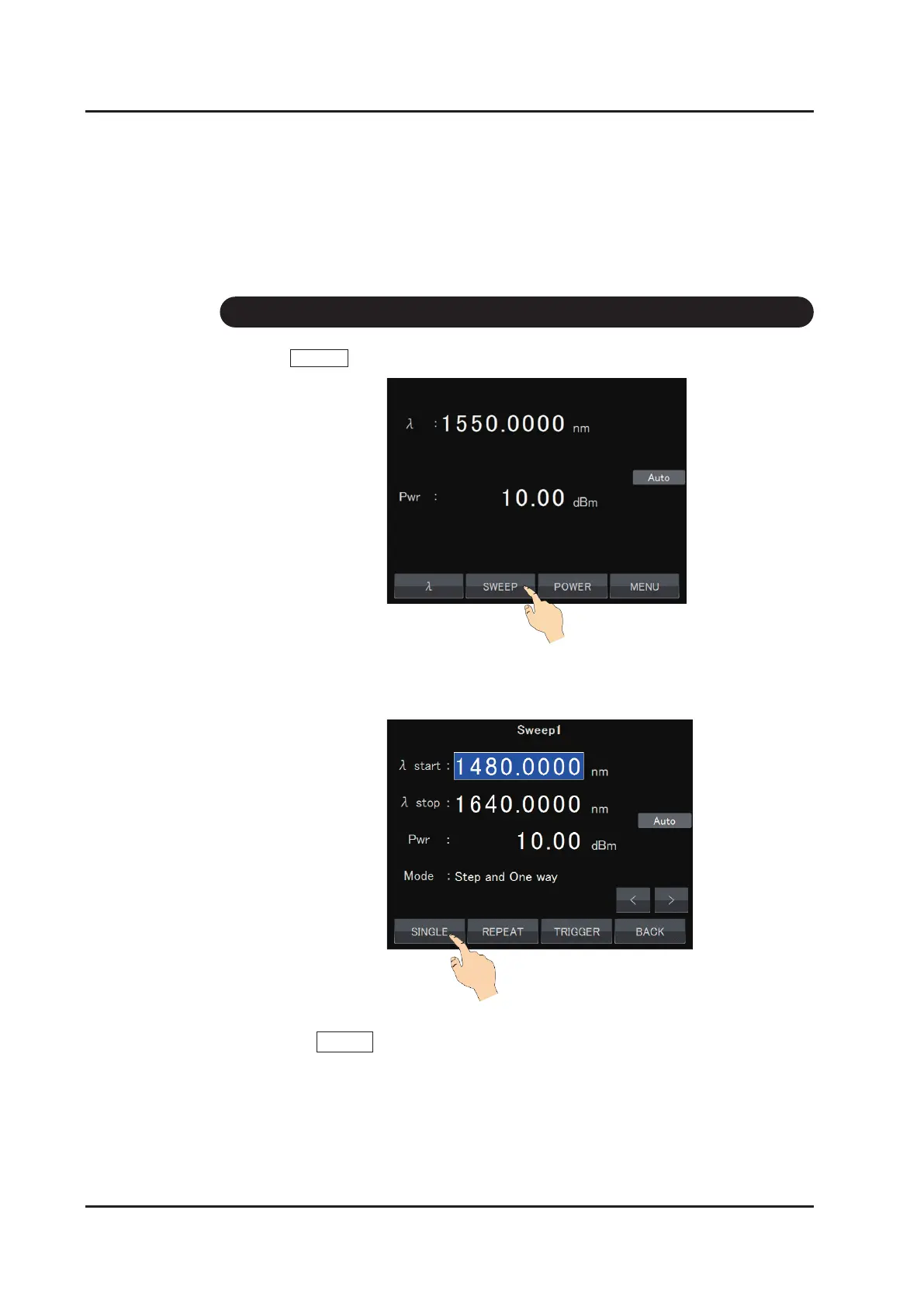
Touch SWEEP on the main screen.
2.
The Sweep setting screen appears. Perform operations according to the soft key
menu on the sweep setting screen
3. One-time sweep operation
Touch SINGLE to execute a series of operations.
Sweep mode:
Changes the wavelength continuously following the set sweep speed.
Step mode:
Sets the wavelength in sequence following the set wavelength step and
dwell time.



 To Next Page