PY Manual Copyright © 2006 SANYO DENKI AMERICA, Inc.
66
PY Setup Software
Like the Remote Operator, PY Setup Software can be used to configure and test the
amplifier. One advantage of the software is that it allows you to save a copy of your
configuration for backup or for reuse as a later date.
The PY-PCSETUP Software Kit comes with a drive connection cable and software. This
software uses COM1 or COM2 (9-Pin port) to connect to a PY0 or PY2 drive.
The PY Setup Software should be initialized as follows:
1) Install the software using the Setup program on the floppy disk.
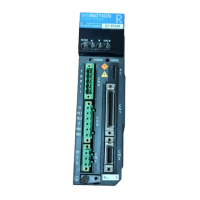
2) Connect the PY Setup cable to the OP connector on the PY0 or PY2 drive for an
online connection. A configuration file can also be opened offline without
connecting to the drive. Insure that the drive is powered up if you wish to make an
online connection.
3) Start the PY Setup Software program.
4) The initial screen will request that you to select either COM1 or COM2 for the
online connection. Select the choice that matches your available online cable
connection. If you intend to open a file offline, the choice does not matter.
5) The Main Menu will appear.
For an online connection, complete the following steps
1) After the Main Menu is displayed, click the ONLINE option under Communication.
2) Click the Yes button after you have confirmed that the drive is powered up and
connected to the cable.
3) New choices will be available on the menu if the connection is successful.
Overview
Getting Started
Online
Connections
Artisan Technology Group - Quality Instrumentation ... Guaranteed | (888) 88-SOURCE | www.artisantg.com



 To Next Page