Operators Handbook DCU3 – System
3., Function Selection and Inputs
BAEDCU3 - Rev. 4.6 - 0504 3 - 2
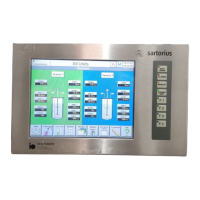
Structure of the Touch Screen Display, on the page above shown for the „Main“ menu:
1. line: Status line:
TAG Used for
hhhh:mm Display and Input of process time
Fermentation (etc.) Display of operating state. Possible displays are:
− Fermentation: System is in „Fermentation“ state
− Sequence: System runs a sequence
− Recipe 1..4: System runs a recipe (1..4)
18.01.00 14:03:11 Display of actual date and time in formate:
dd.mm.yyyy hh:mm:ss
2. line: Alarm line, display of alarms (showing the latest alarm)
3. line: name of active function in the working area
Working area: display of schematic setup of fermentor system and peripheral equipment;
– MAIN 2 : next „Main“-page
– the items displayed depend on the active function and can include symbols for devices,
process values, parameters, modes and settings;
– the displays of the items are designed as touch keys for direct access to submenus for
selecting functions and entering parameters.
Lowest line: Main function keys (also designed as touch-keys) for selection of submenus
and subfunctions, where parameters should be entered and operating modes should be set.


 To Next Page